 roboco-app[bot]GitHubroboco-app[bot] <302741806+roboco-app[bot]@users.noreply.github.com>Frontend Developer 1Frontend DocumenterFrontend Developer 2Renn FRenzo F
* [170c9578] Frontend: Panel consistency & UX wave (forms audit, command palette, kanban merge, responsiveness) (#688) * [f1957610] Stream1-A: Project form sync (#667) * [f1957610] feat(panel): expose codegen_command in create-project dialog Add the Codegen Command input to create-project-dialog.tsx, mirroring the field already present in edit-project-dialog.tsx. All other fields named in this task (git_provider, github_installation_id, environments, protected_branches, video_engine_enabled, monthly_budget_usd with gt=0 client validation, sandbox_extensions) were already implemented on this branch's base by prior work, and the ProjectCreate/ProjectUpdate types in types/index.ts already match the backend ProjectCreateRequest/ProjectUpdateRequest schemas exactly -- no further changes were needed there. * [f1957610] docs(forms): add project-fields-audit reference for future field consistency Create a living audit of which project configuration fields are exposed in the create vs. edit dialogs, mapping to the backend ProjectCreateRequest/ProjectUpdateRequest schemas. This serves as a future reference to prevent field-sync gaps and documents the intentional asymmetry (create focuses on git setup, edit adds autonomy/maintenance toggles). Includes a checklist for adding new project fields in the future. --------- Co-authored-by: Frontend Developer 1 <fe-dev-1@roboco.tech> Co-authored-by: Frontend Documenter <fe-doc@roboco.tech> * [515697f4] feat(panel): settings save feedback + forms-audit.md living reference (#669) Add per-toggle confirmation toasts to the four Settings-page prefs (notifications, sound, auto refresh, refresh interval) so an immediate write is never indistinguishable from a silent failure. These prefs stay on the already-shipped client-persisted useUIStore pattern (CHANGELOG.md "Settings preferences persist as real client prefs instead of 422-ing as theater") rather than settingsApi, since the backend _VALIDATORS allowlist deliberately excludes them and the parent task scoped this stream as needing no backend schema changes. Check in docs/forms-audit.md: a living form x field x verdict table covering Stream1-A (project dialogs), Stream1-B (task dialogs), and this settings work, with a header note that future backend schema changes require a row update. Fixes the project-slug help text (now correctly says letters/numbers/hyphens, not just hyphens). Co-authored-by: Frontend Developer 2 <fe-dev-2@roboco.tech> * [80a215a4] Stream2-A: Command palette component (#670) * [80a215a4] feat(panel): Cmd+K command palette component Radix Dialog + combobox pattern searching tasks/agents/projects/pages, localStorage recents under roboco-cmd-recents, keyboard nav (arrows/ Enter/Escape), mounted globally in the dashboard layout. * [80a215a4] fix(panel): restore fields dropped from ui-store.ts by prior merge Stream1-C's merge stripped notificationsEnabled, soundEnabled, autoRefresh, refreshIntervalSeconds, a2aContextOpen, quickActionIds, productsView, and projectsView from the shared UI store, breaking typecheck for settings/quick-actions/products/projects/a2a/notification consumers repo-wide. Restored per already-committed tests + consumers. * [80a215a4] docs(panel): add command palette reference guide Documents the global Cmd+K search feature: usage (keyboard shortcuts, search categories, recents), architecture (CommandPalette component, useCommandPalette hook, fuzzy-match and recents helpers), data flow, and verification against live API data. --------- Co-authored-by: Frontend Developer 2 <fe-dev-2@roboco.tech> Co-authored-by: Frontend Documenter <fe-doc@roboco.tech> * [cdc371d1] Stream4-A: Responsiveness audit and fix — wide-content pages (#671) * [cdc371d1] fix(panel): bump Button sm size to 36px touch-target floor Button's size="sm" variant was h-8 (32px), used as literal row-action buttons on the overview page's CEO Approval/PR Review queues and other controls across settings/metrics/agents/a2a. Bump to h-9 (36px) to meet the touch-target floor everywhere at once, keeping the smaller horizontal padding/gap intact for visual density. * [cdc371d1] fix(panel): make AlertDialog scroll its body at short viewport heights AlertDialogContent lacked the max-h-[85vh]/overflow-y-auto that the sibling DialogContent already has, and AlertDialogFooter lacked DialogFooter's sticky bottom-0 pinning. A tall description at a short viewport height (mobile landscape) could clip the action buttons off screen with no way to reach them. Affects the settings page's GitHubAppCredentialsCard/FeatureFlagsCard confirm dialogs (and every other AlertDialog app-wide). Ports DialogContent's already-solved scroll pattern onto AlertDialogContent/Footer. * [cdc371d1] fix(panel): wrap Scorecards Members table in ResponsiveTable metrics/scorecards-tab.tsx's 9-column Members table was a bare <Table> with no mobile-card fallback, unlike its sibling tables in the same file (Rework, SpawnWaste) and sessions-table.tsx, which already use the established ResponsiveTable wrapper. Add a MemberCard component and wrap the table so it stacks as cards below md instead of forcing a cramped in-card horizontal scroll on a 375px viewport. --------- Co-authored-by: Frontend Developer 1 <fe-dev-1@roboco.tech> * [b25fca69] Stream2-B: Header integration for command palette (#675) * [b25fca69] Wire header search into Stream2-A command palette: click trigger via useUIStore.setCommandPaletteOpen, remove disabled input and Coming Soon tooltip remnants * [b25fca69] Wire header search into Stream2-A command palette: click trigger via useUIStore.setCommandPaletteOpen, remove disabled input and Coming Soon tooltip remnants --------- Co-authored-by: Frontend Developer 1 <fe-dev-1@roboco.tech> * [e4ce5b9a] Stream3-A: Tasks page List|Kanban tabs + kanban embed (#674) * [e4ce5b9a] feat(tasks): add List|Kanban tabs to tasks page sharing URL filter state Add top-level List|Kanban Tabs above the tasks page filter bar. List tab renders the existing TaskFilters+TaskTable unchanged; Kanban tab embeds the existing DevKanban/QaKanban/PrReviewKanban/PmKanban views via nested sub-tabs (dev/qa/pr-review/pm), mirroring the standalone /kanban page's own tab styling (tooltip-wrapped triggers, pickTab helper). Both tabs read/write `tab`/`view` query params through the page's existing updateParams pattern, so all filters persist across tab switches. The four kanban view wrappers gain an optional controlled team/onTeamChange pair so the team filter is shared bidirectionally with the List tab's team filter, while staying backward compatible (uncontrolled, initialTeam-only) for the standalone /kanban route. KanbanBoard's dnd-kit drag-and-drop and mobile single-column navigation are untouched. * [e4ce5b9a] docs(tasks): add tasks-page-tabs.md documenting List|Kanban tab structure and shared filter state --------- Co-authored-by: Frontend Developer 2 <fe-dev-2@roboco.tech> Co-authored-by: Frontend Documenter <fe-doc@roboco.tech> * [18c52802] feat(panel): redirect /kanban to Tasks kanban tab, remove sidebar entry, swap bottom tab bar to Agents (#679) Co-authored-by: Frontend Developer 1 <fe-dev-1@roboco.tech> * Stream4-B: Responsiveness fixes — remaining dashboard pages (#676) * [fee25542] fix(a11y): bump sub-36px icon-sm touch targets to 36px on remaining pages Both kb-search-bar.tsx (Knowledge Base search clear button) and self-hosted-section.tsx (Settings token show/hide button) used Button size="icon-sm" (32px) for an absolutely-positioned input adornment, below the 36px minimum touch-target size. Bumped both to size="icon" (36px, matching the 36px input height) and adjusted the absolute-position offset so the button still sits fully inside each input's existing right padding reservation. Audited every remaining dashboard page (everything Stream4-A's wide-content/table fixes didn't already cover): no un-wrapped wide tables remain (every <Table> already rides ResponsiveTable), and every DialogContent across the repo already inherits or supplies max-h-[*vh] + overflow-y-auto, so dialogs stay usable at small viewport heights. * [fee25542] fix(a11y): re-land sub-36px touch target and overflow fixes after sync_branch reset them again Re-applies the fda2ac0c fix content a third time -- sync_branch's rebase+force-push reset the branch and working tree back to the stalef9f45d9fref (the round-1-only state) instead of preserving the local commits ahead of it, discarding the round-2 fix yet again. - quick-actions-card.tsx (Overview dashboard customize dialog): reorder arrows drop the h-6 w-6 override, falling back to Button's 36px icon default - agent-card.tsx (Agents page grid): DM / dedicated-chat / actions-menu icon buttons drop their h-6 w-6 override, now 36px - product-card-grid.tsx / project-card-grid.tsx (Products/Projects card view): edit/external-link icon buttons drop h-6 w-6, now 36px - environment-ladder-editor.tsx (Edit Project dialog): move-up/move-down/ remove-rung icon buttons drop their h-6/h-8 overrides, now 36px; the per-rung row now scrolls horizontally within its own bordered box (overflow-x-auto + min-w-max) instead of overflowing at 375px now that the icon buttons are back to full width - acceptance-criteria-editor.tsx / dependency-selector.tsx (task create/ edit dialogs): remove-row icon buttons drop their h-6/h-8 overrides, now 36px - tab-commits.tsx: "Linked Commits" header's fixed 3-column grid now stacks to one column below sm, and the branch/PR badge row scrolls horizontally in its own container instead of the page panel lint + tsc --noEmit are both clean. * [fee25542] fix(a11y): bump tab-commits.tsx delete-commit button to 36px touch target The per-commit unlink button used className="h-7 w-7" (28px), the one sub-36px target the prior re-land commits (fda2ac0c/8e00303f/d8408c77/ 34ea8fe1/e6bee7c8) didn't cover -- their content only fixed the header grid-stack overflow in this file, not this button. Bumped to h-9 w-9 (36px) matching the Button component's own size="icon" default used everywhere else in this fix series, and bumped the icon from h-3 w-3 to h-3.5 w-3.5 to stay visually proportional at the larger target. panel-gate (lint + tsc --noEmit + vitest) is green. * [fee25542] fix(a11y): remove trailing narrative JSX comments in self-hosted-section.tsx Removes the 9 {/* ... */} comments flagged by the conventions validator's no_inline_comments rule (F-8db499ac) — Header, Base URL input, Auth token input, Test Connection button, inline result badge, and the three empty- state section markers. Each block is already self-evident from its JSX composition (distinct Input/Button/Badge groupings and conditional guards showNoUrlState/showErrorState/showNoModelsState/showModelList), so no docstring/JSDoc replacement is needed. Pure deletion, no behavior change. The two remaining open findings (F-8a39564c, F-4308219d) allege the touch-target/overflow fixes across 8 files are missing from this branch -- re-verified via roboco_git_log(branch=<task branch>), which reads the real ref directly, that the branch tip isc629c3e1and already contains those fixes (h-9 w-9 delete button + overflow-x-auto header row in tab-commits.tsx, overflow-x-auto rung rows in environment-ladder-editor.tsx, no shrunk icon-sm/h-6/h-7 overrides left in the other 6 files), confirmed by reading every file on disk in this worktree. No code change needed for those two; resolved via verification evidence instead of a 9th re-land. pnpm lint + pnpm typecheck both clean. --------- Co-authored-by: Frontend Developer 2 <fe-dev-2@roboco.tech> Co-authored-by: Frontend Developer 1 <fe-dev-1@roboco.tech> * [1ff154da] restore(panel): re-add AutoRefreshDriver and ScrollJumpButtons to dashboard layout (#691) Co-authored-by: Frontend Developer 1 <fe-dev-1@roboco.tech> * [6ee71578] Add sequence field to task dialogs; fix pr_gate forms-audit.md findings (#693) Co-authored-by: Frontend Developer 2 <fe-dev-2@roboco.tech> --------- Co-authored-by: roboco-app[bot] <302741806+roboco-app[bot]@users.noreply.github.com> Co-authored-by: Frontend Developer 1 <fe-dev-1@roboco.tech> Co-authored-by: Frontend Documenter <fe-doc@roboco.tech> Co-authored-by: Frontend Developer 2 <fe-dev-2@roboco.tech> * [73275ff0] fix(panel): review follow-ups — budget help text, touch-visible unlink, docs consolidation - The task budget help text and validation toast said empty falls back to a task-type default; that default table was removed (null = no cap) — both strings now say so, and the forms audit row documents the correction instead of claiming ok over a stale label. - The per-commit unlink button was hover-revealed only, invisible on touch devices and to keyboard focus; it now also reveals on focus-visible and coarse pointers. - The forms audit moves from the docs root into the governed docs/frontend/forms/ tree, cross-linked both ways with the project fields reference it overlapped, and both are registered in the frontend docs index; the tasks-page-tabs doc's standalone-reuse rationale now states the /kanban redirect reality. - The two 20px tree-expand chevrons in the tasks table are left as-is deliberately: explicit dense-row overrides, where a 36px target would break table density. --------- Co-authored-by: roboco-app[bot] <302741806+roboco-app[bot]@users.noreply.github.com> Co-authored-by: Frontend Developer 1 <fe-dev-1@roboco.tech> Co-authored-by: Frontend Documenter <fe-doc@roboco.tech> Co-authored-by: Frontend Developer 2 <fe-dev-2@roboco.tech> Co-authored-by: Renn F <rennf93@users.noreply.github.com> Co-authored-by: Renzo F <45401804+rennf93@users.noreply.github.com>
RoboCo
AI Agents Company - A virtual organization of 25 AI agents + 1 human CEO, designed to operate as a complete software development workforce.
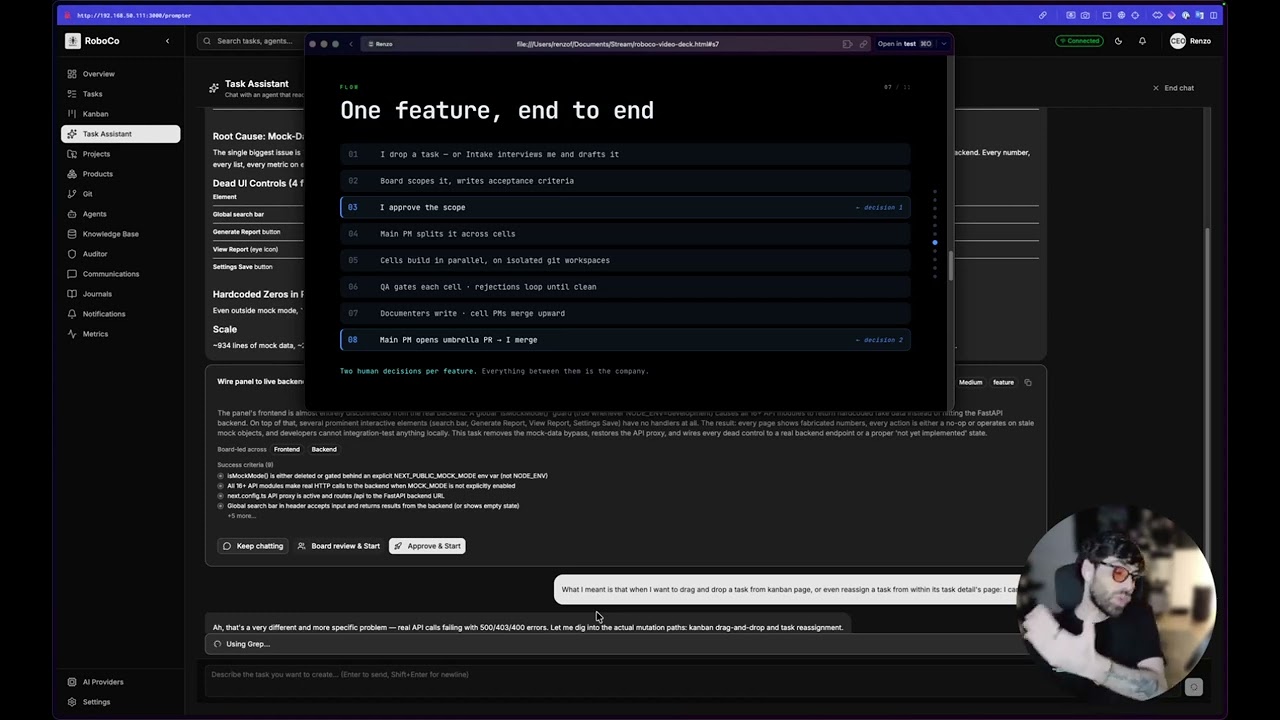
▶ Watch the 26-min intro what it is, a walkthrough, and how to use it |
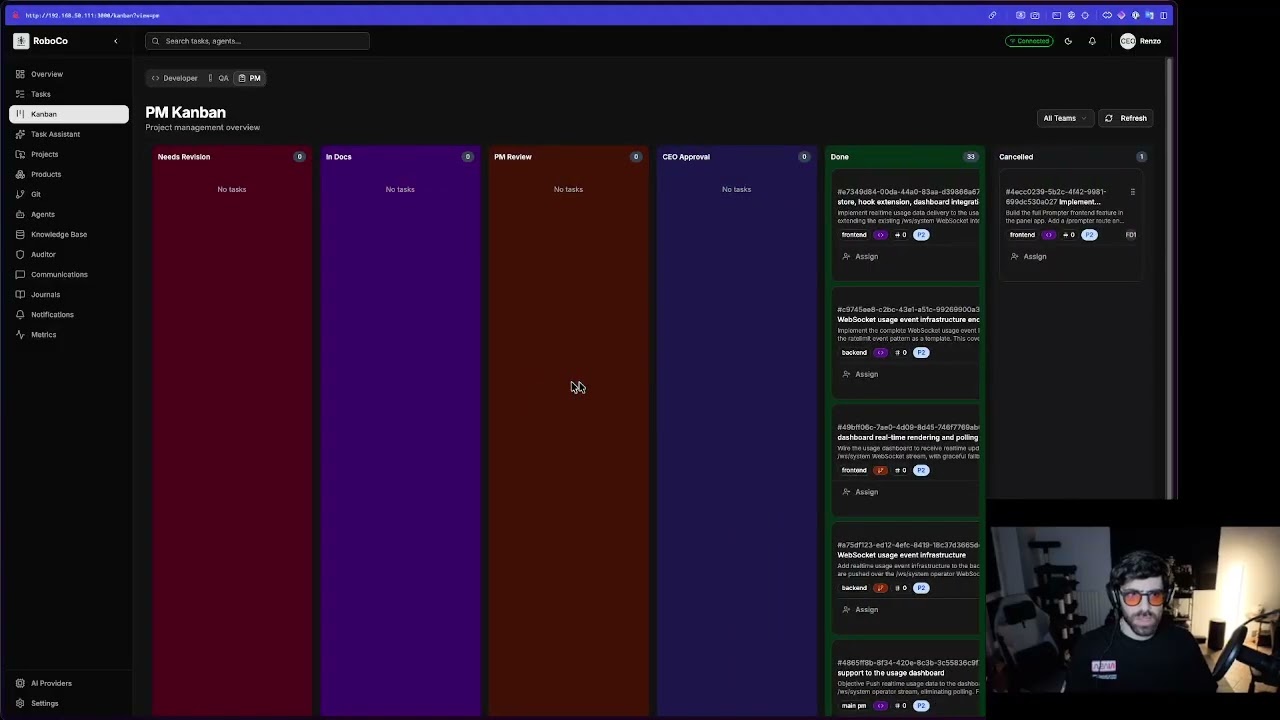
▶ Watch the 2.5-hour build session a conversation → a shipped feature |
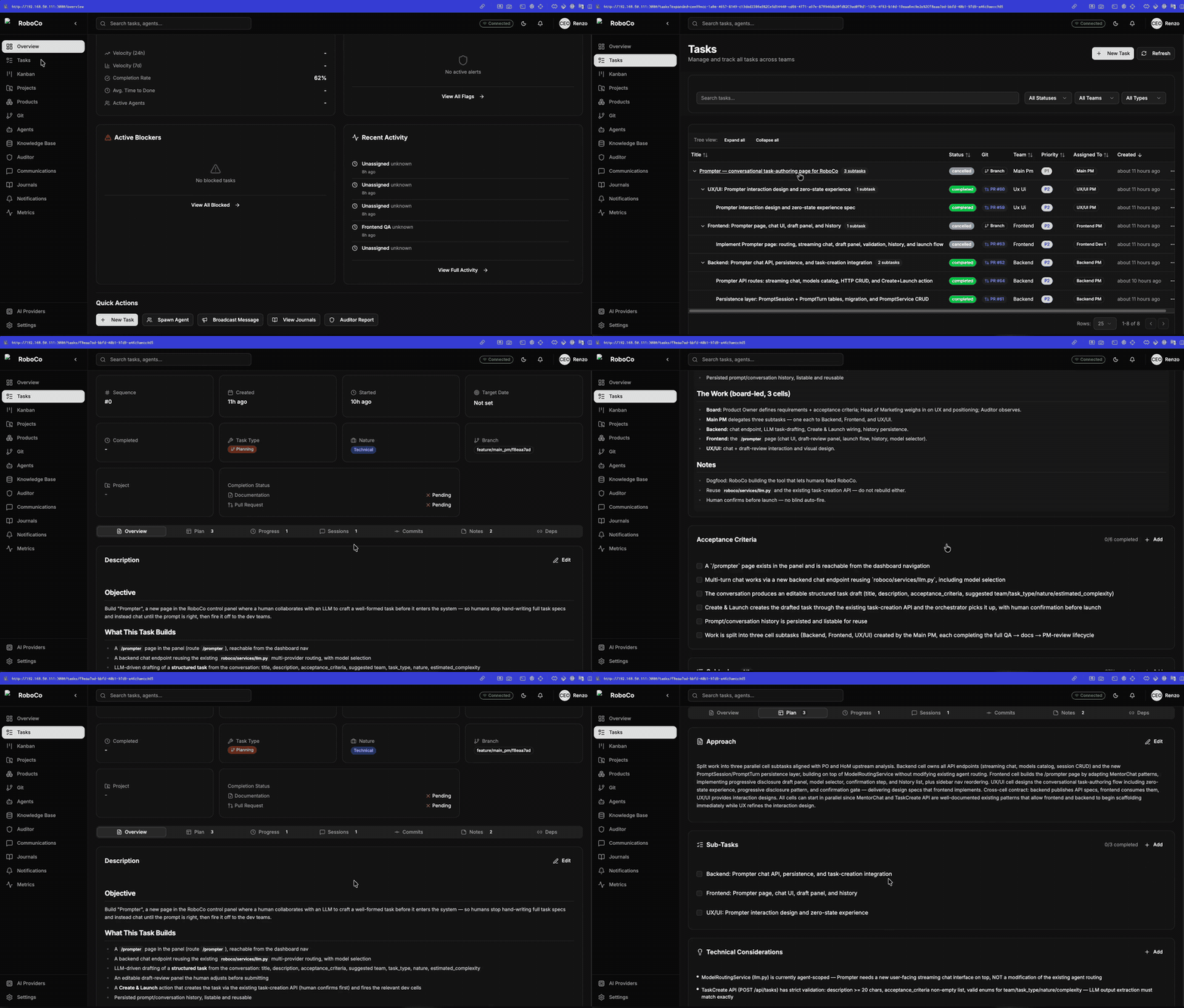
Watch the full 2:33 walkthrough (.mp4) →
Warning
RoboCo is early-stage, work-in-progress software (v0). It's under active development, runs in a homelab, and will have rough edges, breaking changes, and bugs. It is not production-ready and the API/database schema are not stable yet. Treat it as a working prototype to explore and build on — please don't expose it to the public internet as-is. Issues and PRs very welcome.
Tip
📚 Full documentation: docs.roboco.tech — install & first run, the company model, a page-by-page panel reference, model providers, the optional subsystems, deployment, and the API.
Overview
RoboCo implements a structured organizational hierarchy with formal communication protocols, task management, and quality controls. The system enables a single human (CEO) to orchestrate complex multi-project development at scale.
CEO (You, the human)
    │
    ├── Intake (on-demand interviewer: chats only with you to draft a task)
    ├── Secretary (on-demand chief-of-staff: reads company state, runs gated directives)
    ├── PR Reviewer (read-only main reviewer: inbound external/fork + internal PRs, and the root→master in-path gate)
    │
    └── Board (3 agents)
         ├── Product Owner
         ├── Head of Marketing
         └── Auditor (silent observer, reports to you)
              │
              └── Main PM (coordinates all cells)
                   │
                   ├── Backend Cell (6 agents: 2 Devs, 1 QA, 1 PM, 1 Documenter, 1 PR Reviewer)
                   ├── Frontend Cell (6 agents: 2 Devs, 1 QA, 1 PM, 1 Documenter, 1 PR Reviewer)
                   └── UX/UI Cell (6 agents: 2 Devs, 1 QA, 1 PM, 1 Documenter, 1 PR Reviewer)
The 25 agents = Intake + Secretary + PR Reviewer + the Board (3) + Main PM + the three 6-agent cells (18). Agents run on Anthropic Claude by default, or on xAI Grok (the official grok CLI on a SuperGrok subscription) — see the provider note under Configuration.
How it works
You hand a task to the company; it runs through a real build → review → document → merge pipeline and comes back to you to approve.
One full loop, put simply:
- You give the Board a task — they review it. The Product Owner and Head of Marketing turn your ask into requirements and acceptance criteria.
- You approve — the Main PM starts the work. A notification asks for your Approve & Start decision; approve, and the Main PM breaks it into per-cell subtasks.
- Each cell's PM delegates, supports, and triages its developers (UX/UI, Frontend, Backend).
- Developers build it, QA verifies and gates it, Documenters keep the books.
- Cell PMs merge their PRs into the Main PM's branch.
- The Main PM opens the final PR and notifies you "It's done!" — you approve and merge, or send it back for rework. (Only you ever merge to
master.)
— Full circle —
See the full walkthrough, with screenshots →
Or watch the full panel walkthrough (video) →
Project Structure
roboco/
├── roboco/                      # Main Python package
│   ├── api/                     # FastAPI routes & schemas
│   │   ├── routes/              # API endpoints (tasks, git, agents, etc.)
│   │   └── schemas/             # Pydantic request/response models
│   ├── services/                # Business logic services
│   │   ├── task.py              # Task lifecycle management
│   │   ├── workspace.py         # Multi-agent workspace management
│   │   ├── messaging.py         # Agent communication
│   │   └── optimal.py           # RAG/Knowledge base (in-house pgvector)
│   ├── models/                  # Pydantic domain models
│   ├── db/                      # SQLAlchemy ORM & session
│   ├── enforcement/             # Task lifecycle state machine
│   ├── runtime/                 # Orchestrator for agent spawning
│   ├── agents/                  # Agent base classes
│   ├── mcp/                     # MCP server implementations
│   └── config.py                # Application configuration
├── agents/
│   └── prompts/                 # Agent system prompts (roles, teams, identities)
├── docs/
│   ├── rag/                     # Agent knowledge base (indexed into RAG)
│   └── map/                     # Exhaustive codebase map (agent-facing)
├── alembic/                     # Database migrations
├── CLAUDE.md                    # Claude Code guidance
├── docker-compose.yml           # Full stack, built from source
└── docker-compose.registry.yml  # Full stack, pulled from the image registry
Running RoboCo
You need Docker + Docker Compose and a Claude Code auth directory on the host (~/.claude, mounted into the orchestrator so agents can reach the model). Copy .env.example to .env and set at least ROBOCO_ENCRYPTION_KEY and ROBOCO_AGENT_AUTH_SECRET (that file shows how to generate each). However you start it, the whole company is reachable at one origin: http://localhost:3000.
Optional — run agents on xAI Grok instead of Claude. RoboCo can spawn agents on xAI's official grok CLI authenticated by a SuperGrok subscription (no metered API key). Run grok login once on the host and point ROBOCO_HOST_GROK_DIR at the resulting ~/.grok so it mounts into Grok agents; the orchestrator keeps the ~6h token refreshed for you. See the Grok block in .env.example (ROBOCO_HOST_GROK_DIR, ROBOCO_GROK_AGENT_IMAGE, ROBOCO_GROK_CLI_MODEL, ROBOCO_GROK_REASONING_EFFORT).
Option 1 — Run the pre-built images (quickest)
Every release publishes all RoboCo images to both the GitHub Container Registry and Docker Hub, so you can run the full stack without building anything. One command brings it up:
git clone https://github.com/rennf93/roboco.git && cd roboco
make quickstart                    # no make? run ./scripts/bootstrap.sh directly
make quickstart (scripts/bootstrap.sh) is idempotent — safe to re-run any time. What it does:
cp .env.example .env              # only if missing — an existing .env is never touched
# ...generates ROBOCO_ENCRYPTION_KEY / ROBOCO_AGENT_AUTH_SECRET / ROBOCO_PANEL_AGENT_TOKEN in place

docker compose -f docker-compose.registry.yml pull
docker compose -f docker-compose.registry.yml up -d

# ...then polls until the stack is genuinely ready (health, migrations, Ollama
# models) and prints a doctor-style summary — or fails loud with what to check.
Note: ROBOCO_PANEL_AGENT_TOKEN is a standing CEO credential — blank it if you later arm cloud auth (see .env.example).
Choose the registry and version with two env vars (defaults shown) — set them in .env before running make quickstart:
ROBOCO_REGISTRY=ghcr.io/rennf93   # or docker.io/renzof93
ROBOCO_VERSION=latest             # or a pinned release, e.g. 0.15.0
The orchestrator spawns the matching pre-built agent images on demand — no build toolchain or source compile on your host.
Option 2 — Build from source
The same full stack, built locally from the Dockerfiles instead of pulled:
git clone https://github.com/rennf93/roboco.git && cd roboco
cp .env.example .env              # then edit in your secrets
docker compose up -d              # builds images on first run, then starts everything
Option 3 — Local development (no full stack)
For hacking on the code itself, run only the backing services in Docker and the API on your host. RoboCo's own code requires Python 3.13+ (uv will fetch it if needed):
uv sync
docker compose up -d postgres redis ollama   # backing services only
uv run alembic upgrade head                   # migrate the database
uv run python -m roboco.cli                   # API + orchestrator

# Or just the API without the orchestrator:
uv run uvicorn roboco.api.app:app --reload --host 0.0.0.0 --port 8000
Configuration
Key environment variables (see roboco/config.py for all options):
# API Server
ROBOCO_HOST=0.0.0.0
ROBOCO_PORT=8000

# Database
ROBOCO_DATABASE_HOST=localhost
ROBOCO_DATABASE_PORT=5432
ROBOCO_DATABASE_NAME=roboco

# Workspaces (Multi-Agent Git)
ROBOCO_WORKSPACES_ROOT=/data/workspaces
ROBOCO_WORKSPACE_AUTO_CLONE=true

# RAG/LLM
ROBOCO_LOCAL_LLM_BASE_URL=http://roboco-ollama:11434/v1
ROBOCO_LOCAL_LLM_MODEL=glm-5.2:cloud

# Feature flags (default-off unless noted; toggle from Settings → Feature Flags)
ROBOCO_CONVENTIONS_ENABLED=false        # per-project architectural conventions standard
ROBOCO_TOOLCHAIN_MATCH_ENABLED=false    # build each target project under its own Python
ROBOCO_OVERLOAD_BREAK_ENABLED=true      # park a provider on a persistent model-API overload
ROBOCO_DOCS_SYNC_ENABLED=false          # docs-divergence sync (release → docs-update task). Default-off; when on, a successful release publish originates one bounded, deduped docs-update task against the roboco-website project.
ROBOCO_DOCS_SYNC_MAX_OPEN_TASKS=3       # rolling cap on concurrently-open docs-sync tasks
ROBOCO_DOCS_SYNC_MAX_PER_CYCLE=1        # max docs-sync tasks originated per publish invocation

# Auditor scheduled sweeps (default 6 hours; 0 disables)
ROBOCO_AUDIT_INTERVAL_SECONDS=21600
Multi-Agent Workspace Structure
Each agent gets their own git clone for parallel development:
{ROBOCO_WORKSPACES_ROOT}/
└── {project-slug}/
    └── {team}/
        └── {agent-slug}/
            └── [git repository]

Example:
/data/workspaces/roboco/backend/be-dev-1/
/data/workspaces/roboco/backend/be-dev-2/
Task Lifecycle
backlog → pending → claimed → in_progress → verifying → awaiting_qa
    ↓                              ↓              ↓           ↓
cancelled                      blocked      needs_revision   awaiting_documentation
                               paused                              ↓
                                                           awaiting_pm_review
                                                                   ↓
                                                           awaiting_ceo_approval
                                                                   ↓
                                                              completed
Assembled, PR-bearing tasks pass through one extra stage — the in-path PR-review gate — before the PM merges:
in_progress → awaiting_pr_review → awaiting_pm_review
   (submit_up /      (pr_pass)
    submit_root)     (pr_fail → needs_revision)
The cell PM's submit_up (cell→root PR) and the Main PM's submit_root (root→master PR) open the assembled PR and enter the gate; a PR reviewer pr_passes it on to the PM merge or pr_fails it back. Leaf dev tasks (reviewed by QA) and branchless coordination roots skip the gate.
API Endpoints
Domain routes are mounted under /api:
| Route Group | Description |
|---|---|
/api/tasks |
Task CRUD, lifecycle, claiming |
/api/agents |
Agent management |
/api/git |
Git operations (status, commit, push, PR) |
/api/sessions |
Communication sessions |
/api/messages |
Agent messages |
/api/projects |
Project (repo) management |
/api/work-sessions |
Git work session tracking |
/api/optimal |
RAG/Knowledge base queries |
/api/journals |
Agent journals/reflections |
/api/orchestrator/status |
Orchestrator / dispatcher status |
The agent gateway verbs are served separately under /api/v1/flow/{role}/{verb} (intent verbs) and /api/v1/do (content tools) — see the Agent Gateway.
Development
# Install dev dependencies
uv sync --all-extras

# Run tests
uv run pytest

# Format and lint
uv run ruff format .
uv run ruff check .
uv run mypy roboco/

# Type checking
uv run mypy roboco/
Core Principles
- Everything is a task - All work is tracked and documented
- No work without a task - Create task record first
- No task without acceptance criteria - How do we know it's done?
- No closure without documentation - Future agents need context
- Communication is constant - Stream reasoning, log everything
- The Auditor sees all - Quality monitored silently
- CEO approves major changes - Human-in-the-loop for critical decisions
Technology Stack
| Layer | Technology |
|---|---|
| API Framework | FastAPI |
| Database | PostgreSQL + SQLAlchemy (async) |
| Vector Store | PostgreSQL + pgvector (in-house engine) |
| Cache/Queue | Redis |
| RAG Engine | in-house (asyncpg + pgvector, hybrid retrieval) |
| Embeddings | qwen3-embedding:0.6b (Ollama) |
| Local LLM | Ollama (glm-5.2:cloud) |
| Cloud LLM | Claude API (Anthropic) + xAI Grok (official grok CLI, SuperGrok subscription) + OpenAI (official codex CLI, ChatGPT subscription) + Google Gemini (official gemini CLI, OAuth login) |
| Package Manager | uv |
Status
Core Infrastructure (Complete)
- Data models (Pydantic)
- Database ORM (SQLAlchemy async)
- Task lifecycle state machine
- Multi-agent workspace management
- Agent prompts (25 agents)
- Messaging API
- Task API with full lifecycle
- Git operations API
- RAG/Knowledge base (in-house pgvector engine)
- Agent orchestrator
- CEO approval workflow
- Pluggable agent providers (Claude Code + xAI Grok + OpenAI Codex + Google Gemini, each on its official CLI)
- Inbound PR review (read-only PR-reviewer + CEO supersede/dismiss queue)
- Self-healing CI loop for RoboCo's own repo (default-off, CEO-gated)
- Business Goals tab with a live Company Scorecard (delivery, spend-vs-budget, lead time)
In Progress
- Frontend panel (vendored under
panel/, served through nginx on :3000) - Full agent autonomy testing
Security
Important
Do not expose RoboCo to the public internet as-is. It is designed to run on a trusted private network (homelab / LAN).
Agent authentication. Requests identify the caller with X-Agent-Id / X-Agent-Role headers. The orchestrator issues each spawned agent an HMAC token (X-Agent-Token, signed with ROBOCO_AGENT_AUTH_SECRET) that binds its id, role and team. Token enforcement is gated by ROBOCO_AGENT_AUTH_REQUIRED:
ROBOCO_AGENT_AUTH_REQUIREDunset/false (default): header-trust mode — the role headers are accepted without a token, so any client that can reach the API may claim any role (includingceo). The API logs a warning at startup in this mode. Acceptable only on a trusted network.ROBOCO_AGENT_AUTH_REQUIRED=true: every request must carry a valid token; an agent cannot spoof another agent's role. The control panel keeps working because nginx — the only trusted hop between the browser and the API — injects the CEO token (X-Agent-Token) on/apiand/ws, so the browser never holds the signing secret. Generate that token withmake panel-tokenand set it asROBOCO_PANEL_AGENT_TOKENin.envbefore enabling secure mode.
WebSocket streams. Token enforcement is currently REST-only. The /ws/* endpoints authenticate by agent_id query param at most and do not yet validate X-Agent-Token, even in secure mode — nginx injects the token so the panel works, but a direct WebSocket connection that bypasses nginx is not rejected. In particular the operator stream /ws/system (rate-limit lifecycle + token-usage snapshots for the dashboard) is unauthenticated. These streams are read-only — no control surface, secrets, or task content — but treat the orchestrator port as trusted-network-only until WebSocket auth lands.
Secrets (the Fernet ROBOCO_ENCRYPTION_KEY, GitHub PATs) live encrypted in the database and in gitignored env files — never in the repo. Per-project git tokens are Fernet-encrypted at rest and never returned by the API.
License
Copyright (c) 2026 Renzo Franceschini
RoboCo is licensed under the GNU Affero General Public License v3.0 (AGPL-3.0). See LICENSE for the full text.
The AGPL's network-use clause (section 13) means that if you run a modified version of RoboCo as a network service, you must make your modified source available to its users. This keeps the project open while preventing closed, hosted re-distributions.
Contributing
Contributions are welcome. All contributors must sign the Contributor License Agreement (CLA.md) — this is automated on your first pull request. See CONTRIBUTING.md for the workflow and why the CLA exists.