mirror of
https://github.com/block/buzz.git
synced 2026-08-18 06:50:31 +02:00
 ede8d22dd5
## Overview **Category:** improvement **User Impact:** Mobile users can now access consistent channel and DM actions from both the channel list and conversation header. **Problem:** Mobile channel menus exposed a narrower, inconsistent set of actions than desktop, and the available actions differed by entry point. **Solution:** This change introduces one reusable action sheet with a clear quick-action hierarchy, role-aware lifecycle controls, confirmations for consequential actions, and a deliberately narrower DM menu. ## Changes <details> <summary>File changes</summary> **mobile/lib/features/channels/channel_actions_sheet.dart** Adds the shared channel and DM action-sheet experience used by both entry points, including Star/Unstar and Read/Unread quick actions for channels, section movement, mute, management, inline copy actions, guarded lifecycle actions, confirmations, and a compact DM menu without quick actions. **mobile/lib/features/channels/channel_detail_page.dart** Routes the header ellipsis through the shared action sheet so the in-channel menu matches the channel-list experience, including for DMs. **mobile/lib/features/channels/channel_management_provider.dart** Adds archive and delete operations using the desktop-compatible relay event kinds and refreshes channel state after completion. **mobile/lib/features/channels/channels_page.dart** Makes the shared channel action-sheet entry point available to the channel-list implementation. **mobile/lib/features/channels/channels_page/channel_tile.dart** Replaces the tile-specific long-press menu with the reusable action sheet while preserving read state and section context. **mobile/test/features/channels/channel_actions_sheet_test.dart** Covers action hierarchy, owner/admin/member capability guards, loading and failure states, DM narrowing with no quick-action row, and inline copy actions. **mobile/test/features/channels/channel_detail_page_test.dart** Updates channel-header flows to exercise management through the new shared action sheet. **mobile/test/features/channels/channel_management_provider_test.dart** Verifies archive and delete event tags stay compatible with desktop behavior. </details> ## Reproduction Steps 1. Run the mobile app and open a populated channel list. 2. Long-press a regular channel and verify the Star/Unstar and Read/Unread quick actions appear above Move to section…, Mute, Manage, Copy channel name, and Copy channel ID. 3. Choose either copy action and verify it copies the expected value. 4. Open a channel, tap the header ellipsis, and verify the same action sheet appears. 5. As an admin or owner, verify Archive appears; as an owner, verify Delete also appears. Confirm that lifecycle actions require confirmation. 6. Long-press or open the header menu for a DM and verify it has no quick-action row and starts with Mute, followed by Copy channel name and Copy channel ID. ## Screenshots ### Channel menu | Regular channel — Mark Unread | DM — no quick actions | Archive confirmation | |---|---|---| | 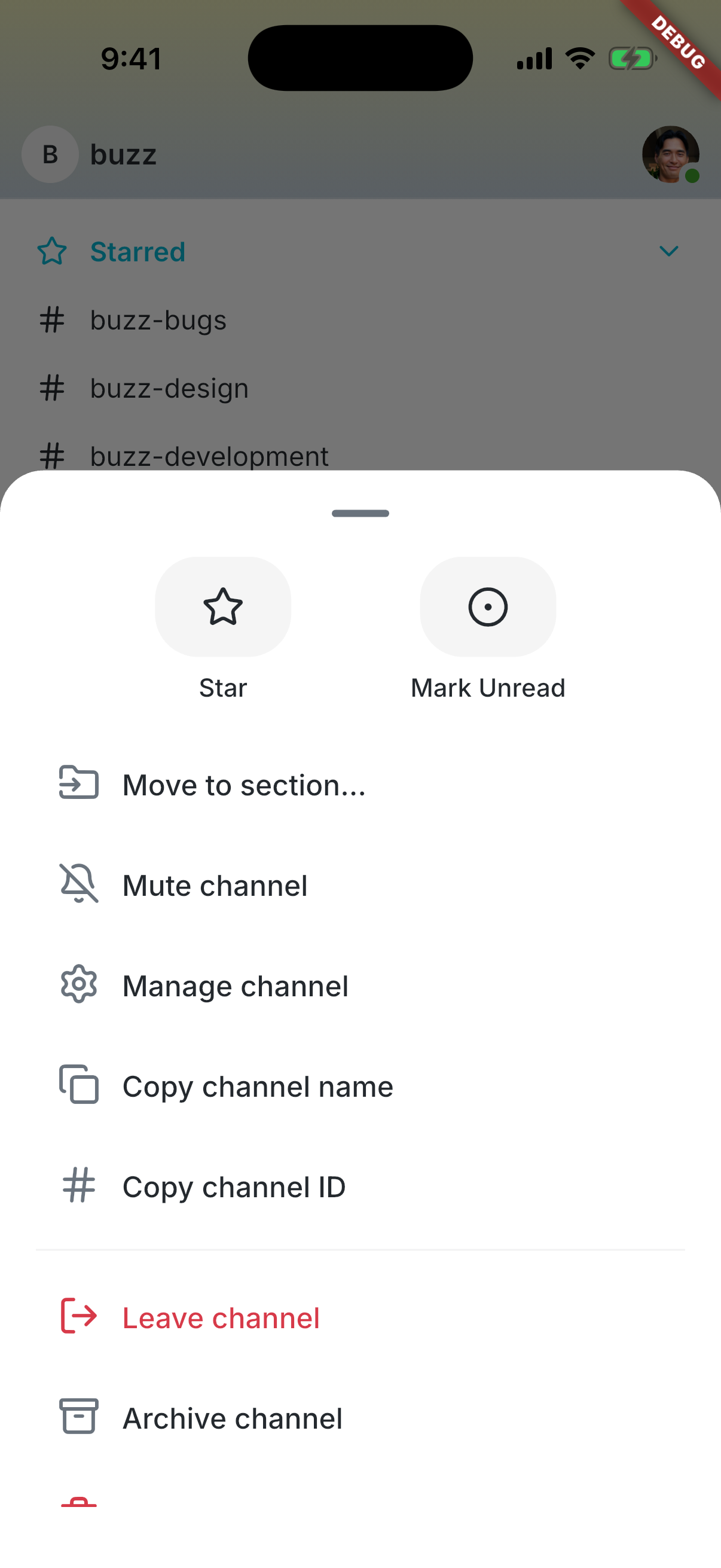 | 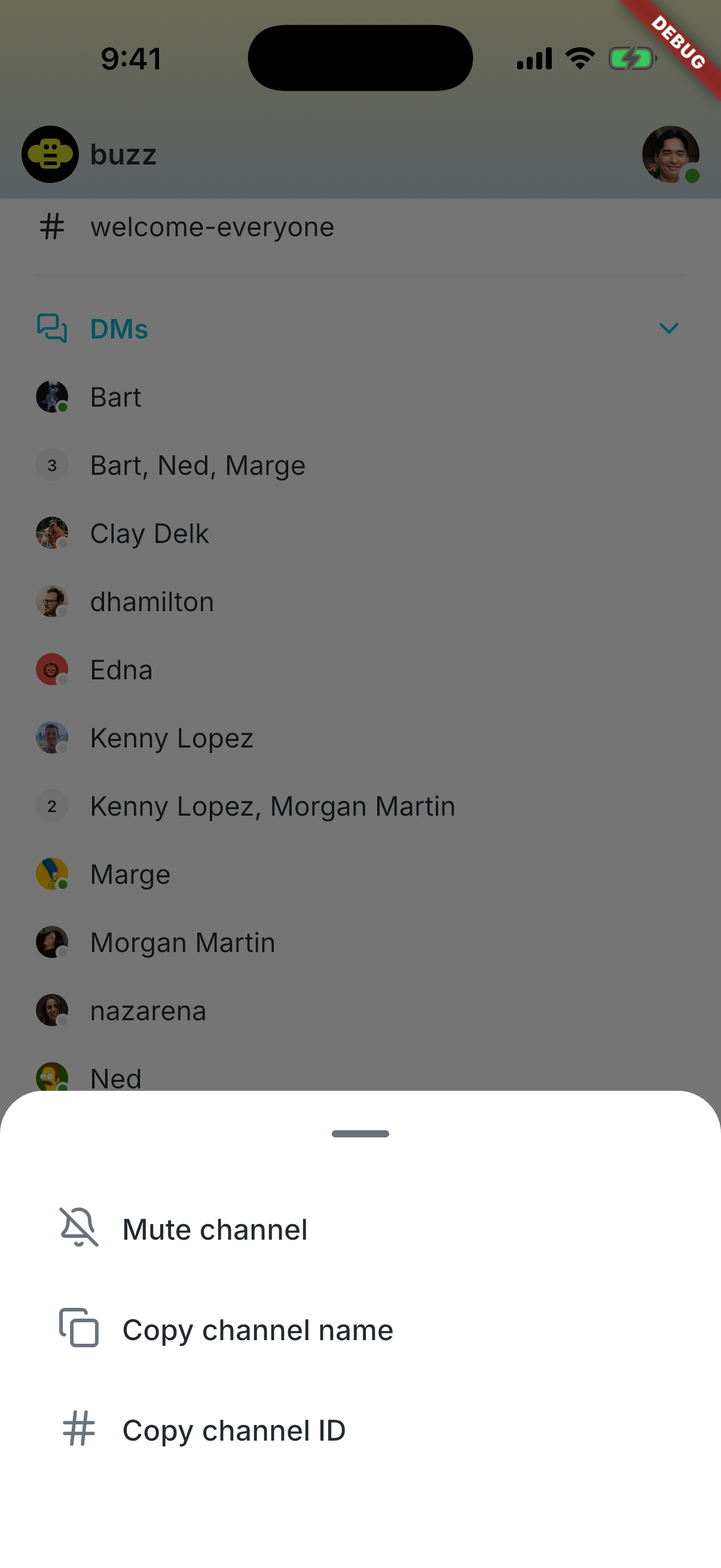 | 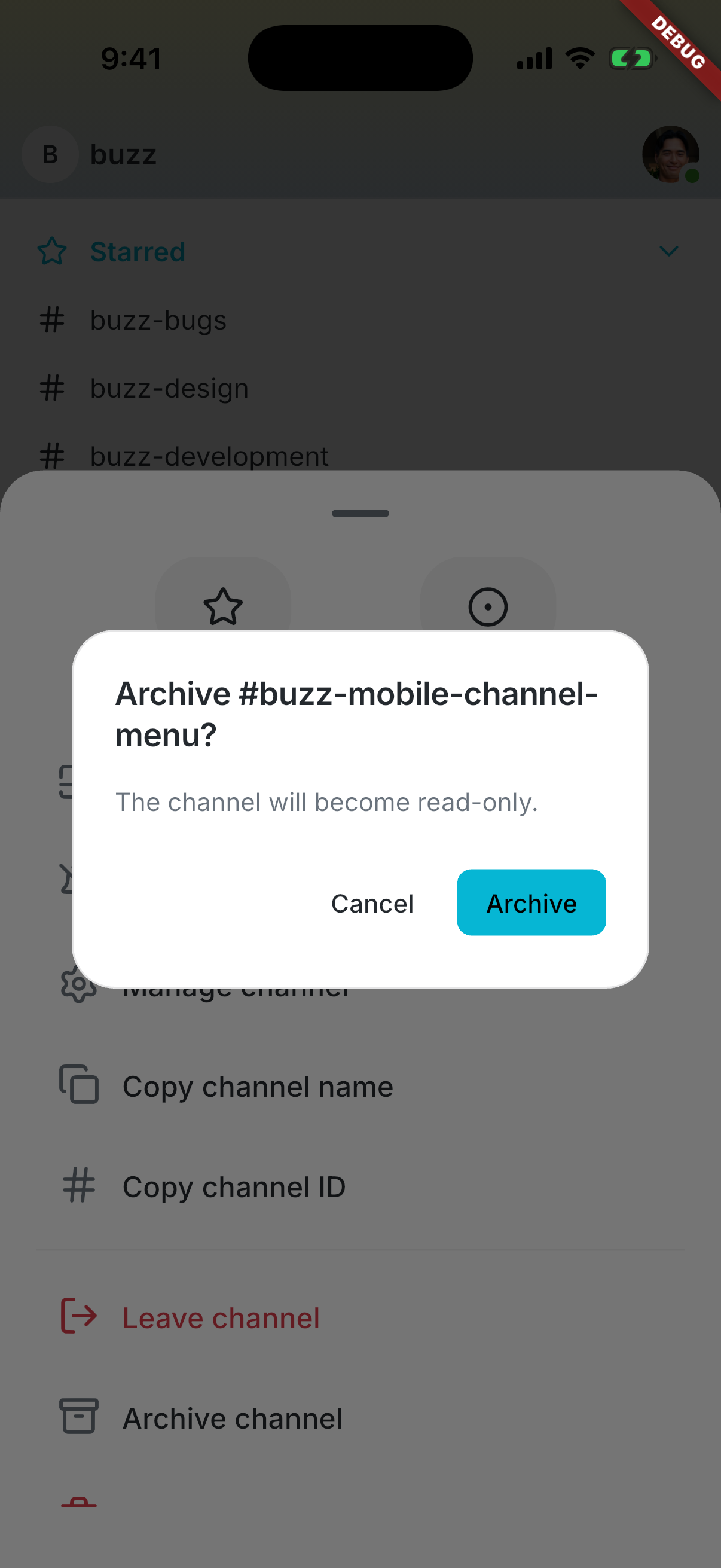 | --------- Signed-off-by: Taylor Ho <taylorkmho@gmail.com> Co-authored-by: npub1223z34hd7vtwc6qj4s7flsxkj644nlre2nthu7lrrmkumhu3xddsrx9r6w <52a228d6edf316ec6812ac3c9fc0d696ab59fc7954d77e7be31eedcddf91335b@buzz.block.builderlab.xyz>


