
Configure Email Signature in Outlook
Admins can set up an email signature in Outlook using plain text or HTML templates. Unlock the full potential of script to solve more use cases.
Script Capabilities
The script helps set up email signature effortlessly and can solve the below-use cases.
- Create default text signatures in Outlook
- Create custom text signatures
- Configure HTML signatures using in-built templates.
- Configure HTML signatures using custom templates.
- Setup email signatures for all mailboxes, specific mailboxes, or user mailboxes alone.
Sample execution steps:
The script will provide choices and ask for confirmation to set up email signatures like the below image.
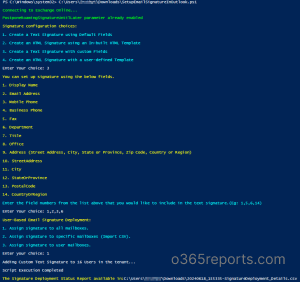
Sample Signatures:
Below are the sample signatures generated by the script.
Text signature samples


HTML signature samples


Sample Output
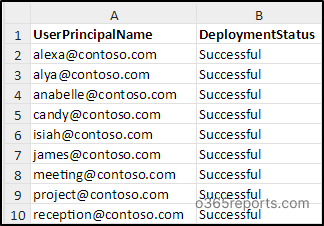
The script exports a CSV file containing signature deployment status like the screenshot below.
Microsoft 365 Reporting Tool by AdminDroid
Want to explore more precise details? AdminDroid Microsoft 365 reporting tool provides end-to-end details on all Microsoft 365 services. It contains 1800+ reports and stunning dashboards with outstanding features to make your reporting a cake walk.
View Outlook email signature settings through AdminDroid’s report:
https://demo.admindroid.com/#/1/11/reports/10781/1/20?easyFilter=%7B%22DefinedSignatures%22%3A1%7D