mirror of
https://github.com/admindroid-community/powershell-scripts.git
synced 2025-12-17 16:35:19 +00:00
19 lines
1.0 KiB
Markdown
19 lines
1.0 KiB
Markdown

|
## Find Licensed Groups in Microsoft 365 Using PowerShell
|
|||
|
|
Execute the PowerShell script to get a comprehensive list of all licensed groups in Microsoft 365 in one go!
|
|||
|
|
|
|||
|
|
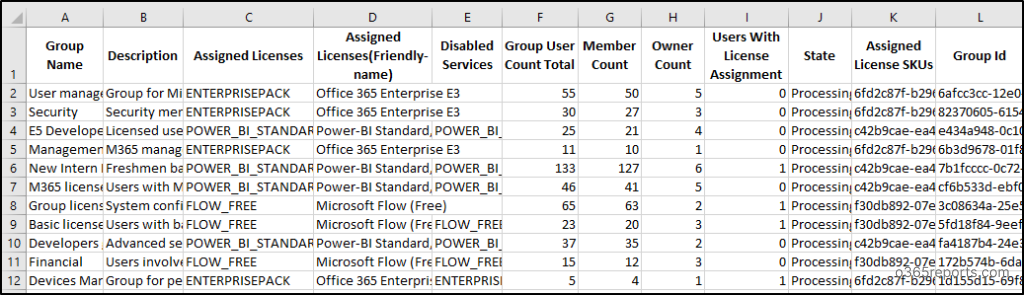
***Sample Output:***
|
|||
|
|
|
|||
|
|
The script generates an output CSV file which will look similar to the screenshot provided below.
|
|||
|
|
|
|||
|
|
|
|||
|
|
|
|||
|
|
## Free Microsoft 365 Reporting Tool by AdminDroid
|
|||
|
|
Looking for more in-depth reporting? [AdminDroid Microsoft 365 reporting tool](https://admindroid.com/?src=GitHub) offers over 120 reports and smart dashboards for no cost. Beyond that, AdminDroid provides extensive coverage with 1,800+ reports and 30+ dashboards across various Microsoft 365 services. It’s the perfect complement to your PowerShell scripts.
|
|||
|
|
|
|||
|
|
*View more comprehensive free license reports through AdminDroid: [https://demo.admindroid.com/#/1/11/reports/8/1/20](https://demo.admindroid.com/#/1/11/reports/8/1/20)*
|
|||
|
|
|
|||
|
|
|
|||
|
|
|
|||
|
|
|
|||
|
|
|