50 lines
2.0 KiB
Markdown
Raw Permalink Normal View History

2024-07-03 15:51:14 +05:30
## Microsoft Teams Reporting using PowerShell
2024-09-24 15:02:20 +05:30
This PowerShell script can generate 8 different MS Teams reports and export them to CSV file.
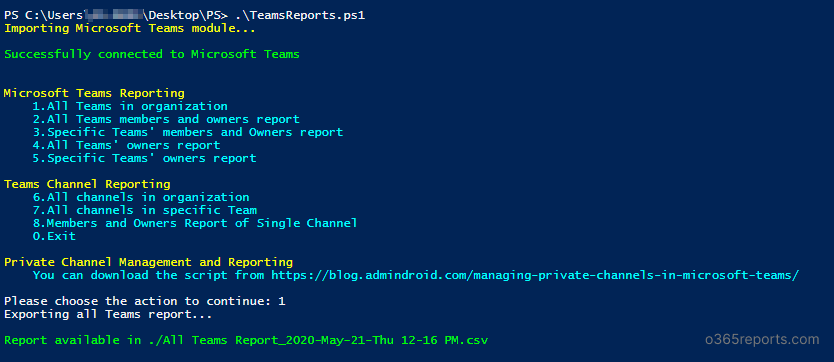
![Download and run a script in Administrator mode](https://o365reports.com/wp-content/uploads/2020/05/Microsoft-Teams-Reporting.png?v=1705576780)
***Sample Outputs:***
### All Microsoft Teams information
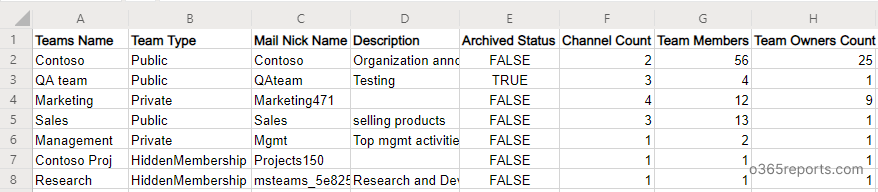
![All Microsoft teams information](https://o365reports.com/wp-content/uploads/2020/05/All-teams-report.png?v=1705576780)
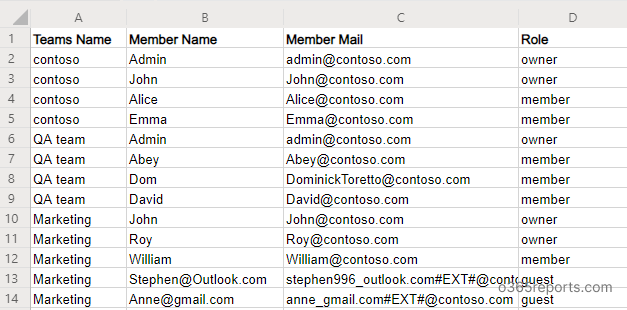
### Teams members and owners report
![All Microsoft Teams Members and Owners Report](https://o365reports.com/wp-content/uploads/2020/05/Teams-membership-report.png?v=1705576779)
### View Members and owners in a specific team
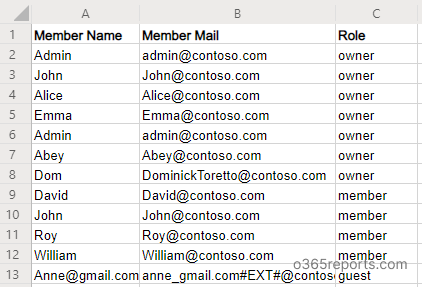
![All Members and Owners in a Specific Team](https://o365reports.com/wp-content/uploads/2020/05/List-team-members.png?v=1705576778)
### All Teams and their owners report
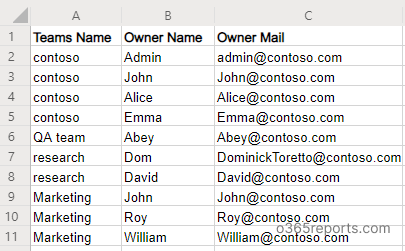
![All Teams and Owners to CSV](https://o365reports.com/wp-content/uploads/2020/05/Microsoft-Teams-and-Owners-report.png?v=1705576778)
### Teams owner report for a specific team
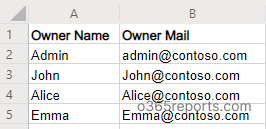
![Teams Owner Report for a Specific Team](https://o365reports.com/wp-content/uploads/2020/05/Teams-owner-report.png)
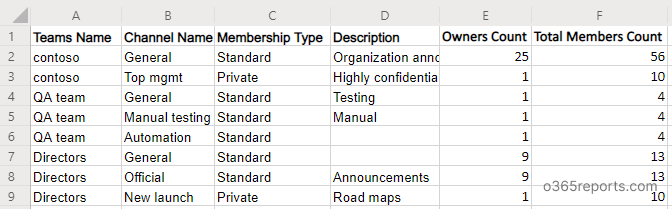
### All channels in the organization Tenant wide
![All Channels in the Organization Tenant wide](https://o365reports.com/wp-content/uploads/2020/05/All-channel-report.png?v=1705576777)
### List of channels in the specific team
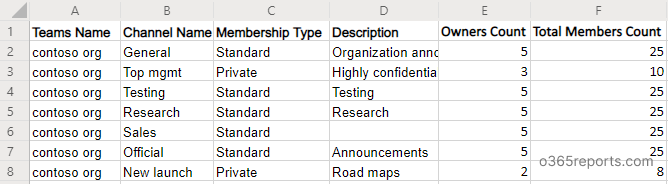
![List of Channels in the Specific Team](https://o365reports.com/wp-content/uploads/2020/05/list-channels-in-Microsoft-Teams.png?v=1705576776)
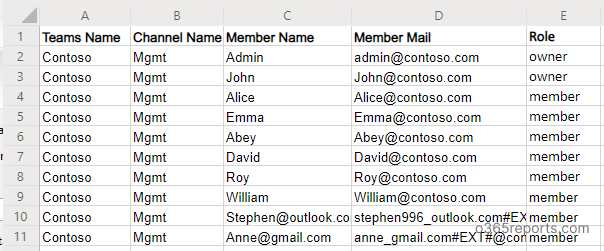
### Channel members report
![Teams Channel Members Report](https://o365reports.com/wp-content/uploads/2020/05/show-channel-members.png?v=1705576776)
## Microsoft 365 Reporting Tool by AdminDroid
2024-07-03 15:51:14 +05:30
For extensive insights, dive into [AdminDroid's Microsoft 365 reporting tool](https://admindroid.com/?src=GitHub), providing over 1800 pre-built reports and intuitive dashboards.
*Easily manage Microsoft Teams reporting using AdminDroid: <https://demo.admindroid.com/#/1/11/reports/60048/1/20>*
2024-09-24 15:02:20 +05:30