Package Manager Guard (PMG)
[](https://docs.safedep.io/pmg/quickstart)
[](https://safedep.io)
[](https://discord.gg/kAGEj25dCn)
[](https://goreportcard.com/report/github.com/safedep/pmg)


[](https://api.securityscorecards.dev/projects/github.com/safedep/pmg)
[](https://github.com/safedep/pmg/actions/workflows/codeql.yml)

## Why PMG?
Developers and AI coding agents install packages every day. Each `npm install` or `pip install` executes thousands of lines of code that nobody reviews.
Malicious packages ship constantly in popular ecosystems:
- [**litellm 1.82.8**](https://safedep.io/malicious-litellm-1-82-8-analysis/) - a popular AI proxy library compromised to exfiltrate credentials
- [**telnyx 4.87.2**](https://safedep.io/malicious-telnyx-pypi-compromise/) - a legitimate telecom SDK hijacked on PyPI
- [**pino-sdk-v2**](https://safedep.io/malicious-npm-package-pino-sdk-v2-env-exfiltration/) - a typosquat package disguised as the popular pino logger
PMG intercepts every package install and checks it for malware **before** code executes. Install it once, and every `npm install`, `pip install`, and `poetry add` is protected automatically.
> Featured in [tl;dr sec](https://tldrsec.com/p/tldr-sec-316) and used by engineering teams worldwide.
## How PMG Works
- **Transparent Protection** - PMG wraps `npm`, `pip`, and other package managers to transparently apply protection. Developers and AI agents use their tools as usual with no workflow changes.
- **Malicious Package Protection** - Every intercepted package is analyzed against [SafeDep's real-time threat intelligence](https://safedep.io) before installation. Malicious packages are blocked before code executes on the system.
- **Sandboxed Installation** - Package installation runs inside OS-native sandboxes (macOS Seatbelt, Linux Bubblewrap), preventing install scripts from modifying the system even if a threat evades detection.
- **Audit Logging** - Every package installation event is logged, providing a verifiable trail of what was installed, when, and from where.
## Quick Start
Get protected in seconds.
### 1. Install
**MacOS / Linux (Homebrew)**
```bash
brew install safedep/tap/pmg
```
**NPM**
```bash
npm install -g @safedep/pmg
```
> See [Installation](#installation) for additional methods.
### 2. Setup
Configure your shell to use PMG automatically.
```bash
pmg setup install
# Restart your terminal to apply changes
```
> **Tip:** Re-run `pmg setup install` after upgrading PMG to pick up new configuration options.
### 3. Use
Use your package managers as usual or let your AI coding agent use them. PMG works silently in the background.
```bash
npm install express
# or
pip install requests
```
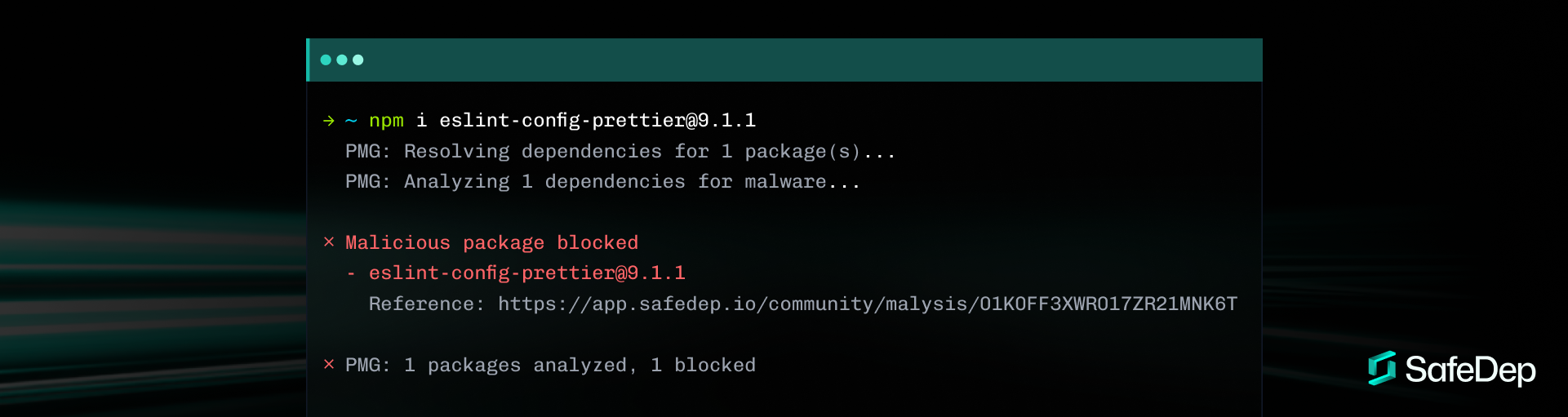
Verify PMG is working by installing a test package. This is a harmless package flagged as malicious in the SafeDep database, specifically meant for testing:
```bash
npm --prefer-online --no-cache i safedep-test-pkg@0.1.3
```
Expected output
```
✗ Malicious package blocked
- safedep-test-pkg@0.1.3
Reference: https://app.safedep.io/community/malysis/01KF5JYDND9XR94WNEJ2G74KY2
✗ PMG: 1 packages analyzed, 1 blocked
```
## Features
| Feature | Description |
| -------------------------------- | ---------------------------------------------------------------------------------------------------------------- |
| **AI Agent Safety Net** | Protects against malicious packages installed by AI coding agents (Claude Code, Cursor, Copilot, Windsurf). |
| **Malicious Package Protection** | Real-time protection against malicious packages using [SafeDep](https://docs.safedep.io/cloud/malware-analysis). |
| **Sandboxing** | Enforces least privilege using OS native sandboxing to contain installation scripts. |
| **Dependency Analysis** | Deep scans of direct and transitive dependencies before they hit your disk. |
| **Event Logging** | Keeps a verifiable audit trail of all installed packages. |
| **Dependency Cooldown** | Blocks package versions published within a configurable time window, reducing exposure to supply chain attacks. |
| **Zero Config** | Works out of the box with sensible security defaults. |
| **Cross-Shell** | Seamlessly integrates with Zsh, Bash, Fish, and more. |
## Supported Package Managers
PMG supports the tools you already use:
| Ecosystem | Tools | Status | Command Example |
| ----------- | -------- | ------ | ------------------- |
| **Node.js** | `npm` | Yes | `npm install ` |
| | `pnpm` | Yes | `pnpm add ` |
| | `yarn` | Yes | `yarn add ` |
| | `bun` | Yes | `bun add ` |
| | `npx` | Yes | `npx ` |
| | `pnpx` | Yes | `pnpx ` |
| **Python** | `pip` | Yes | `pip install ` |
| | `poetry` | Yes | `poetry add ` |
| | `uv` | Yes | `uv add ` |
## Installation
Homebrew (MacOS/Linux)
```bash
brew tap safedep/tap
brew install safedep/tap/pmg
```
NPM (Cross-Platform)
```bash
npm install -g @safedep/pmg
```
Go (Build from Source)
```bash
# Ensure $(go env GOPATH)/bin is in your $PATH
go install github.com/safedep/pmg@latest
```
Binary Download
Download the latest binary for your platform from the [Releases Page](https://github.com/safedep/pmg/releases).
## Uninstallation
Remove shell integration:
```bash
pmg setup remove
```
To also remove the PMG configuration file:
```bash
pmg setup remove --config-file
```
Then uninstall PMG itself:
```bash
# Homebrew
brew uninstall safedep/tap/pmg
# NPM
npm uninstall -g @safedep/pmg
```
## Trust and Security
Security is our first class requirement. PMG builds are reproducible and signed.
* **Attestations**: GitHub and npm attestations are used to guarantee artifact integrity.
* **Verification**: Users can cryptographically prove the binary matches the source code.
* See [Trusting PMG](docs/trust.md) for verification steps.
## User Guide
* [Trusted Packages Configuration](docs/trusted-packages.md)
* [Dependency Cooldown](docs/dependency-cooldown.md)
* [Proxy Mode Architecture](docs/proxy-mode.md)
* [Sandboxing Details](docs/sandbox.md)
## Support
If PMG saved you from a bad package, [star this repo](https://github.com/safedep/pmg) — it helps others find it.
## Contributing
Contributions are welcome! Please see [CONTRIBUTING.md](CONTRIBUTING.md) for guidelines on how to build and test PMG locally.
## Telemetry
PMG collects anonymous usage data to improve project stability and reliability.
To disable, either:
- Set `disable_telemetry: true` in your PMG config file, or
- Export `PMG_DISABLE_TELEMETRY=true`.