


 [](https://goreportcard.com/report/github.com/safedep/pmg)


[](https://api.securityscorecards.dev/projects/github.com/safedep/pmg)
[](https://github.com/safedep/pmg/actions/workflows/codeql.yml)
[](https://goreportcard.com/report/github.com/safedep/pmg)


[](https://api.securityscorecards.dev/projects/github.com/safedep/pmg)
[](https://github.com/safedep/pmg/actions/workflows/codeql.yml)
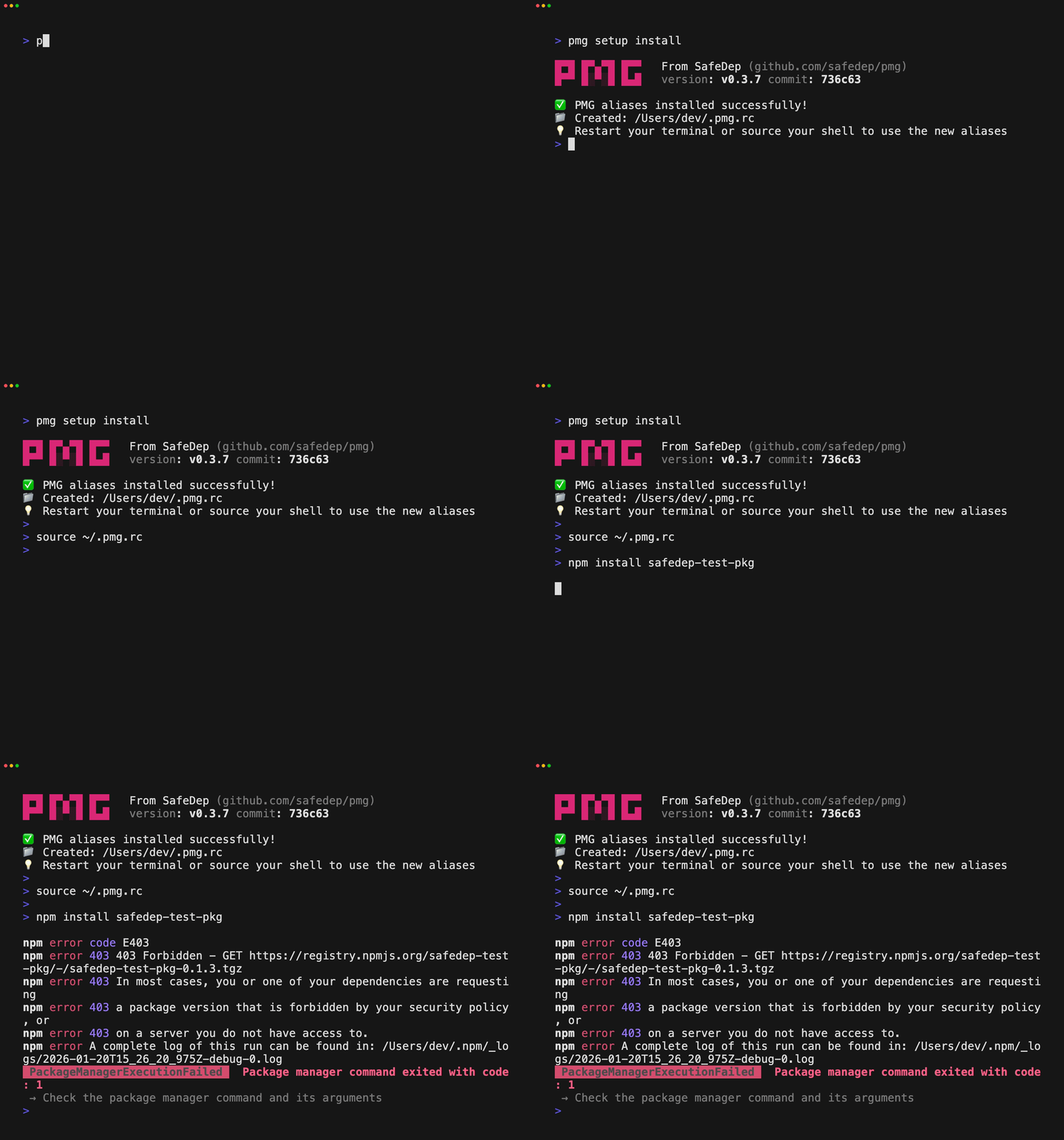 ## Key Features
- Wraps your favorite package manager (eg. `npm`, `pnpm`, `pip` and more)
- Blocks malicious packages at install time
- No configuration required, just install and use
- Maintains package installation event log for transparency and audit trail
- Enforces least privilege and defense in depth using OS native sandboxing
PMG guarantees its own artifact integrity using GitHub and npm attestations. Users can cryptographically prove that the binary they run
matches the source code they reviewed, eliminating the risk of tampered or malicious builds. See [why and how to trust PMG](docs/trust.md).
## Quick Start
Install `pmg` using your favorite package manager:
```shell
# MacOS/Linux with Homebrew
brew install safedep/tap/pmg
# Other platforms
npm install -g @safedep/pmg
```
**Note**: More [installation options](#installation) are available. See [why and how to trust PMG](docs/trust.md).
Set up `pmg` to protect your development environment from malicious packages:
```
pmg setup install
```
> **Note:** Make sure to restart your terminal or source your shell's config file.
Continue using your favorite package manager as usual:
```shell
npm install
## Key Features
- Wraps your favorite package manager (eg. `npm`, `pnpm`, `pip` and more)
- Blocks malicious packages at install time
- No configuration required, just install and use
- Maintains package installation event log for transparency and audit trail
- Enforces least privilege and defense in depth using OS native sandboxing
PMG guarantees its own artifact integrity using GitHub and npm attestations. Users can cryptographically prove that the binary they run
matches the source code they reviewed, eliminating the risk of tampered or malicious builds. See [why and how to trust PMG](docs/trust.md).
## Quick Start
Install `pmg` using your favorite package manager:
```shell
# MacOS/Linux with Homebrew
brew install safedep/tap/pmg
# Other platforms
npm install -g @safedep/pmg
```
**Note**: More [installation options](#installation) are available. See [why and how to trust PMG](docs/trust.md).
Set up `pmg` to protect your development environment from malicious packages:
```
pmg setup install
```
> **Note:** Make sure to restart your terminal or source your shell's config file.
Continue using your favorite package manager as usual:
```shell
npm install