lazyssh logo
--- Lazyssh is a terminal-based, interactive SSH manager inspired by tools like lazydocker and k9s β€” but built for managing your fleet of servers directly from your terminal.
With lazyssh, you can quickly navigate, connect, manage, and transfer files between your local machine and any server defined in your ~/.ssh/config. No more remembering IP addresses or running long scp commands β€” just a clean, keyboard-driven UI. --- ## ✨ Features ### Server Management - πŸ“œ Read & display servers from your `~/.ssh/config` in a scrollable list. - βž• Add a new server from the UI by specifying alias, host/IP, username, port, identity file. - ✏ Edit existing server entries directly from the UI. - πŸ—‘ Delete server entries safely. - πŸ“Œ Pin / unpin servers to keep favorites at the top. - πŸ“ Ping server to check status. ### Quick Server Navigation - πŸ” Fuzzy search by alias, IP, or tags. - πŸ–₯ One‑keypress SSH into the selected server (Enter). - 🏷 Tag servers (e.g., prod, dev, test) for quick filtering. - ↕️ Sort by alias or last SSH (toggle + reverse). ### Upcoming - πŸ“ Copy files between local and servers with an easy picker UI. - πŸ“‘ Port forwarding (local↔remote) from the UI. - πŸ”‘ Enhanced Key Management: - Use default local public key (~/.ssh/id_ed25519.pub or ~/.ssh/id_rsa.pub) - Paste custom public keys manually - Generate new keypairs and deploy them - Automatically append keys to ~/.ssh/authorized_keys with correct permissions --- ## πŸ“· Screenshots
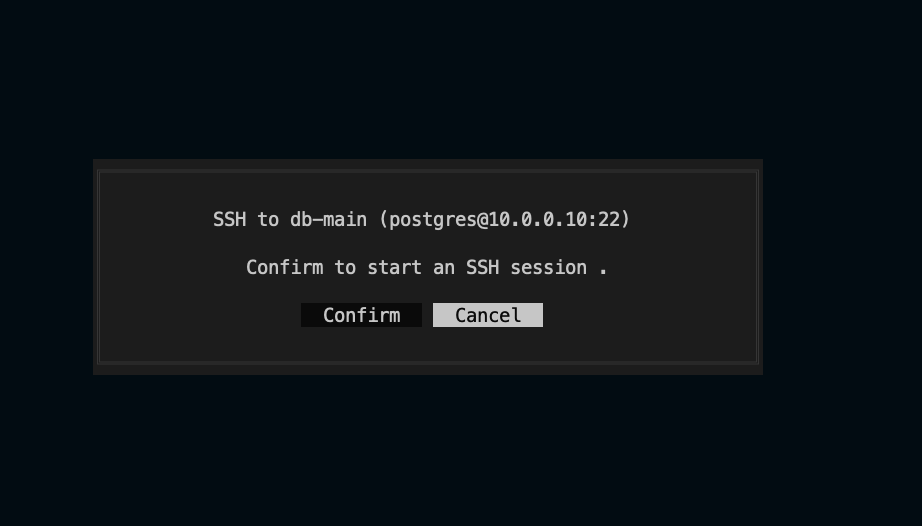
### πŸš€ Startup App starting splash/loader Clean loading screen when launching the app --- ### πŸ“‹ Server Management Dashboard Server list view Main dashboard displaying all configured servers with status indicators, pinned favorites at the top, and easy navigation --- ### πŸ”Ž Search Fuzzy search servers Fuzzy search functionality to quickly find servers by name, IP address, or tags --- ### βž• Add Server Add a new server User-friendly form interface for adding new SSH connections. --- ### πŸ” Connect to server SSH connection details SSH into the selected server
--- ## πŸ“¦ Installation ### Option 1: Homebrew (macOS) ```bash brew install Adembc/homebrew-tap/lazyssh ``` ### Option 2: Download Binary from Releases Download from [GitHub Releases](https://github.com/Adembc/lazyssh/releases). You can use the snippet below to automatically fetch the latest version for your OS/ARCH (Darwin/Linux and amd64/arm64 supported): ```bash # Detect latest version LATEST_TAG=$(curl -fsSL https://api.github.com/repos/Adembc/lazyssh/releases/latest | jq -r .tag_name) # Download the correct binary for your system curl -LJO "https://github.com/Adembc/lazyssh/releases/download/${LATEST_TAG}/lazyssh_$(uname)_$(uname -m).tar.gz" # Extract the binary tar -xzf lazyssh_$(uname)_$(uname -m).tar.gz # Move to /usr/local/bin or another directory in your PATH sudo mv lazyssh /usr/local/bin/ # enjoy! lazyssh ``` ### Option 3: Build from Source ```bash # Clone the repository git clone https://github.com/Adembc/lazyssh.git cd lazyssh # Build for macOS make build ./bin/lazyssh # Or Run it directly make run ``` --- ## ⌨️ Key Bindings | Key | Action | |---|---| | / | Toggle search bar | | ↑/↓ | Navigate servers | | Enter | SSH into selected server | | c | Copy SSH command to clipboard | | g | Ping selected server | | r | Refresh background data | | a | Add server | | e | Edit server | | t | Edit tags | | d | Delete server | | p | Pin/Unpin server | | s | Toggle sort field | | S | Reverse sort order | | q | Quit | Tip: The hint bar at the top of the list shows the most useful shortcuts. --- ## 🀝 Contributing Contributions are welcome! - If you spot a bug or have a feature request, please [open an issue](https://github.com/adembc/lazyssh/issues). - If you'd like to contribute, fork the repo and submit a pull request ❀️. We love seeing the community make Lazyssh better πŸš€ --- ## ⭐ Support If you find Lazyssh useful, please consider giving the repo a **star** ⭐️ and join [stargazers](https://github.com/adembc/lazyssh/stargazers). β˜• You can also support me by [buying me a coffee](https://www.buymeacoffee.com/adembc) ❀️
--- ## πŸ™ Acknowledgments - Built with [tview](https://github.com/rivo/tview) and [tcell](https://github.com/gdamore/tcell). - Inspired by [k9s](https://github.com/derailed/k9s) and [lazydocker](https://github.com/jesseduffield/lazydocker).