mirror of
https://github.com/block/buzz.git
synced 2026-08-18 06:50:31 +02:00
 Taylor HoandGitHub
24c7995740
Taylor HoandGitHub
24c7995740
**Category:** fix **User Impact:** Expanded thread panels now stay fully visible within the desktop channel area instead of being cut off. **Problem:** The resize handler clamped the thread panel against the full window width, even though the panel renders inside a narrower channel surface. On a 1720px window, this allowed a 1160px requested width where only 1111px could render, leaving persisted and visible geometry out of sync. **Solution:** Clamp resizing against the measured channel-surface width so the stored width matches what the layout can render while preserving the minimum 300px main pane. <details> <summary>File changes</summary> **desktop/src/features/channels/ui/ChannelScreen.tsx** Passes the measured channel-surface width into the thread-panel sizing hook. **desktop/src/shared/hooks/useThreadPanelWidth.ts** Clamps drag-resize updates against the available channel width instead of the full viewport. **desktop/tests/e2e/threadpane-ultrawide.spec.ts** Adds a 1720px regression proving the requested and rendered panel widths match, while retaining the ultrawide expansion case. </details> ### Reproduction steps 1. Open a channel thread in the desktop app at a 1720×900 window size. 2. Drag the thread panel's left resize handle toward the left edge to expand it as far as possible. 3. Confirm the panel remains fully bounded inside the channel surface and the main channel pane remains at least 300px wide. 4. Reload the channel and confirm the persisted expanded width renders without clipping. ### Testing - `pnpm --dir desktop build:e2e` - `pnpm --dir desktop exec playwright test tests/e2e/threadpane-ultrawide.spec.ts` — 2 passed - Push hooks: `desktop-check` and `desktop-test` passed - `git diff --check origin/main..HEAD` ### Screenshot 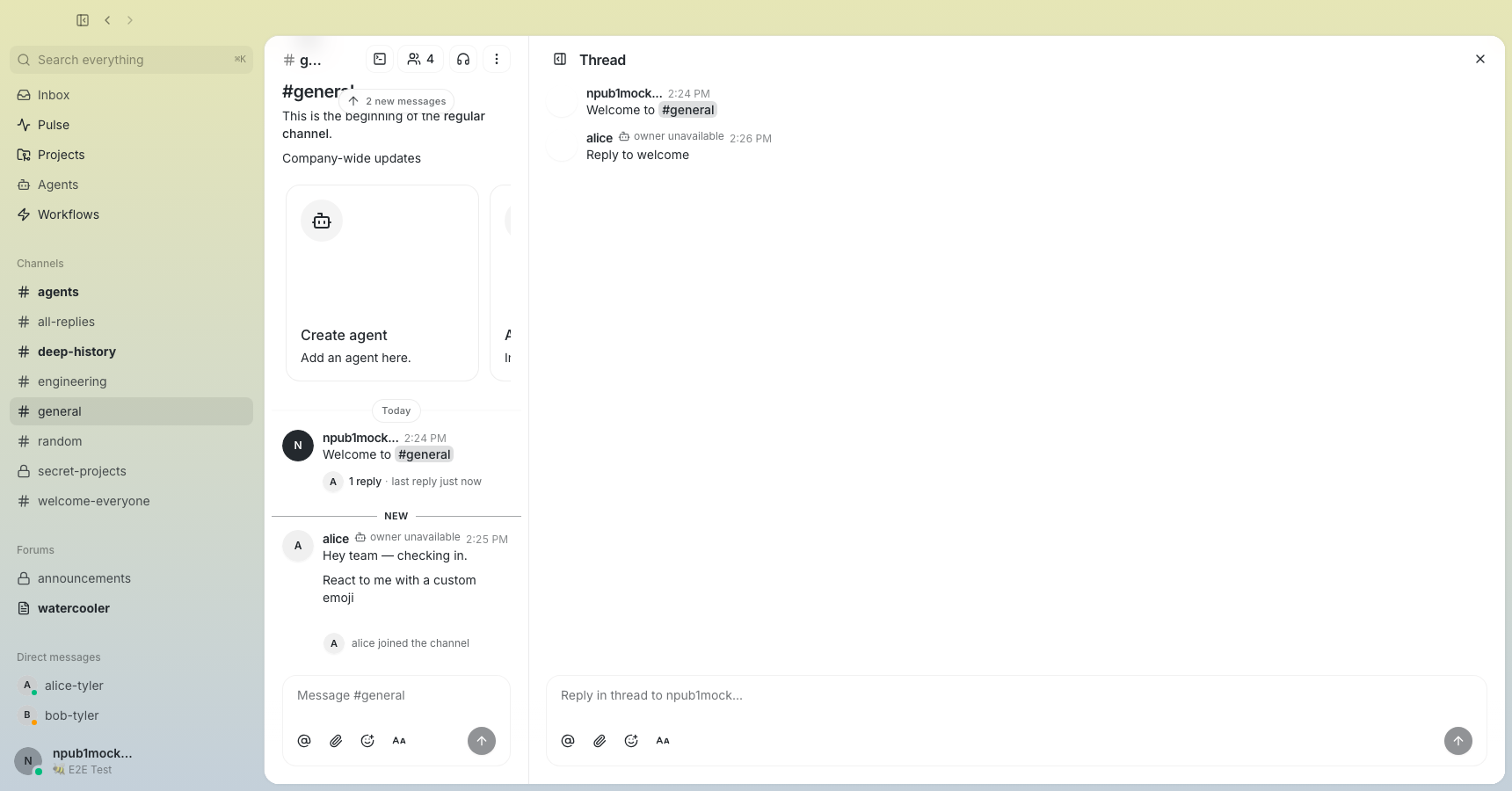 ### Related issue None found. Signed-off-by: Taylor Ho <taylorkmho@gmail.com>
