**Category:** new-feature
**User Impact:** People who lose a desktop identity can securely restore
it from a signed-in Buzz phone without creating a replacement identity.
**Problem:** A fresh or identity-lost desktop could not recover its
existing full Buzz identity from an already-authorized phone.
**Solution:** Add a SAS-confirmed reverse NIP-AB transfer, durable
desktop import, a dedicated mobile recovery entry point, and clearer
desktop recovery dialogs with tested loading, drag-and-drop, and failure
states.
https://github.com/user-attachments/assets/e9215c9c-80d0-462f-9161-0fa184ca2f74
<details>
<summary>File changes</summary>
**crates/buzz-core/src/pairing/session.rs**
Adds the reverse encrypted payload and source-completion state
transitions used for phone-to-desktop recovery.
**desktop/src-tauri/src/commands/identity.rs**
Exposes the existing guarded identity commit path for recovery imports.
**desktop/src-tauri/src/commands/pairing.rs**
Adds recovery-mode pairing, durable nsec import, start serialization,
stale-task protection, and explicit rejection of unsupported recovery
payloads.
**desktop/src-tauri/src/lib.rs**
Registers the recovery pairing command.
**desktop/src/app/App.tsx**
Refreshes the recovered identity before continuing onboarding.
**desktop/src/features/onboarding/machineOnboarding.ts**
Adds recovery transitions to the onboarding state machine.
**desktop/src/features/onboarding/ui/BackupPasswordTimeline.tsx**
Adds the visual backup-to-password-to-unlock progression.
**desktop/src/features/onboarding/ui/IdentityRecoveryPairing.tsx**
Implements QR generation, copy fallback, SAS confirmation, cancellation,
expiry, and completion UI.
**desktop/src/features/onboarding/ui/MachineOnboardingFlow.tsx**
Connects private-key, phone, and backup recovery paths to the onboarding
flow.
**desktop/src/features/onboarding/ui/NostrKeyImportForm.tsx**
Polishes recovery dialogs, backup drag-and-drop, loading stability, and
security copy.
**desktop/src/shared/api/tauri.ts**
Keeps the existing pairing API surface focused on standard
desktop-to-mobile pairing.
**desktop/src/shared/api/tauriPairing.ts**
Adds the recovery pairing invoke without growing the ratcheted shared
API file.
**desktop/src/testing/e2eBridge.ts**
Mocks recovery pairing commands and lifecycle events for browser tests.
**desktop/tests/e2e/identity-lost.spec.ts**
Covers lost-identity entry, QR/copy recovery, SAS, cancellation, expiry,
success, errors, backup import, drag-and-drop, and screenshots.
**desktop/tests/e2e/onboarding.spec.ts**
Verifies recovered identities continue through harness setup without
replacement-key side effects.
**mobile/lib/features/pairing/pairing_page.dart**
Adds recovery-only scanning and explicit identity-handoff warnings.
**mobile/lib/features/pairing/pairing_provider.dart**
Recognizes recovery codes, returns the signed-in nsec after mutual SAS
approval, and waits for desktop completion.
**mobile/lib/features/settings/settings_page.dart**
Accepts the recovery route builder at the app composition boundary to
preserve feature isolation.
**mobile/lib/features/settings/settings_page/connection_section.dart**
Adds the signed-in “Send identity to desktop” settings action.
**mobile/test/features/pairing/pairing_page_test.dart**
Covers recovery-only validation and handoff messaging.
**mobile/test/features/pairing/pairing_provider_test.dart**
Covers reverse payload encryption, confirmation ordering, success,
failure, timeout, and cleanup.
</details>
## Reproduction steps
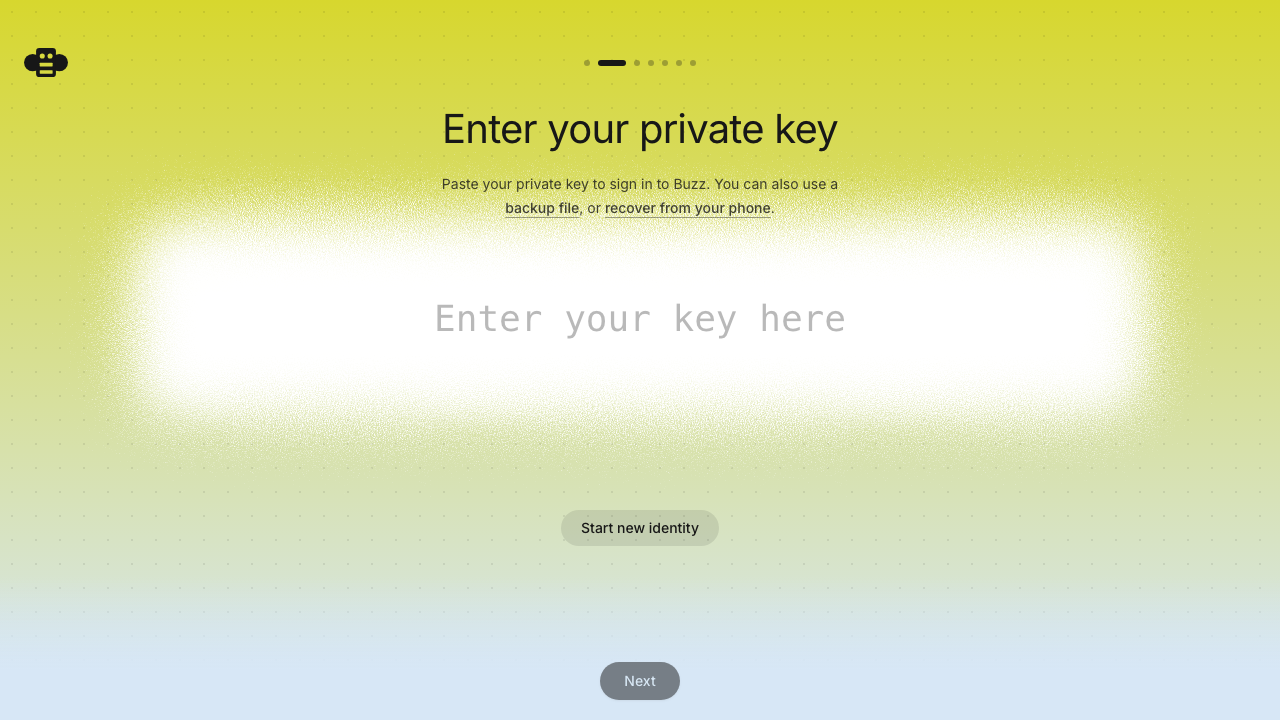
1. Launch Buzz Desktop with identity-lost state and choose **Recover
from your phone**.
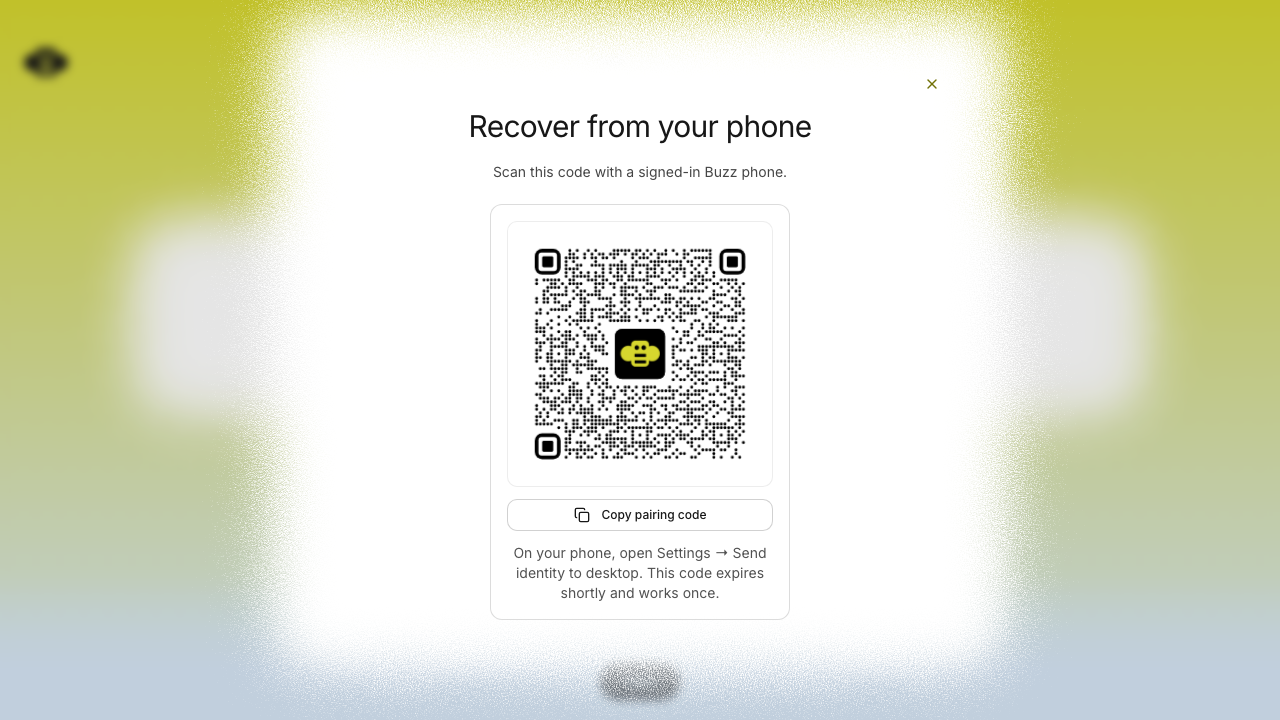
2. Confirm the QR and persistent **Copy pairing code** fallback appear
without layout shift.
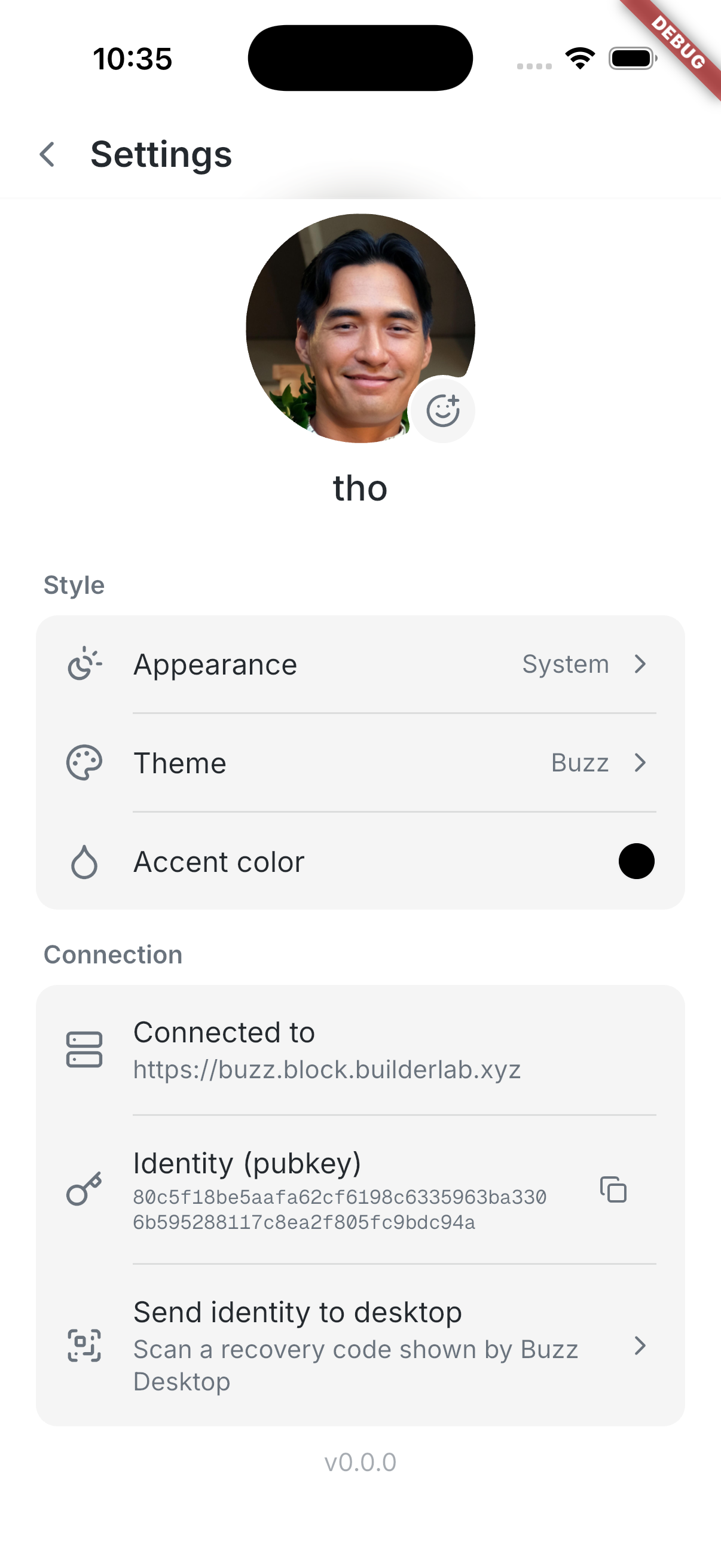
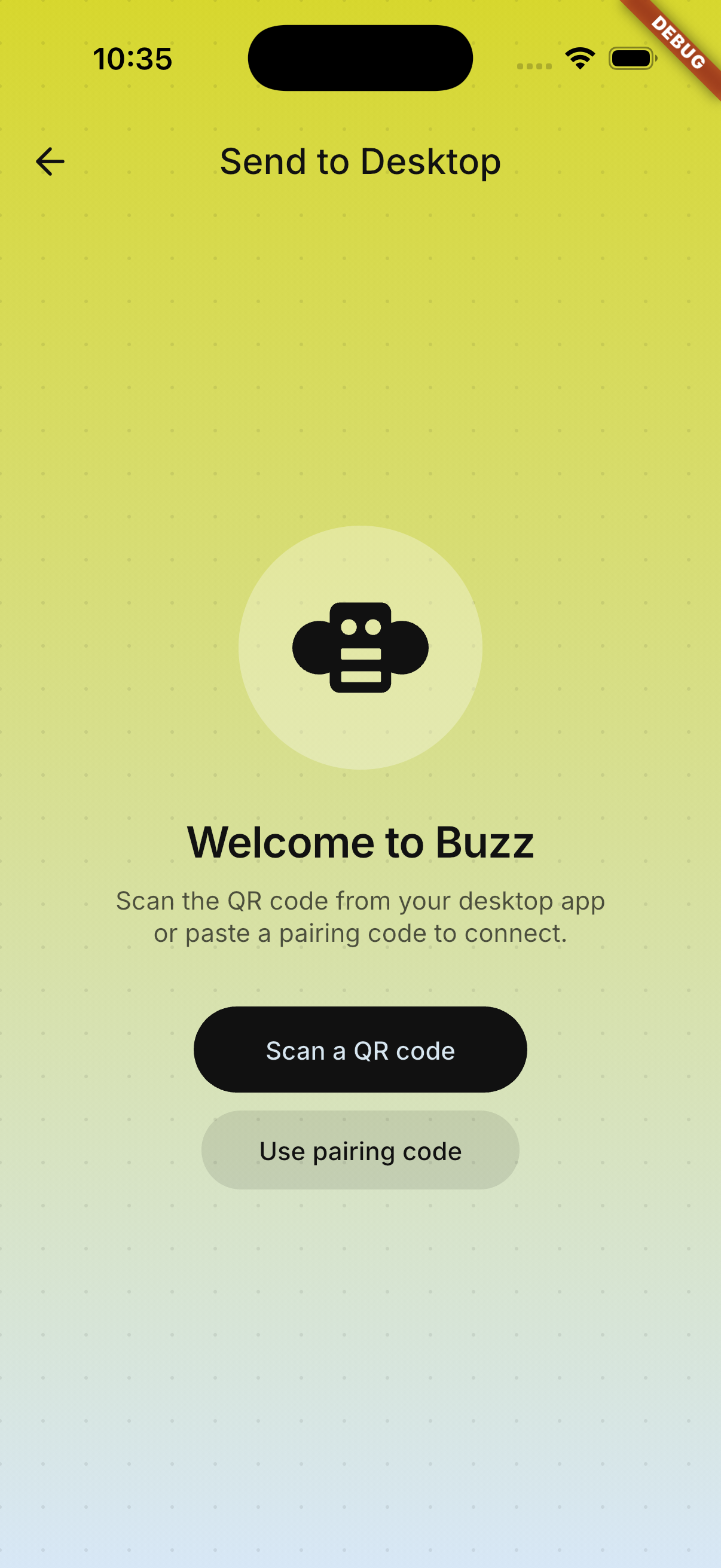
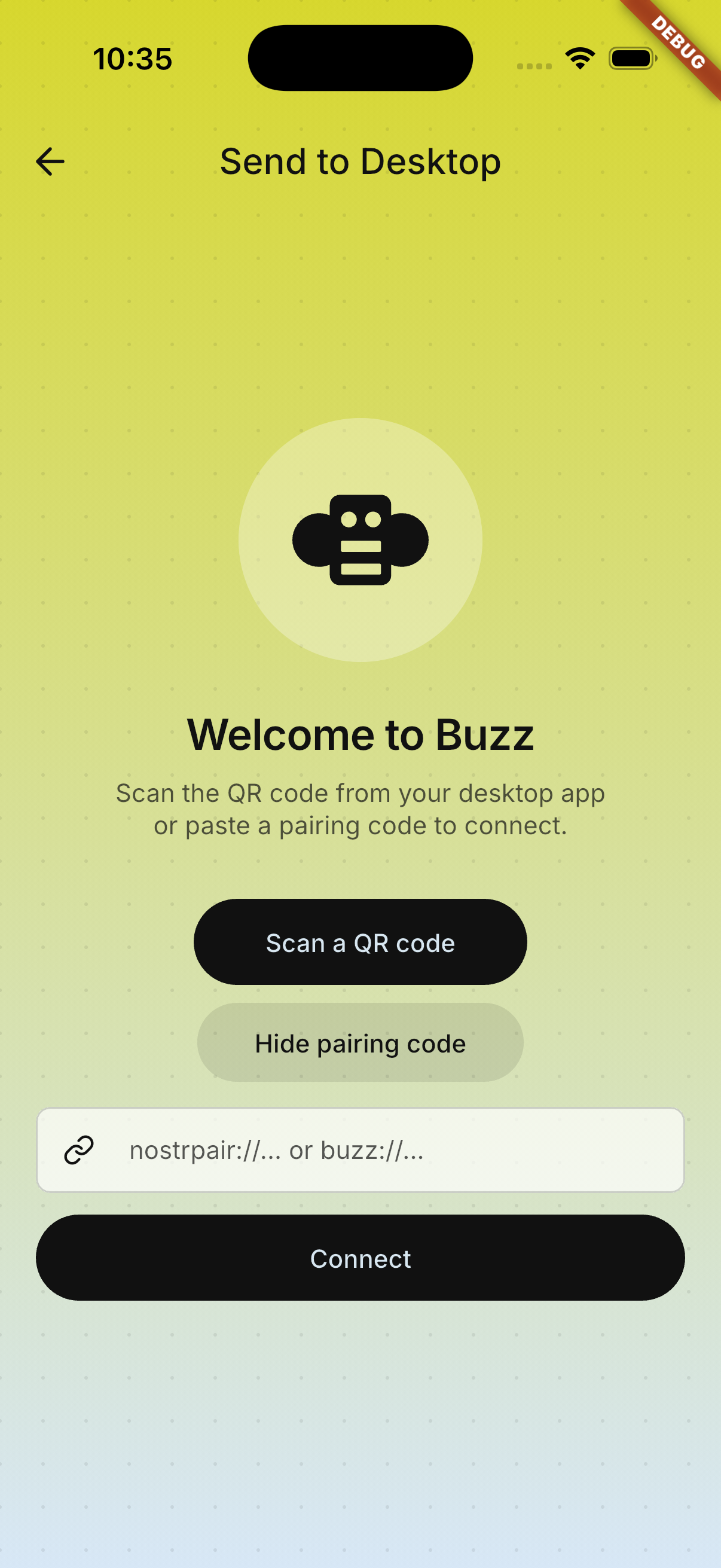
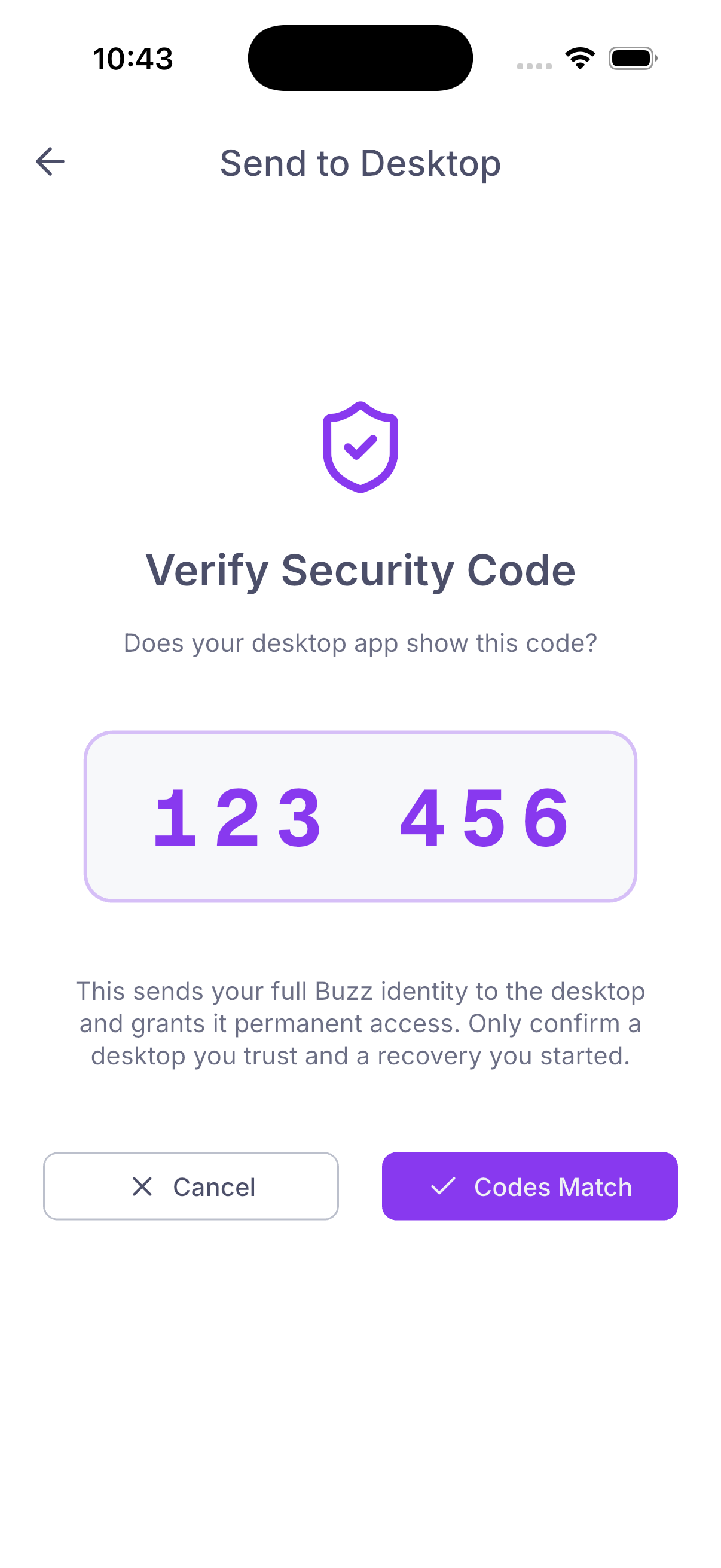
3. On a signed-in phone, open **Settings → Send identity to desktop**,
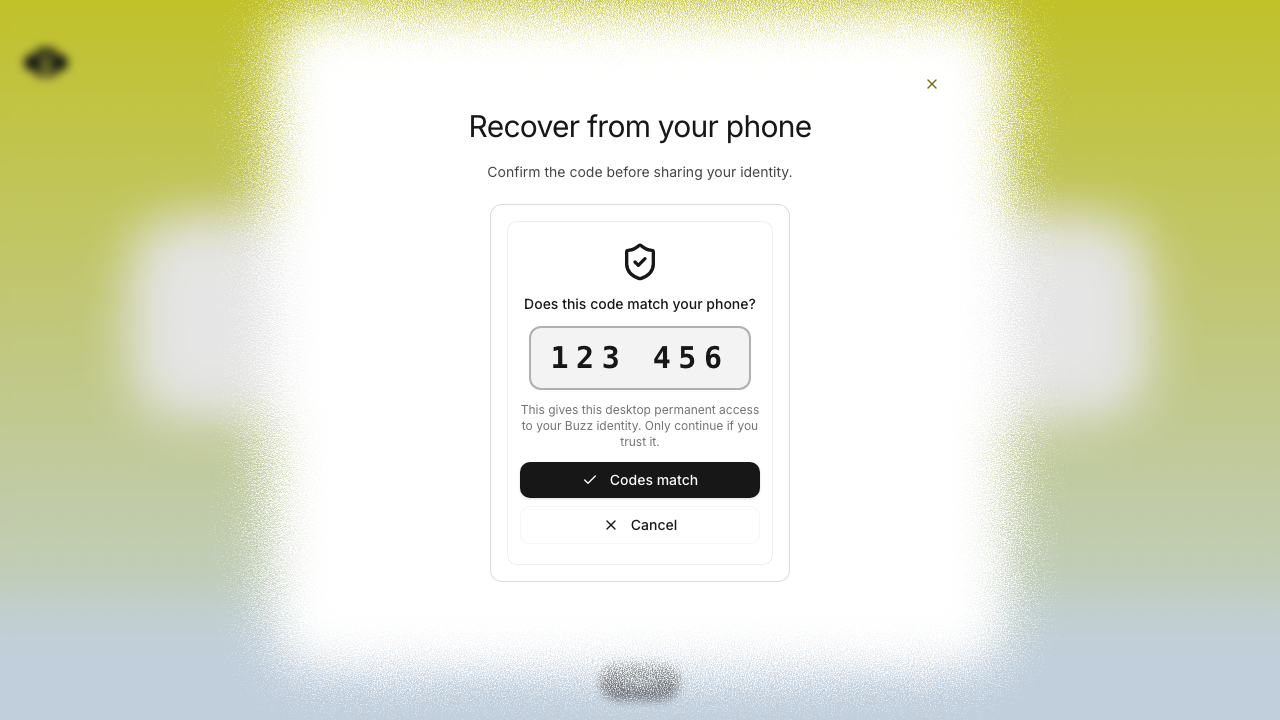
scan or paste the recovery code, and compare the six-digit SAS on both
devices.
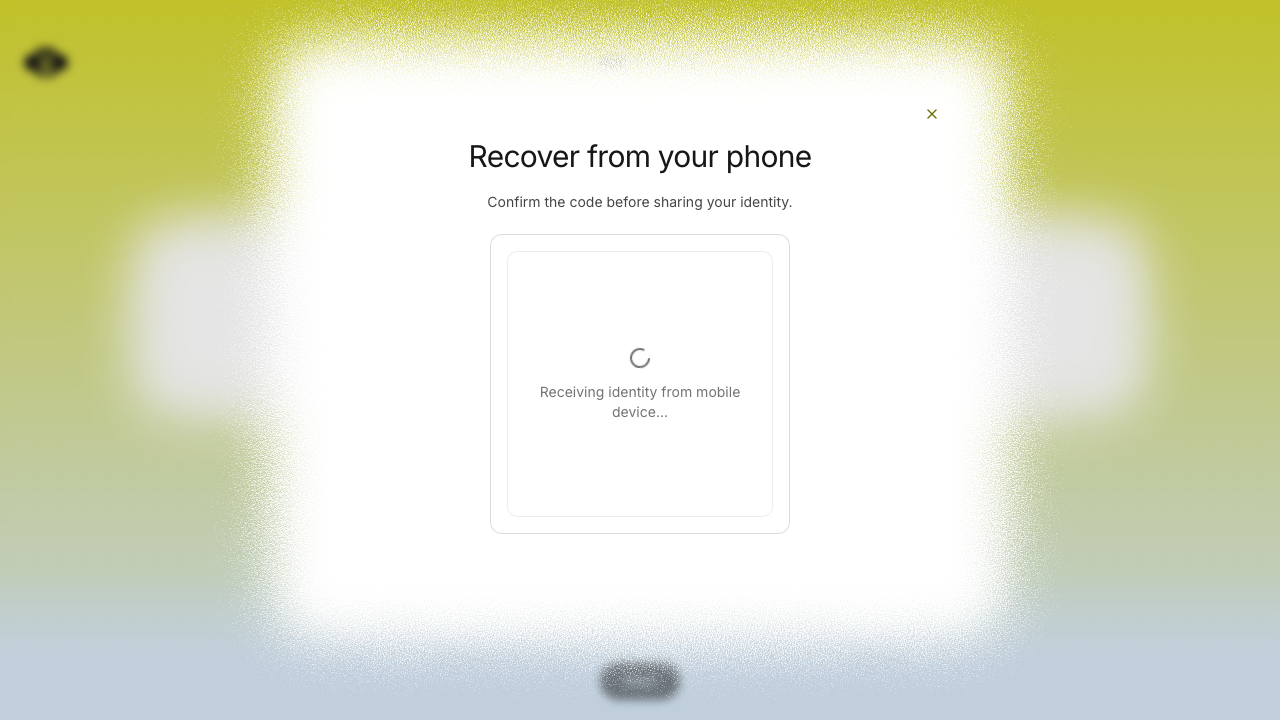
4. Confirm on both sides and verify Desktop restores the identity and
continues to harness setup.
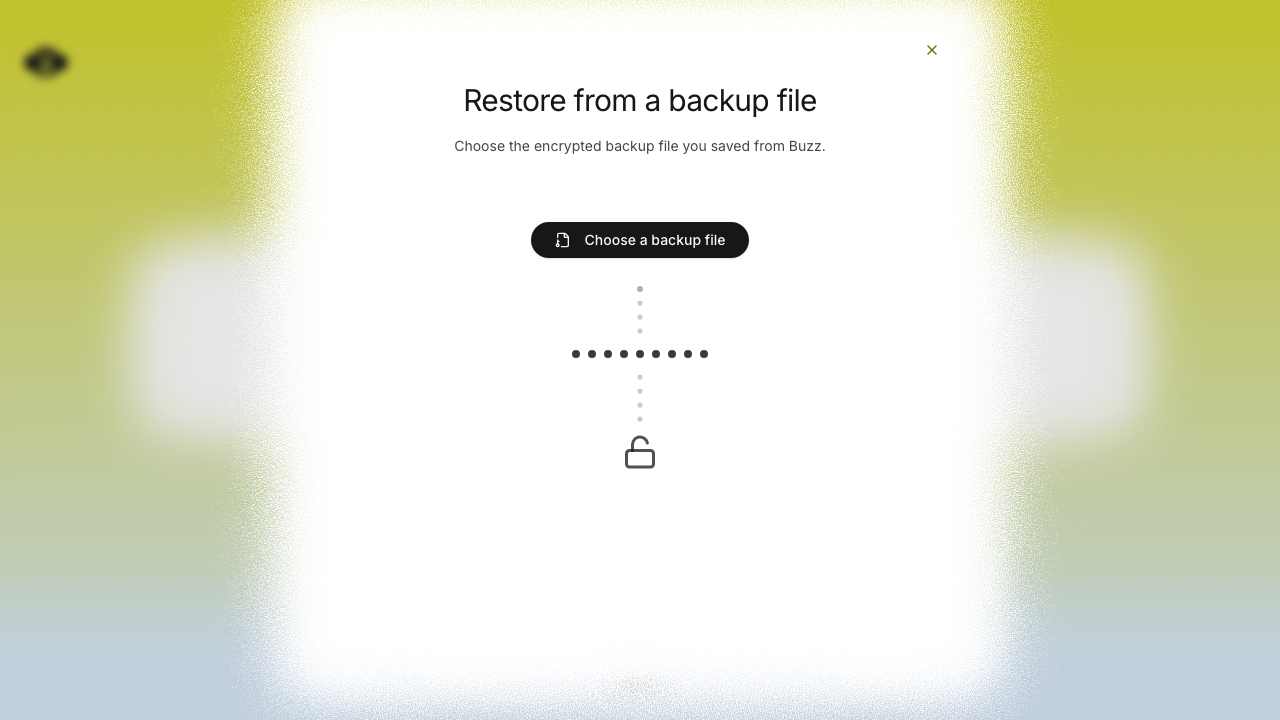
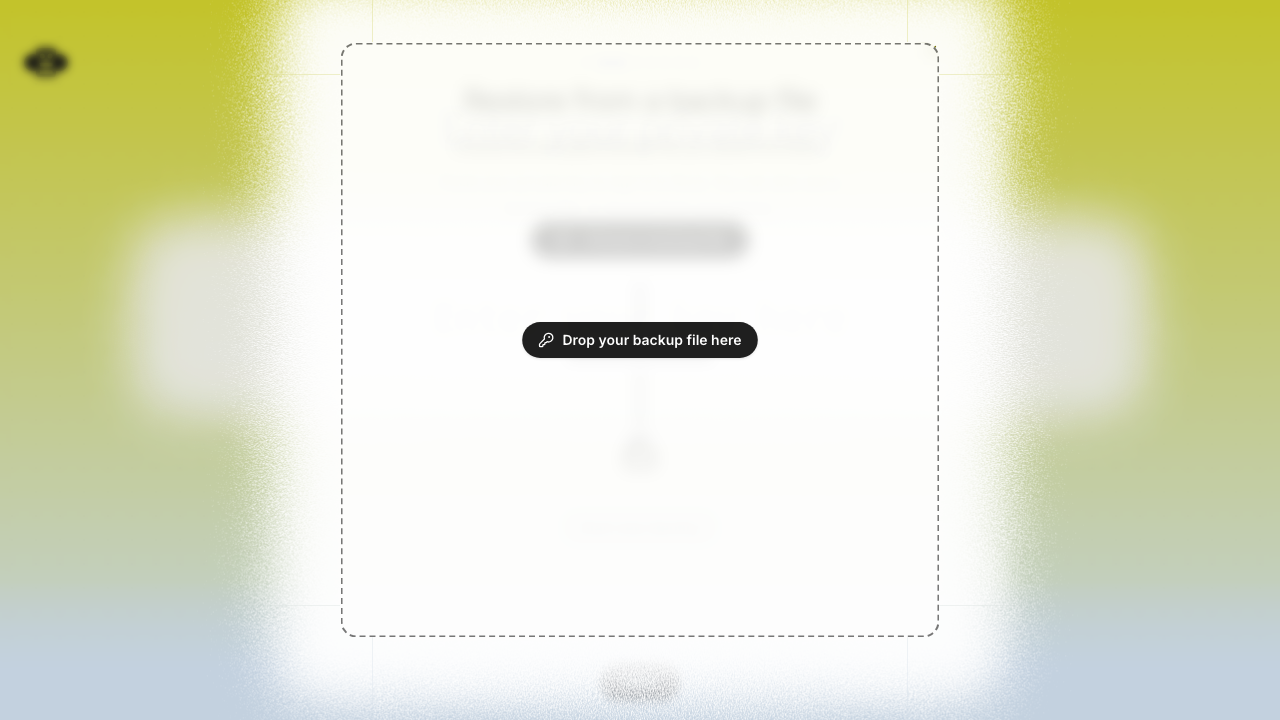
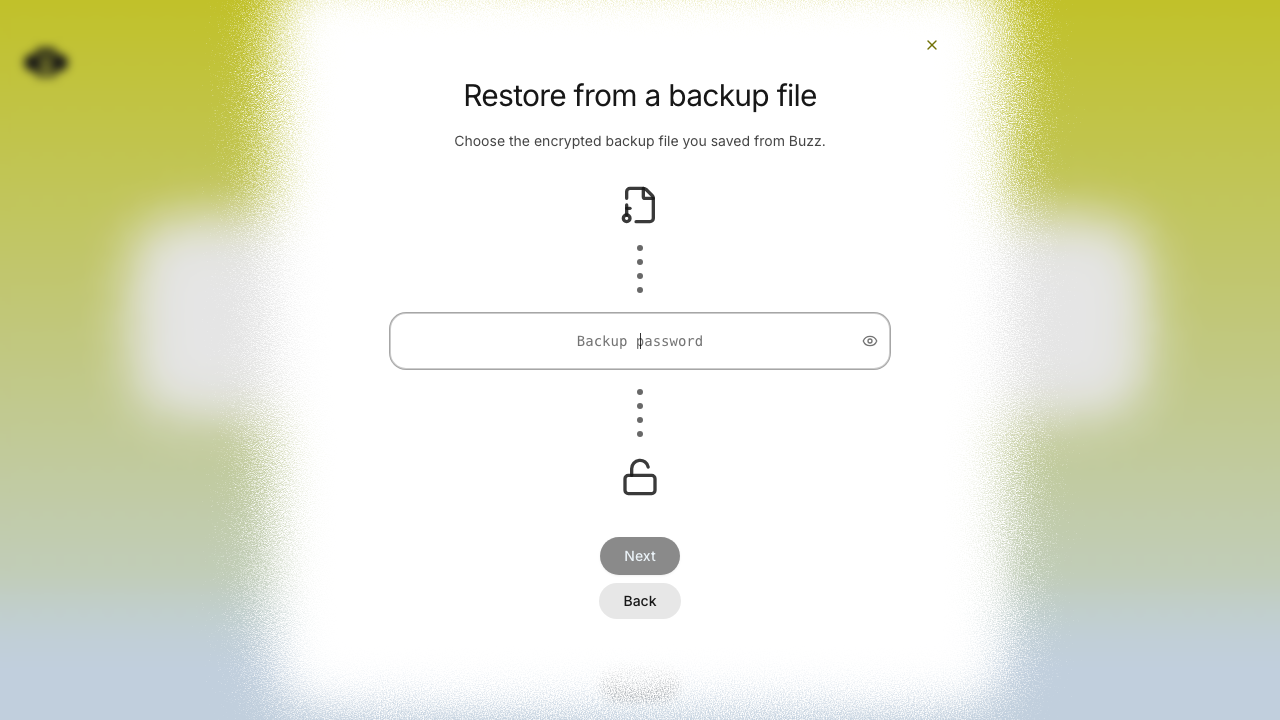
5. Repeat from identity-lost state with **Recover from a backup file**;
verify picker and drag-and-drop both advance to password entry and
restore the encrypted backup.
6. Exercise cancellation, mismatched/unsupported codes, expired
sessions, and an invalid backup; verify each returns actionable,
non-stuck UI.
## Screenshots
### Desktop phone recovery — complete flow
| Recovery entry | Pairing QR | Code match | Receiving identity |
|---|---|---|---|
| 
| 
| 
| 
|
### iOS Simulator — complete handoff flow
| Settings entry | Recovery scanner | Manual recovery code | Code
confirmation |
|---|---|---|---|
| 
| 
| 
| 
|
### Encrypted backup recovery — adjusted file flow
| File picker | Drag-and-drop target | Password step |
|---|---|---|
| 
| 
| 
|
## Verification
- `cargo test -p buzz-core pairing` — 71 passed
- `just mobile-test` — 1,169 passed
- `pnpm build:e2e && pnpm exec playwright test identity-lost.spec.ts
--project=smoke` — 15 passed
- Full pre-push gates — desktop checks, desktop unit tests, Rust tests,
Tauri checks, and mobile tests passed
---------
Signed-off-by: Taylor Ho <taylorkmho@gmail.com>
Co-authored-by: npub1223z34hd7vtwc6qj4s7flsxkj644nlre2nthu7lrrmkumhu3xddsrx9r6w <52a228d6edf316ec6812ac3c9fc0d696ab59fc7954d77e7be31eedcddf91335b@buzz.block.builderlab.xyz>
Co-authored-by: Carl <acda9e433d19dcd0e6b6840f7f4b98f3a56f1fab98049d444c087019e6d36560@buzz.block.builderlab.xyz>
## Summary
- Expand the pairing scanner from the Dynamic Island on supported
iPhones
- Reveal the camera behind the pairing UI on Android and standard
iPhones
- Preserve tap-to-dismiss and reduced-motion behavior

## Testing
- `just mobile-check`
- `just mobile-test`
- iOS `RunnerTests`











