mirror of
https://github.com/block/buzz.git
synced 2026-08-18 06:50:31 +02:00
projects-v5-squashed
4
Commits
| Author | SHA1 | Message | Date | |
|---|---|---|---|---|
 Taylor HoandGitHub Taylor HoandGitHub
|
d8281b9c93 |
feat(mobile): require device authentication for identity export (#5116)
**Category:** new-feature **User Impact:** Mobile users must confirm with Face ID, biometrics, or their device passcode before sending their Buzz identity to Desktop. **Problem:** A signed-in phone could send its full identity, including the `nsec`, to a desktop without fresh local verification. **Solution:** Require OS device authentication before opening the identity-recovery scanner, retain that authorization only for the active pairing session and short pairing window, and require fresh authentication again if it expires before the identity payload is sent. Normal app opening, identity import, and community removal remain unchanged. ## Screencasts | Enable Face ID | Use Face ID | | --- | --- | | 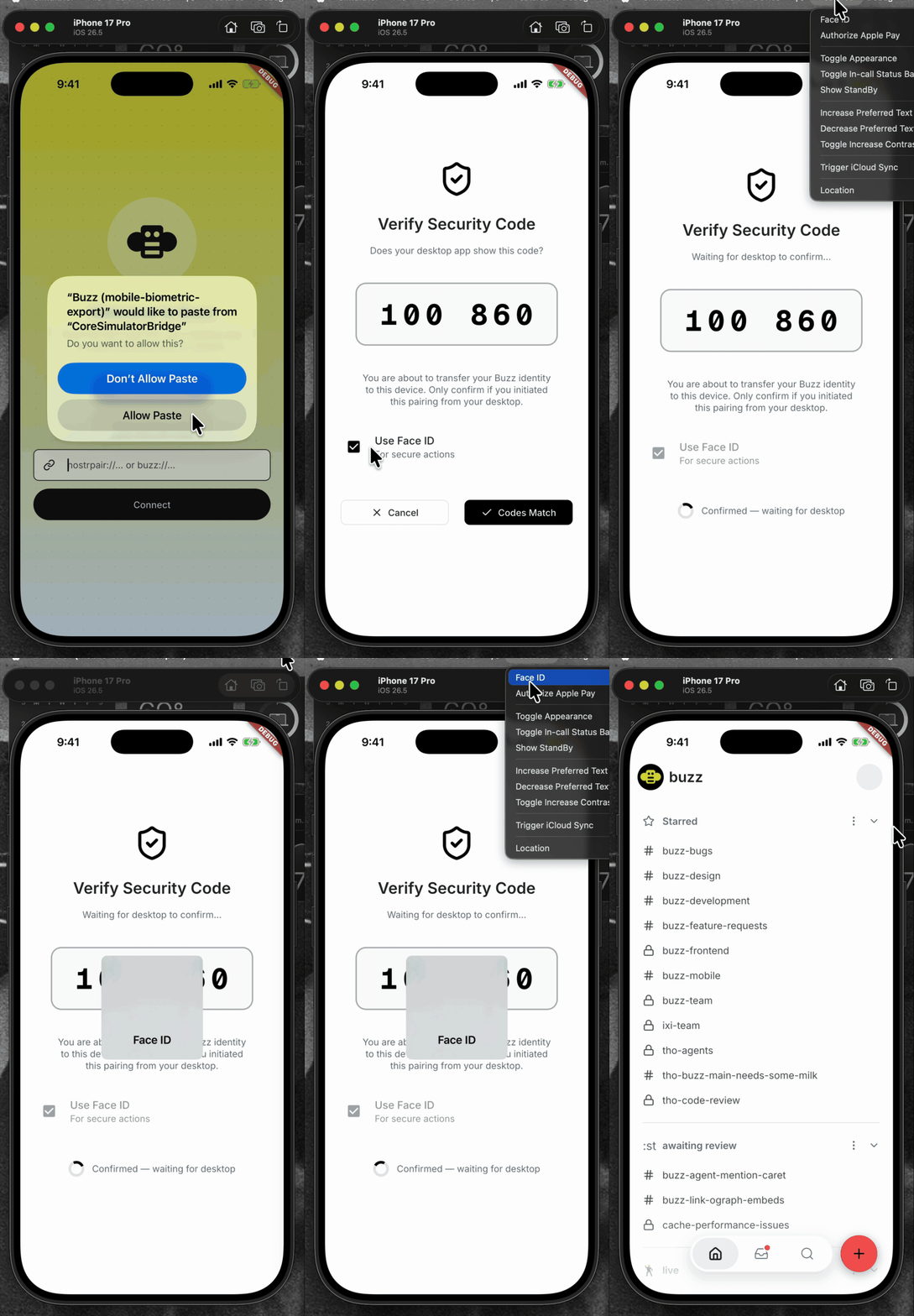 | 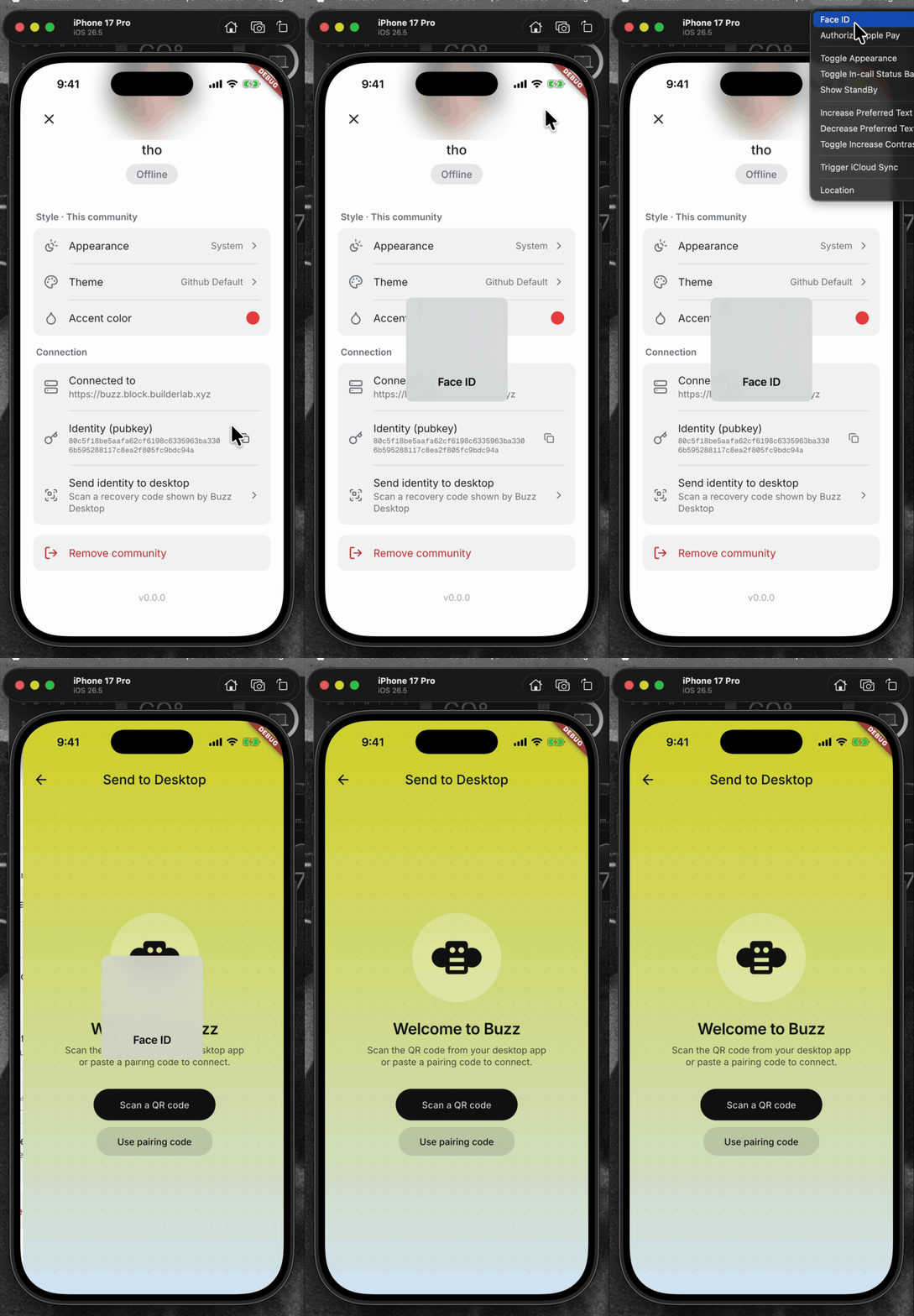 | <details> <summary>File changes</summary> **Android and iOS integration** - `mobile/android/app/build.gradle.kts` declares the AppCompat dependency required by the biometric activity theme. - `mobile/android/app/src/main/kotlin/xyz/block/buzz/mobile/MainActivity.kt` uses the activity type required by the system authentication prompt. - `mobile/android/app/src/main/res/values/styles.xml` and `mobile/android/app/src/main/res/values-night/styles.xml` use the compatible launch theme. - `mobile/ios/Podfile.lock` records the native local-authentication dependency. - `mobile/ios/Runner/Info.plist` explains why Buzz requests Face ID access. **Identity policy and pairing flow** - `mobile/lib/shared/security/sensitive_action_authorizer.dart` wraps OS authentication and maps platform errors to stable app-level outcomes. - `mobile/lib/shared/community/community.dart` and `mobile/lib/shared/community/community_storage.dart` persist the sensitive-action policy. - `mobile/lib/features/invites/invite_join_provider.dart` assigns the explicit policy for invite-created communities. - `mobile/lib/features/pairing/pairing_provider.dart` gates export, binds grants to the active community/session, reauthenticates expired grants, and clears grants on every terminal path. - `mobile/lib/features/pairing/pairing_page.dart` lets users choose biometric protection while importing an identity. - `mobile/lib/features/settings/settings_page.dart` wires pairing into settings. - `mobile/lib/features/settings/settings_page/connection_section.dart` authenticates before opening export recovery and bounds the foreground-resume wait. - `mobile/pubspec.yaml` and `mobile/pubspec.lock` add and lock `local_auth`. **Coverage** - `mobile/test/shared/security/sensitive_action_authorizer_test.dart` covers native result mapping, unsupported devices, and single-flight behavior. - `mobile/test/shared/community/community_test.dart` and `mobile/test/shared/community/community_storage_test.dart` cover policy defaults and persistence. - `mobile/test/features/invites/invite_join_provider_test.dart` covers the invite policy. - `mobile/test/features/pairing/pairing_page_test.dart` covers import protection controls. - `mobile/test/features/pairing/pairing_provider_test.dart` covers export/import authorization, stale/reset/concurrent guards, malformed payload cleanup, and no-export failure paths. - `mobile/test/features/settings/connection_section_test.dart` covers the tap gate, lifecycle resume, and timeout behavior. </details> ## Reproduction steps 1. Pair an identity into the mobile app. 2. Open Settings and choose “Send identity to desktop.” 3. Verify Face ID, biometrics, or the device passcode is required before the recovery scanner opens. 4. Cancel device authentication and verify the scanner does not open and no identity transfer begins. 5. Authenticate, scan a Desktop recovery code, confirm the SAS, and verify the identity transfer completes. ## Validation At `be5620f5f10aa6cc16e86a4f01f102f3d9aeef9b`: - `cd mobile && ../bin/flutter analyze` — no issues - `cd mobile && ../bin/flutter test` — 1,368 tests passed - `cd mobile/android && JAVA_HOME=$(/usr/libexec/java_home -v 21) ./gradlew app:assembleDebug` — debug APK assembled successfully --------- Signed-off-by: Taylor Ho <taylorkmho@gmail.com> |
||
|
|
6eb65919f1 |
feat(identity): recover desktop identity from a signed-in phone (#4845)
**Category:** new-feature **User Impact:** People who lose a desktop identity can securely restore it from a signed-in Buzz phone without creating a replacement identity. **Problem:** A fresh or identity-lost desktop could not recover its existing full Buzz identity from an already-authorized phone. **Solution:** Add a SAS-confirmed reverse NIP-AB transfer, durable desktop import, a dedicated mobile recovery entry point, and clearer desktop recovery dialogs with tested loading, drag-and-drop, and failure states. https://github.com/user-attachments/assets/e9215c9c-80d0-462f-9161-0fa184ca2f74 <details> <summary>File changes</summary> **crates/buzz-core/src/pairing/session.rs** Adds the reverse encrypted payload and source-completion state transitions used for phone-to-desktop recovery. **desktop/src-tauri/src/commands/identity.rs** Exposes the existing guarded identity commit path for recovery imports. **desktop/src-tauri/src/commands/pairing.rs** Adds recovery-mode pairing, durable nsec import, start serialization, stale-task protection, and explicit rejection of unsupported recovery payloads. **desktop/src-tauri/src/lib.rs** Registers the recovery pairing command. **desktop/src/app/App.tsx** Refreshes the recovered identity before continuing onboarding. **desktop/src/features/onboarding/machineOnboarding.ts** Adds recovery transitions to the onboarding state machine. **desktop/src/features/onboarding/ui/BackupPasswordTimeline.tsx** Adds the visual backup-to-password-to-unlock progression. **desktop/src/features/onboarding/ui/IdentityRecoveryPairing.tsx** Implements QR generation, copy fallback, SAS confirmation, cancellation, expiry, and completion UI. **desktop/src/features/onboarding/ui/MachineOnboardingFlow.tsx** Connects private-key, phone, and backup recovery paths to the onboarding flow. **desktop/src/features/onboarding/ui/NostrKeyImportForm.tsx** Polishes recovery dialogs, backup drag-and-drop, loading stability, and security copy. **desktop/src/shared/api/tauri.ts** Keeps the existing pairing API surface focused on standard desktop-to-mobile pairing. **desktop/src/shared/api/tauriPairing.ts** Adds the recovery pairing invoke without growing the ratcheted shared API file. **desktop/src/testing/e2eBridge.ts** Mocks recovery pairing commands and lifecycle events for browser tests. **desktop/tests/e2e/identity-lost.spec.ts** Covers lost-identity entry, QR/copy recovery, SAS, cancellation, expiry, success, errors, backup import, drag-and-drop, and screenshots. **desktop/tests/e2e/onboarding.spec.ts** Verifies recovered identities continue through harness setup without replacement-key side effects. **mobile/lib/features/pairing/pairing_page.dart** Adds recovery-only scanning and explicit identity-handoff warnings. **mobile/lib/features/pairing/pairing_provider.dart** Recognizes recovery codes, returns the signed-in nsec after mutual SAS approval, and waits for desktop completion. **mobile/lib/features/settings/settings_page.dart** Accepts the recovery route builder at the app composition boundary to preserve feature isolation. **mobile/lib/features/settings/settings_page/connection_section.dart** Adds the signed-in “Send identity to desktop” settings action. **mobile/test/features/pairing/pairing_page_test.dart** Covers recovery-only validation and handoff messaging. **mobile/test/features/pairing/pairing_provider_test.dart** Covers reverse payload encryption, confirmation ordering, success, failure, timeout, and cleanup. </details> ## Reproduction steps 1. Launch Buzz Desktop with identity-lost state and choose **Recover from your phone**. 2. Confirm the QR and persistent **Copy pairing code** fallback appear without layout shift. 3. On a signed-in phone, open **Settings → Send identity to desktop**, scan or paste the recovery code, and compare the six-digit SAS on both devices. 4. Confirm on both sides and verify Desktop restores the identity and continues to harness setup. 5. Repeat from identity-lost state with **Recover from a backup file**; verify picker and drag-and-drop both advance to password entry and restore the encrypted backup. 6. Exercise cancellation, mismatched/unsupported codes, expired sessions, and an invalid backup; verify each returns actionable, non-stuck UI. ## Screenshots ### Desktop phone recovery — complete flow | Recovery entry | Pairing QR | Code match | Receiving identity | |---|---|---|---| | 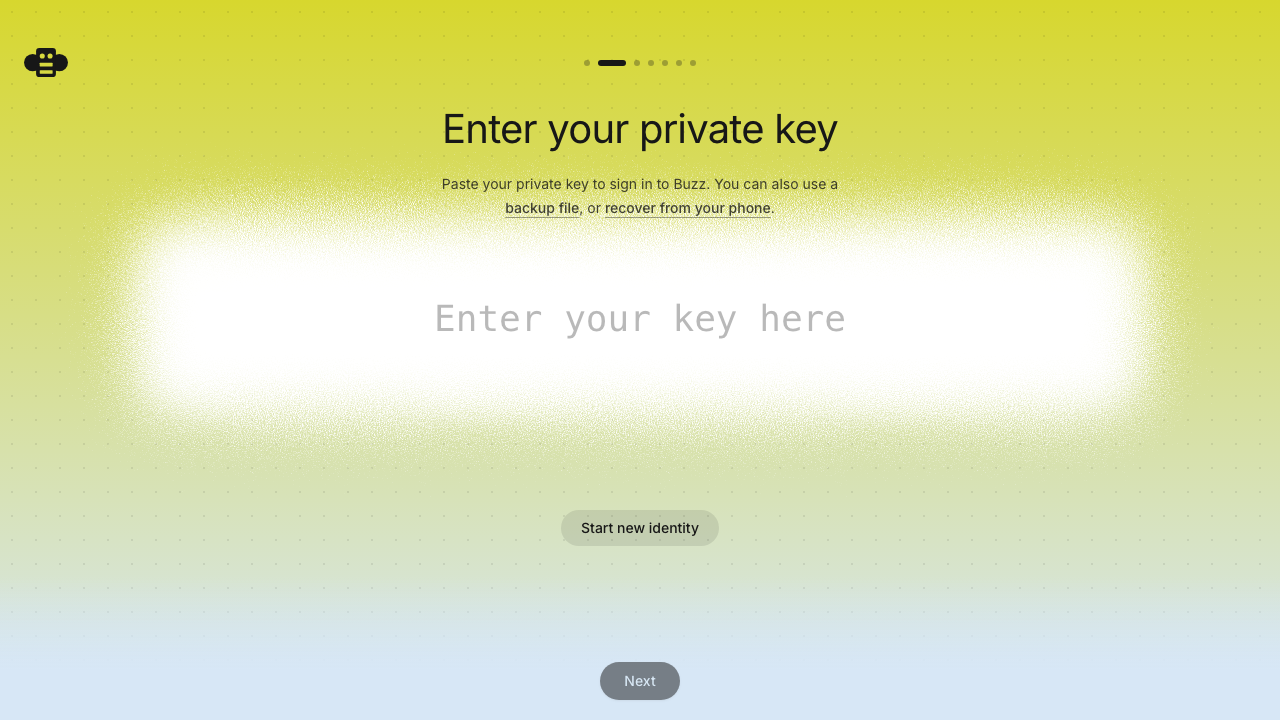 | 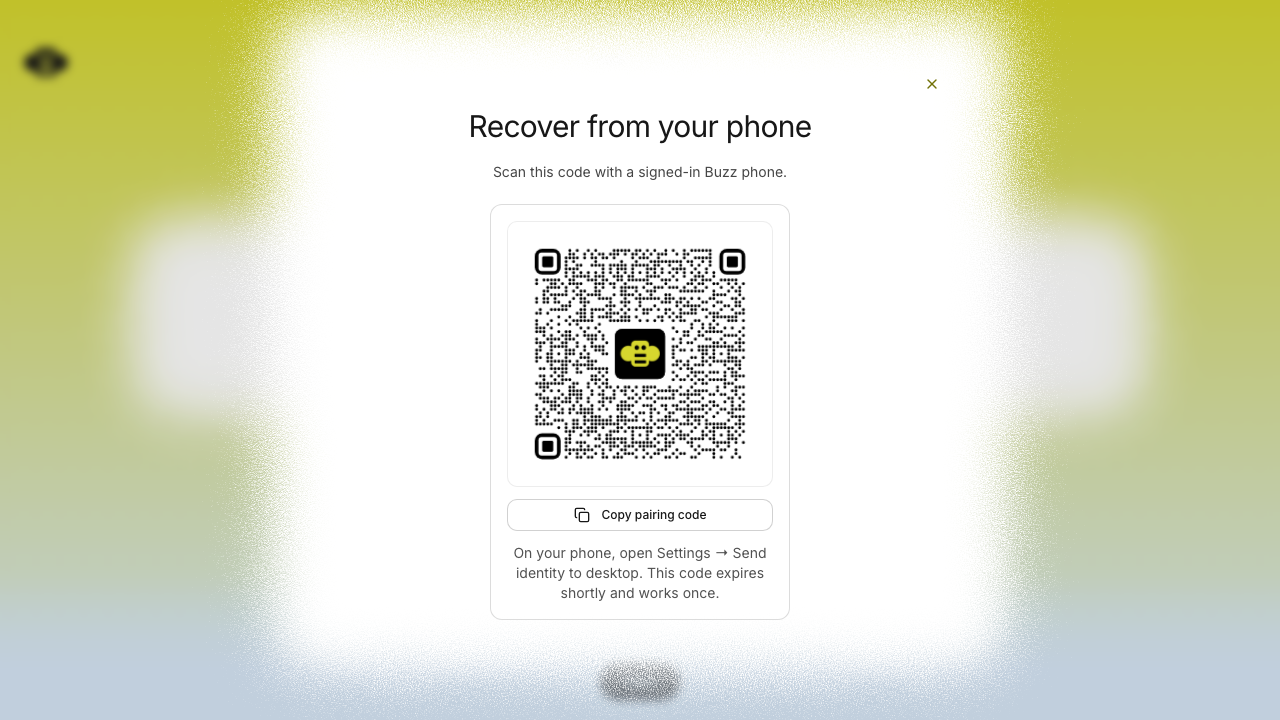 | 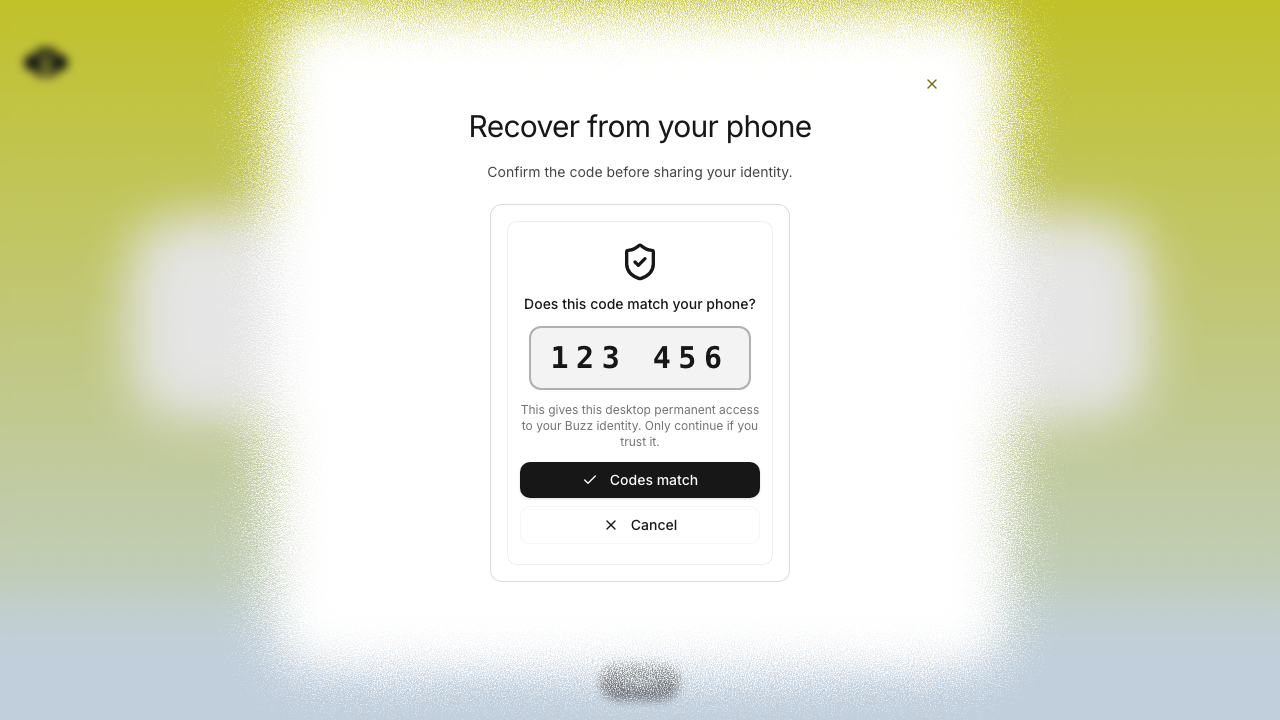 | 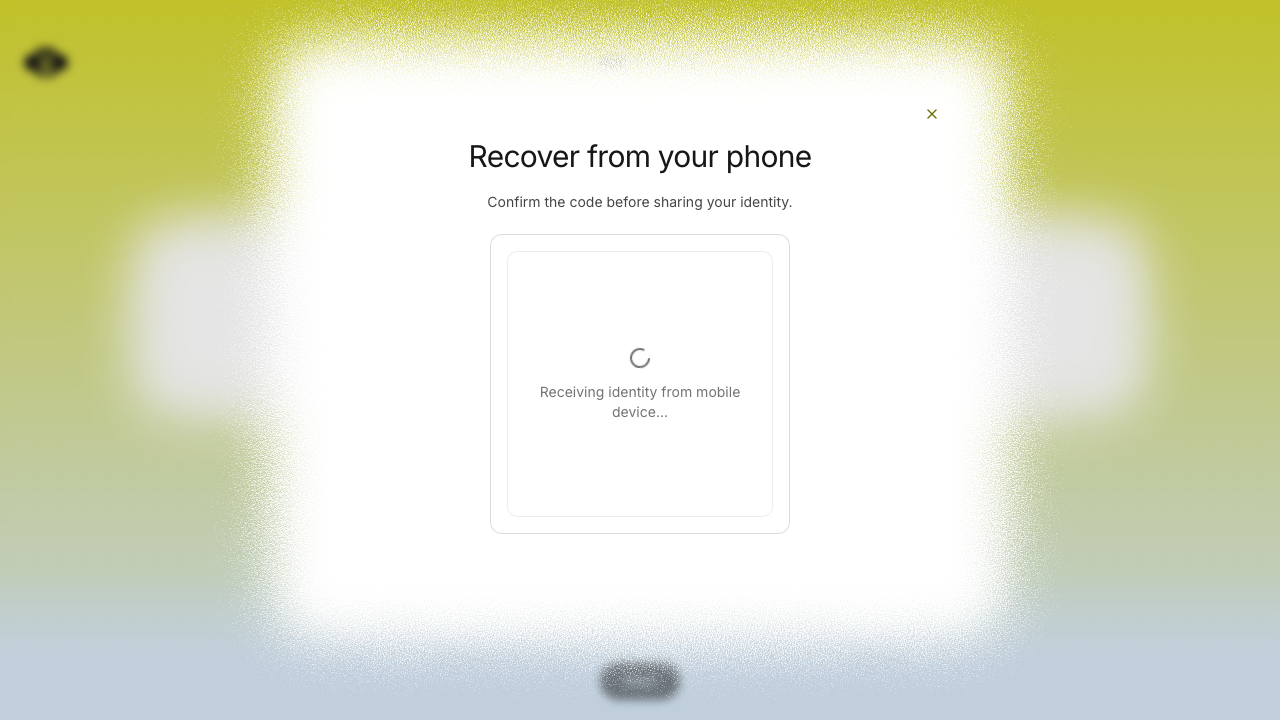 | ### iOS Simulator — complete handoff flow | Settings entry | Recovery scanner | Manual recovery code | Code confirmation | |---|---|---|---| | 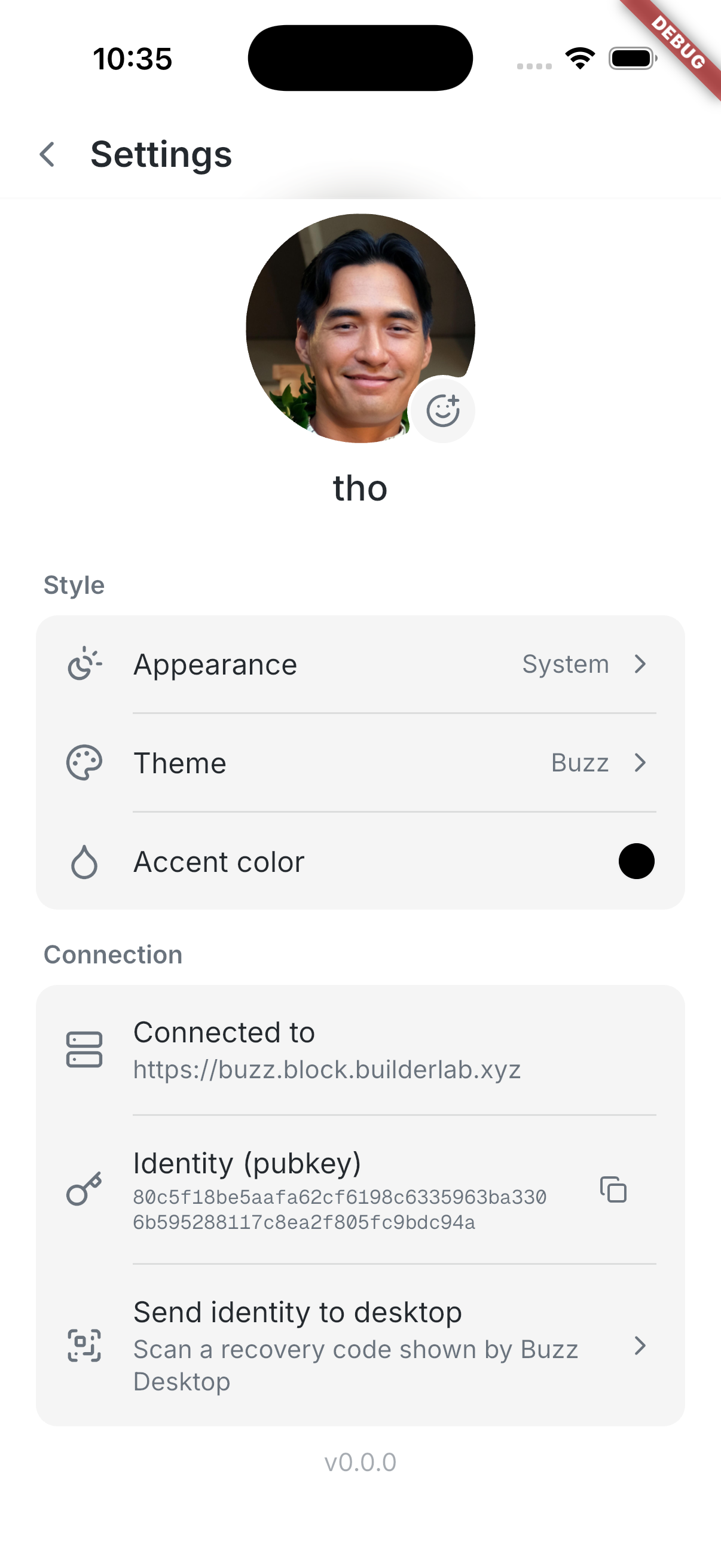 | 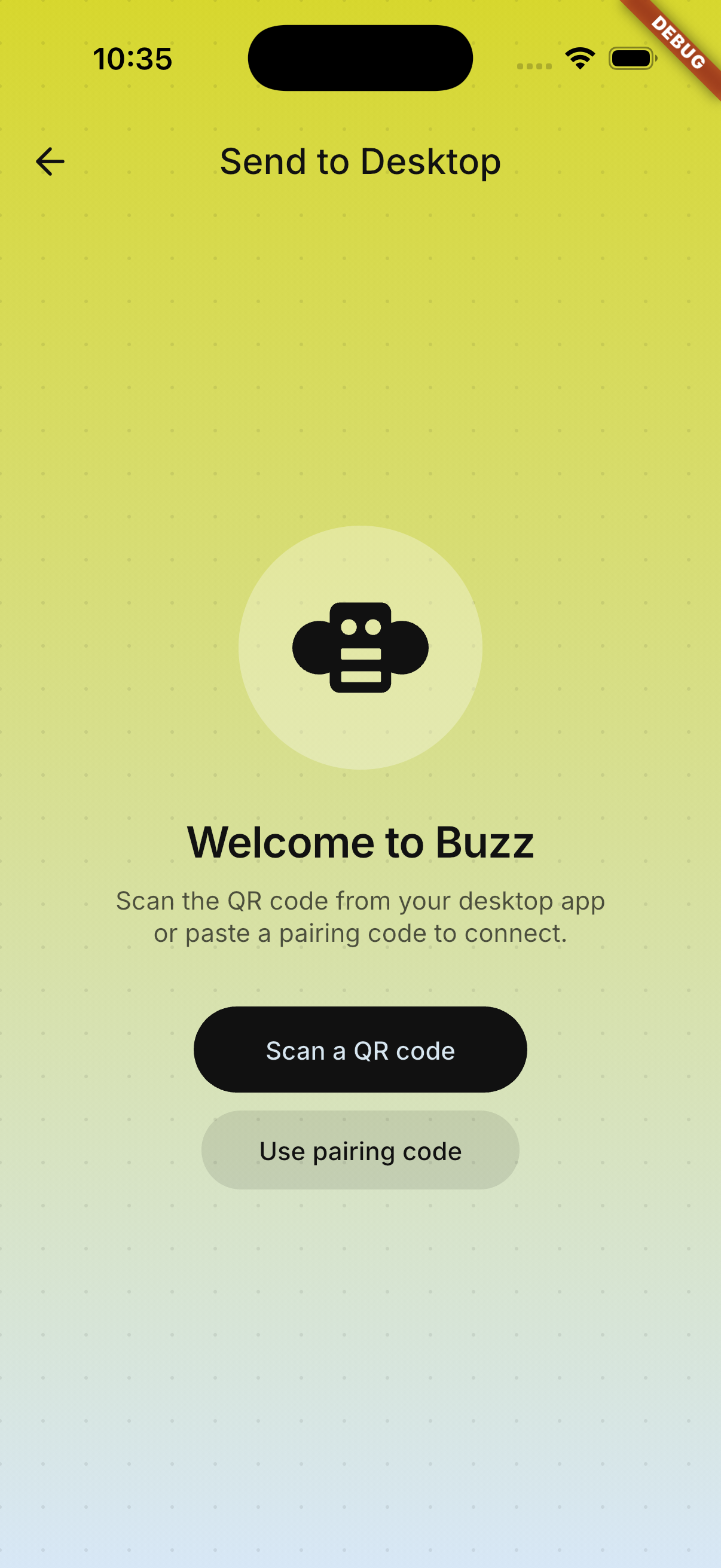 | 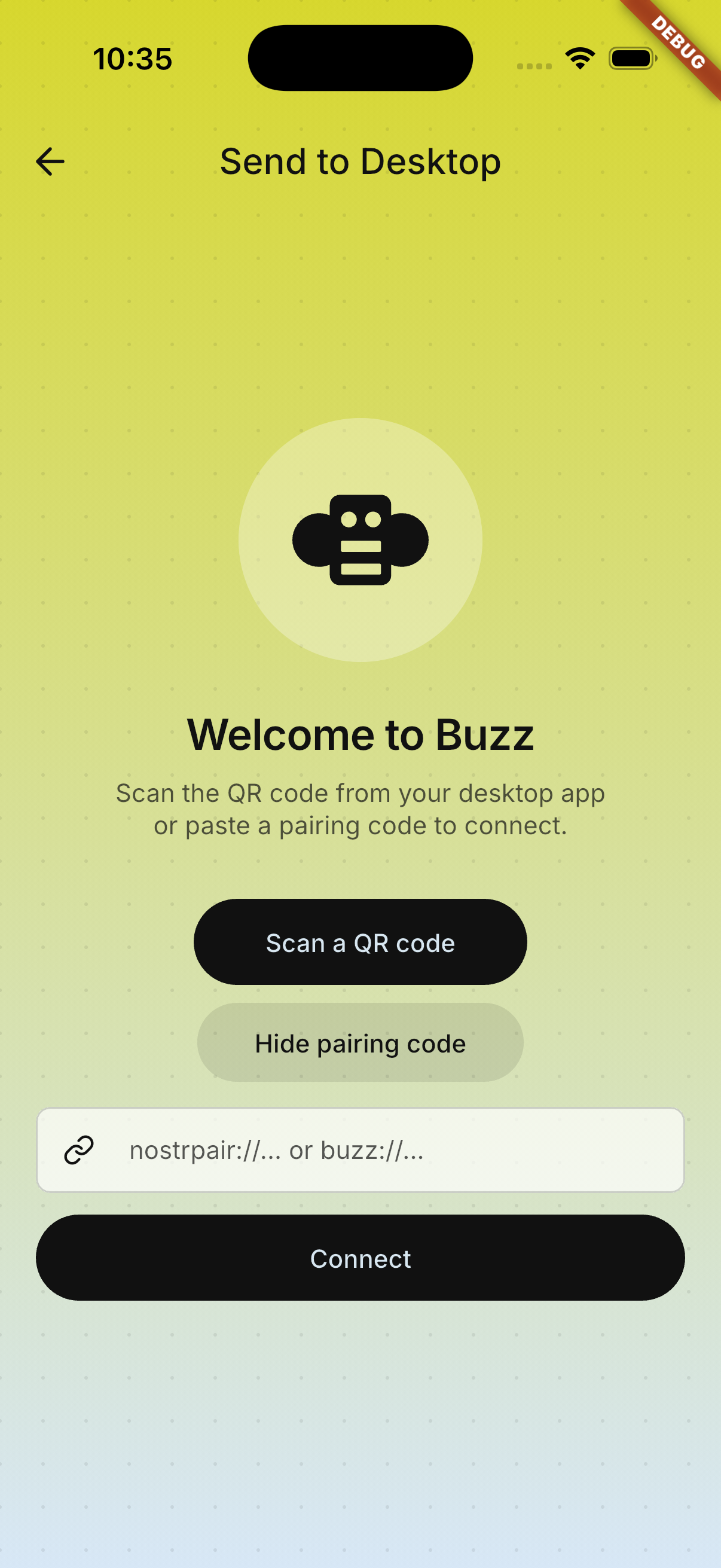 | 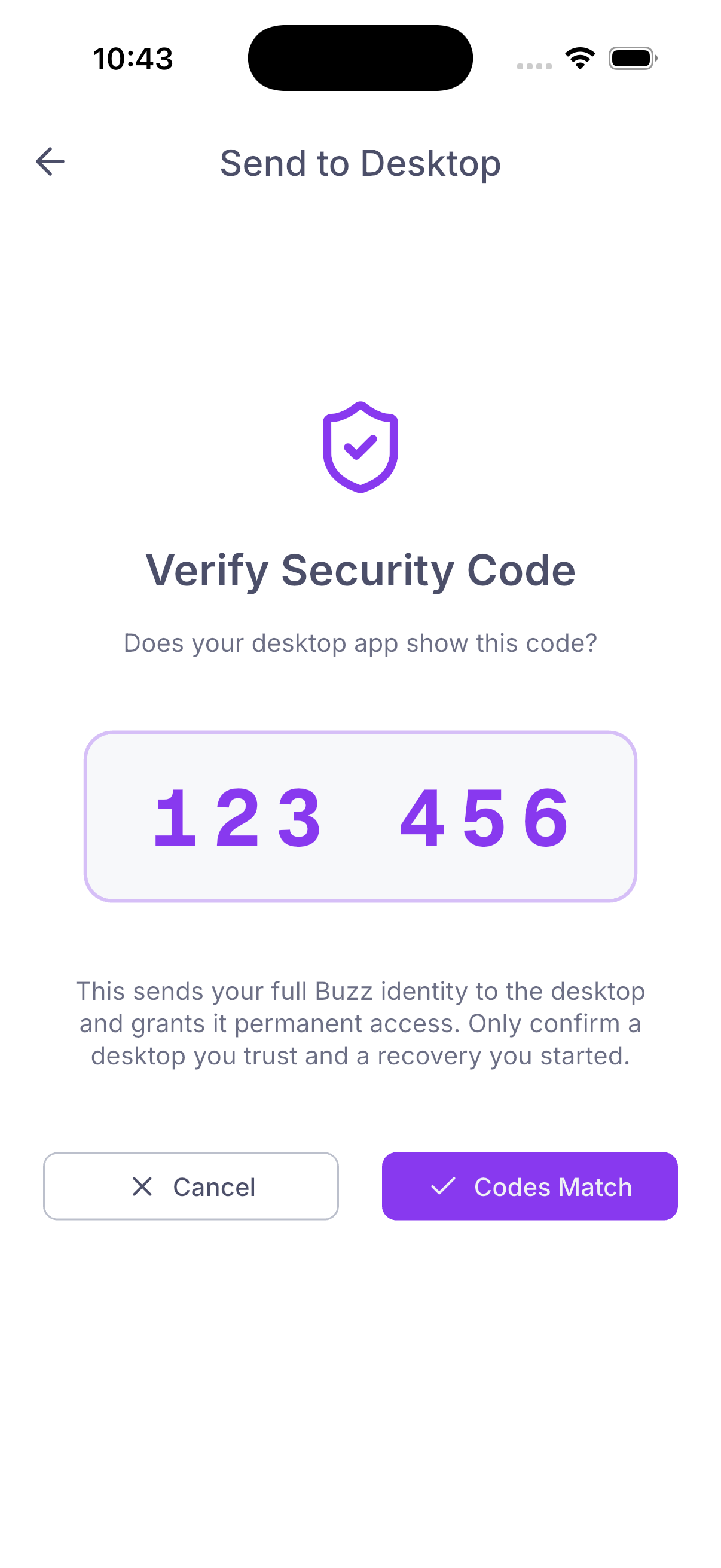 | ### Encrypted backup recovery — adjusted file flow | File picker | Drag-and-drop target | Password step | |---|---|---| | 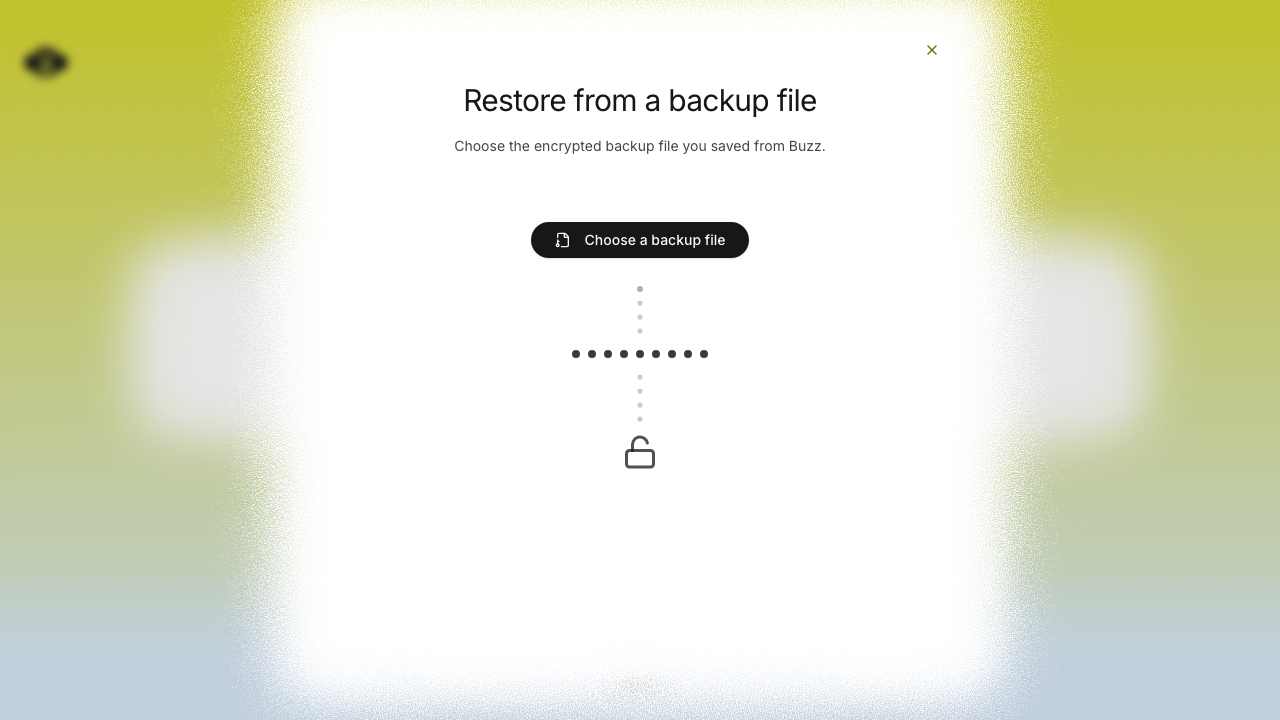 | 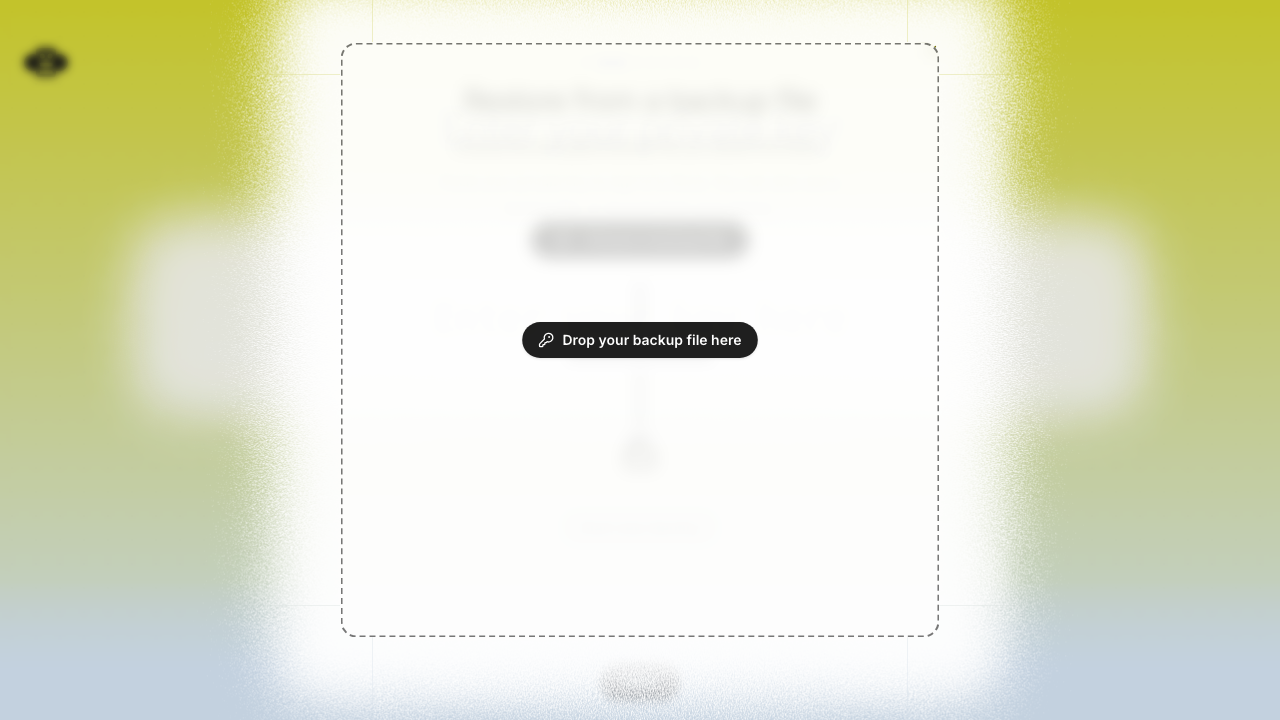 | 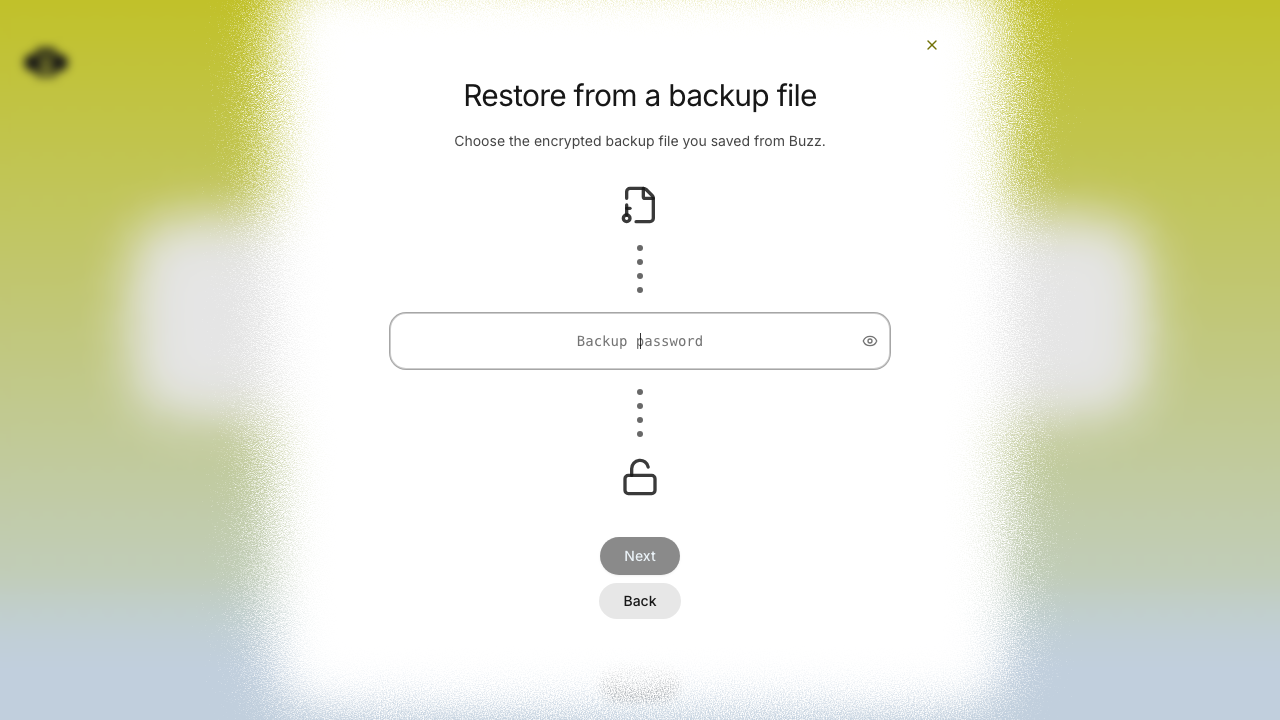 | ## Verification - `cargo test -p buzz-core pairing` — 71 passed - `just mobile-test` — 1,169 passed - `pnpm build:e2e && pnpm exec playwright test identity-lost.spec.ts --project=smoke` — 15 passed - Full pre-push gates — desktop checks, desktop unit tests, Rust tests, Tauri checks, and mobile tests passed --------- Signed-off-by: Taylor Ho <taylorkmho@gmail.com> Co-authored-by: npub1223z34hd7vtwc6qj4s7flsxkj644nlre2nthu7lrrmkumhu3xddsrx9r6w <52a228d6edf316ec6812ac3c9fc0d696ab59fc7954d77e7be31eedcddf91335b@buzz.block.builderlab.xyz> Co-authored-by: Carl <acda9e433d19dcd0e6b6840f7f4b98f3a56f1fab98049d444c087019e6d36560@buzz.block.builderlab.xyz> |
||
|
klopez4212andGitHub
|
27b51144f3 |
Polish mobile bottom sheets and profile cards (#4911)
## Summary - standardize mobile sheets with shared spacing, close controls, action tiles, haptics, and motion - add uniform native concentric corners on iOS 26+ while preserving the Android sheet shape - refresh profile actions/status and normalize membership and huddle timeline spacing ## Validation - `just mobile-check` - `just mobile-test` (1,165 tests) - signed iPhone Release build and device install - Android debug build and Pixel 10 install ## Snapshots ### Channel actions 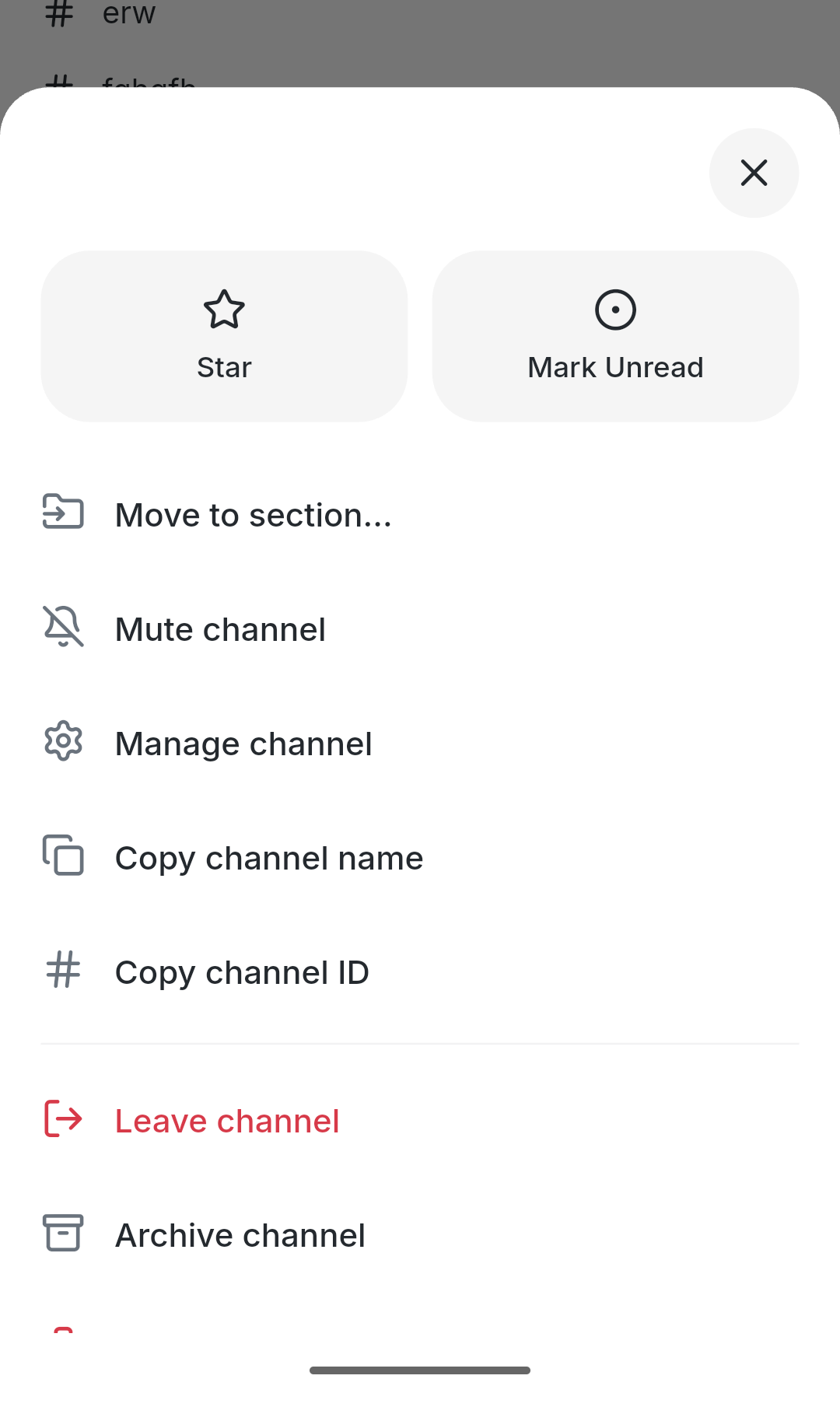 ### Profile card 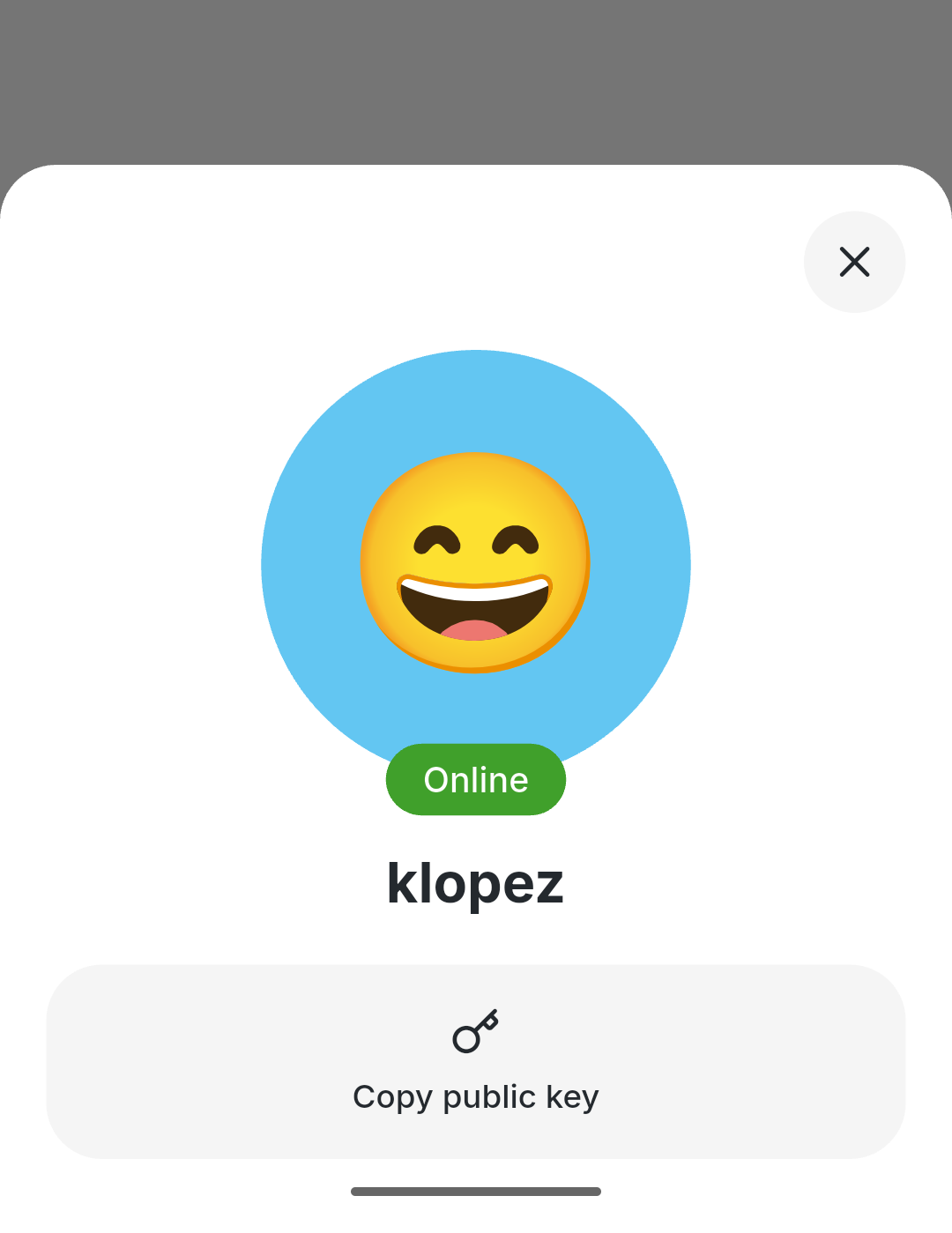 --------- Signed-off-by: kenny lopez <klopez4212@gmail.com> |
||
|
klopez4212andGitHub
|
dd222a509b |
Refine mobile settings and themes (#2844)
## Summary - reorganize mobile settings around profile, appearance, and connection cards - add System/Light/Dark theme pairing, accent selection, and the Buzz gradient theme - align avatar badges, status editing, and supporting mobile chrome ## Test plan - `just mobile-check` - `just mobile-test` |














