 SnapOtterandGitHub
bf417a509e
SnapOtterandGitHub
bf417a509e
Fixes found by manually testing a fresh install end to end:

- auth: the must-change-password gate returned 403 on public routes
  including /api/v1/health, so every fresh install showed a false
  "Reconnecting to server" banner on the forced password change
  screen. Public routes are now exempt (they need no session at all).
  Adds the gate's first direct tests.
- multipart: @fastify/multipart's parts() iterator (9.4.0 and 10.0.0)
  ends on the request stream's "close", which on a reused keep-alive
  connection fires while an earlier part is still streaming to storage,
  silently dropping the parts behind it. The object eraser lost its
  mask file on every second POST per connection. Replaced with a
  busboy-driven iterator (lib/multipart-parts.ts) that ends on busboy's
  own "finish", installed for all routes via a preValidation hook;
  the tool-factory field-recovery workaround for the same bug is now
  unnecessary and removed.
- eraser: the mask canvas backing store is natural resolution, but
  "absolute inset-0" does not stretch replaced elements, so the
  canvas rendered at intrinsic size and the brush ring, strokes, and
  exported mask were all misscaled on photos larger than the viewport.
  The canvas now gets an explicit CSS box at the fitted size.
- compare slider: solid white divider with a dark halo so it stays
  visible over light images; still initialised at the painted region.
- tool page: the AI bundle install prompt now centers in the content
  area instead of hugging the top.
- api docs: disabled Scalar's cloud features (Ask AI, Generate MCP,
  Open API Client, dev toolbar), hid the "Powered by Scalar" footer
  link, and set the page title to "SnapOtter API Reference". The docs
  CSP blocks those cloud calls by design, so the buttons were dead UI.
- docker: embedded Redis comes from packages.redis.io pinned to the
  8.x major (was Debian's 7.0.15), matching the Compose stack and the
  documented claim. Build fails fast if the major ever drifts.
- docs: DOCKERHUB.md quick start now leads with the one-command docker
  run (matching the README) with Compose as the production path;
  README says embedded Postgres 17 + Redis 8.

Claude-Session: https://claude.ai/code/session_01XGB4pGvTvb7sUX4JN745U7
10 KiB
SnapOtter
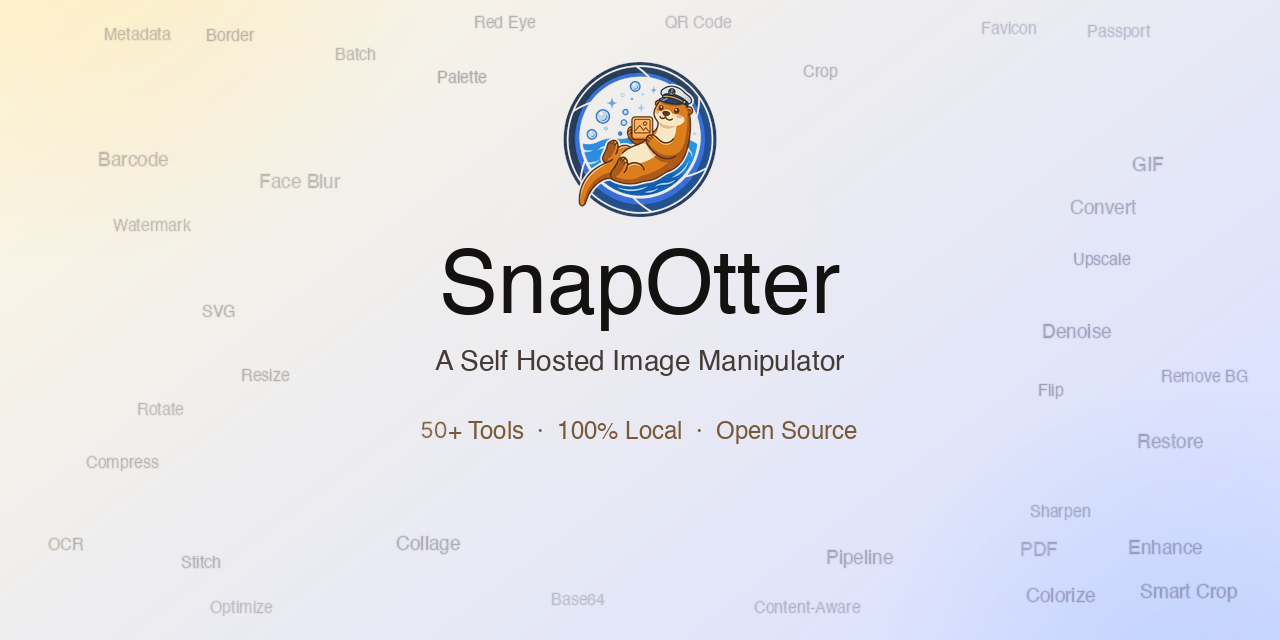
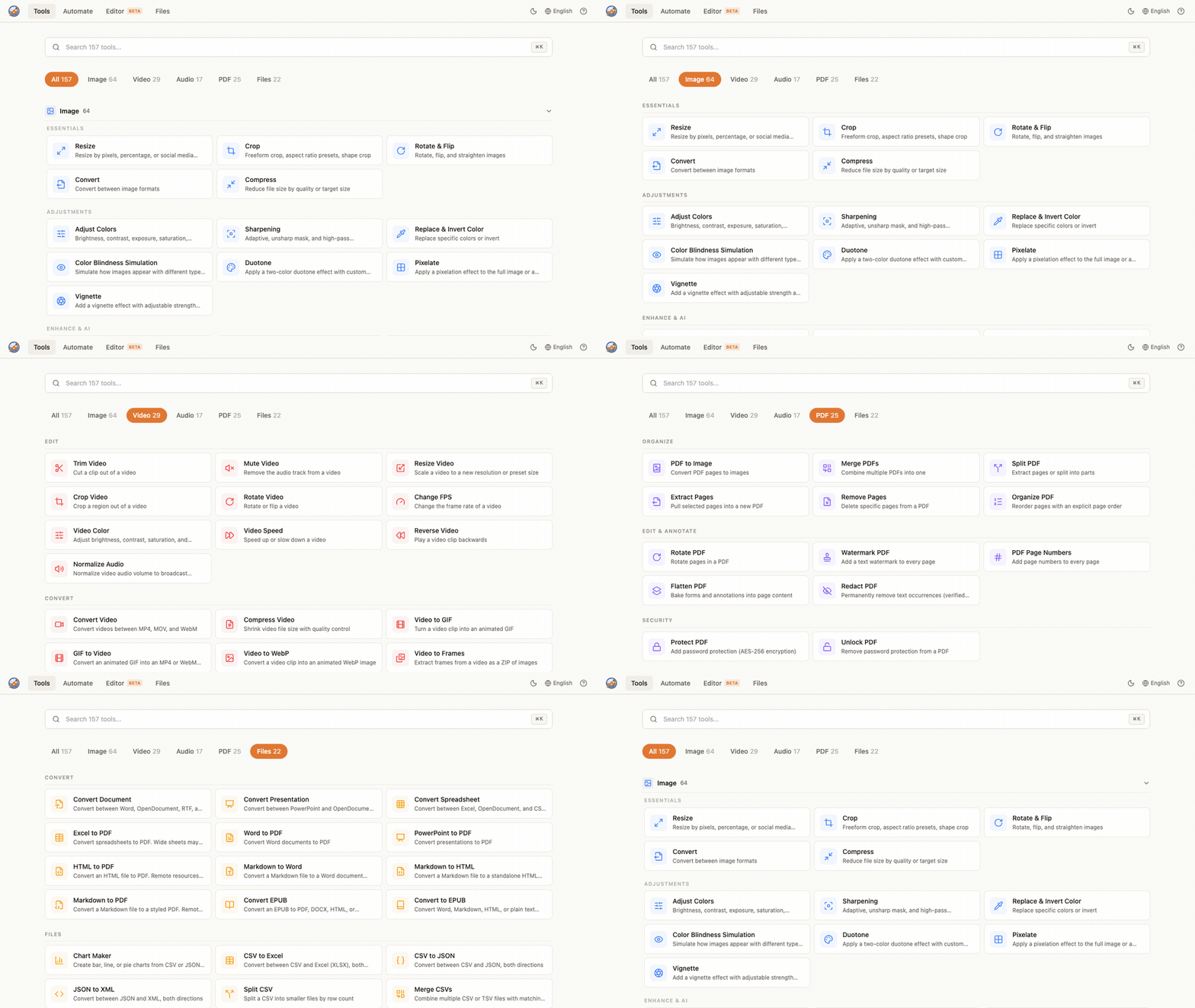
Open-source, self-hostable file manipulation suite. 200+ tools across image, video, audio, documents, and files, plus a layer-based image editor and local AI. Everything runs on your own hardware, so your files never leave your network.






SnapOtter v2.0.0 is coming soon. The current
latestimage is v1.x and includes image tools only. v2.0 adds 200+ tools across image, video, audio, documents, and files. We are fixing a last-minute issue with local AI installs before publishing the new image. Stay tuned.
What is SnapOtter?
SnapOtter is a privacy-first alternative to cloud file-processing services. Convert, compress, edit, and transform files in your browser while the work happens on a server you control. No uploads to third parties, no per-file pricing, no SaaS lock-in. It runs as a single container (embedded PostgreSQL 17 and Redis 8) or as a small Docker Compose stack for production, and works on AMD64 and ARM64.
Quick start
One command, no setup. The container starts an embedded PostgreSQL 17 and Redis 8 on the loopback interface and keeps all data in the SnapOtter-data volume:
docker run -d --name SnapOtter -p 1349:1349 -v SnapOtter-data:/data snapotter/snapotter:latest
The same image is also published to GHCR as ghcr.io/snapotter-hq/snapotter:latest. Embedded mode turns off automatically as soon as you set DATABASE_URL, so moving to the Compose stack later is just a config change.
Open http://localhost:1349 and log in.
| Field | Value |
|---|---|
| Username | admin |
| Password | admin |
You will be asked to change your password on first login.
Production: Docker Compose
For production, run PostgreSQL and Redis in their own containers. Save this as compose.yaml:
services:
  snapotter:
    image: snapotter/snapotter:latest
    ports: ["1349:1349"]
    environment:
      DATABASE_URL: postgres://snapotter:snapotter@postgres:5432/snapotter
      REDIS_URL: redis://redis:6379
    volumes:
      - snapotter-data:/data
    depends_on: [postgres, redis]
    restart: unless-stopped
  postgres:
    image: postgres:17-alpine
    environment:
      POSTGRES_USER: snapotter
      POSTGRES_PASSWORD: snapotter
      POSTGRES_DB: snapotter
    volumes: ["snapotter-pgdata:/var/lib/postgresql/data"]
    restart: unless-stopped
  redis:
    image: redis:8-alpine
    volumes: ["snapotter-redisdata:/data"]
    restart: unless-stopped
volumes:
  snapotter-data:
  snapotter-pgdata:
  snapotter-redisdata:
Then start the stack:
docker compose up -d
Change DEFAULT_PASSWORD for any non-local deployment.
Supported tags and platforms
| Tag | Description |
|---|---|
latest |
Latest release |
1.11.0 |
Exact version |
1.11 |
Latest patch in the 1.11.x line |
1 |
Latest minor in the 1.x line |
| Architecture | GPU support | Notes |
|---|---|---|
linux/amd64 |
NVIDIA CUDA | Full CUDA acceleration for AI tools |
linux/arm64 |
CPU only | Raspberry Pi 4/5, Apple Silicon via Docker Desktop |
The same image runs on CPU or NVIDIA CUDA. Intel/AMD iGPU acceleration through VA-API, Quick Sync, or OpenCL is not supported for AI inference today; those systems run AI tools on CPU. See Docker Tags for benchmarks and version-pinning details.
Features
- 200+ tools across 5 modalities
- Image (105): resize, crop, compress, convert, watermark, color adjust, beautify screenshots, generate memes, vectorize, GIF tools, find duplicates, passport photos, and more. Supports 55+ input formats (including 23 camera RAW formats) and 14 output formats.
- Video (57): convert, compress, trim, resize, crop, merge, video-to-GIF, extract audio, stabilize, change FPS, burn or extract subtitles, and more.
- Audio (27): convert, trim, normalize, volume, fade, pitch shift, silence removal, noise reduction, merge or split, waveform, and more.
- Documents / PDF (28): merge, split, compress, convert (Word, Excel, PowerPoint, EPUB), protect or unlock, redact, watermark, page numbers, OCR, and more.
- Files (23): CSV, JSON, XML, and YAML conversion, CSV merge or split, chart maker, ZIP create or extract.
- Image editor: layer-based editor with brushes, shapes, adjustments, filters, curves, and keyboard shortcuts. Runs in your browser, processes on your hardware.
- Local AI: remove backgrounds, upscale images, restore and colorize old photos, erase objects, blur faces, enhance faces, extract text (OCR from images and PDFs), transcribe audio, auto-generate video subtitles, expand canvas, and fix transparency. All on your hardware, no internet required.
- OIDC / SSO: log in with Google, GitHub, Okta, or any OpenID Connect provider.
- 21 languages: including Arabic (with RTL support), Chinese (Simplified and Traditional), French, German, Hindi, Japanese, Korean, Portuguese, Russian, Spanish, and more.
- Pipelines: chain tools into reusable workflows with unlimited steps. Import and export as JSON. Batch process unlimited files at once.
- REST API: every tool available via API with API key auth. Interactive docs at
/api/docs. - Privacy first: your files never leave your network. SnapOtter asks once whether you want to share anonymous product analytics (which tools are used and errors encountered, never file data). Change it anytime in Settings, or set
ANALYTICS_ENABLED=falseto disable it completely.
Configuration
Common environment variables (set on the snapotter service). Use 0 for unlimited or auto where noted.
| Variable | Default | Description |
|---|---|---|
DATABASE_URL |
(required) | PostgreSQL connection string. |
REDIS_URL |
(required) | Redis connection string. |
AUTH_ENABLED |
true |
Set false to run without login (creates a synthetic anonymous admin). |
DEFAULT_USERNAME |
admin |
Initial admin username. |
DEFAULT_PASSWORD |
admin |
Initial admin password. Change this for any non-local deployment. |
MAX_UPLOAD_SIZE_MB |
0 |
Max upload size in MB. 0 is unlimited. |
MAX_BATCH_SIZE |
0 |
Max files per batch. 0 is unlimited. |
CONCURRENT_JOBS |
0 |
Worker concurrency. 0 auto-detects from CPU. |
PROCESSING_TIMEOUT_S |
0 |
Per-job timeout in seconds. 0 is unlimited. |
RATE_LIMIT_PER_MIN |
300 |
API requests per minute per client. |
SESSION_DURATION_HOURS |
168 |
Login session length in hours. |
TRUST_PROXY |
true |
Trust X-Forwarded-* headers behind a reverse proxy. |
ANALYTICS_ENABLED |
asks on first run | Set false to disable anonymous product analytics entirely. |
EXTERNAL_URL |
Public URL of the instance, required for OIDC redirects. | |
SQLITE_MIGRATE_PATH |
Path to a 1.x SQLite database to import on first boot. |
OIDC, SSO, S3 storage, and the full variable reference are documented in Configuration and OIDC / SSO.
Volumes
| Path | Purpose |
|---|---|
/data |
AI models and persistent user files; in single-container mode also the embedded PostgreSQL and Redis data. Back this up. |
/tmp/workspace |
Temporary processing files (auto-cleaned). |
In the Compose stack, PostgreSQL and Redis keep their own volumes (snapotter-pgdata, snapotter-redisdata).
Ports
| Port | Purpose |
|---|---|
1349 |
Web UI and REST API |
NVIDIA CUDA acceleration
The amd64 image bundles CUDA. With an NVIDIA GPU and the NVIDIA Container Toolkit installed, add this to the snapotter service to accelerate background removal, upscaling, OCR, and transcription:
    deploy:
      resources:
        reservations:
          devices:
            - driver: nvidia
              count: 1
              capabilities: [gpu]
The image auto-detects NVIDIA CUDA at runtime and falls back to CPU when CUDA is unavailable. Mapping /dev/dri for Intel or AMD GPUs does not accelerate SnapOtter AI tools today. Benchmarks are in Docker Tags.
Upgrading from SnapOtter 1.x
v1.x stored data in SQLite. To import it into the new PostgreSQL stack, set SQLITE_MIGRATE_PATH=/data/snapotter.db on the snapotter service for the first boot, then remove the variable once the migration succeeds. Your files and settings are preserved.
Documentation
- Getting Started
- Configuration
- Deployment
- Docker Tags and GPU
- OIDC / SSO
- REST API
- Source on GitHub
- Report an issue
License
Dual-licensed under AGPLv3 and a commercial license. Use, modify, and self-host freely under the AGPLv3; if you run a modified version as a network service, you must make your source available under the AGPLv3. For proprietary or SaaS use where source disclosure is not suitable, a commercial license is available. Contact contact@snapotter.com.