 SnapOtterandGitHub
991c981529
SnapOtterandGitHub
991c981529
* fix: make OCR portable and reliable

* fix: harden OCR installation portability

* fix: pin OCR partials across downloads

* fix: make OCR execution reliably asynchronous

* fix: harden OCR portability and docs routes

* fix: preserve decoder and docs safeguards
10 KiB
SnapOtter
Open-source, self-hosted file-processing infrastructure. Convert, compress, OCR, transcribe, and run local AI across image, video, audio, PDF, and documents, via UI, REST API, and pipelines. 200+ tools in one stack, on your own hardware. Your files never leave your network.






SnapOtter 2.0 is here. The
latesttag now points at2.0.0: 200+ tools across image, video, audio, PDF, and files, plus a layer-based editor and local AI. See the release notes.
What is SnapOtter?
SnapOtter is a privacy-first alternative to cloud file-processing services. Convert, compress, edit, and transform files in your browser while the work happens on a server you control. No uploads to third parties, no per-file pricing, no SaaS lock-in. It runs as a single container (embedded PostgreSQL 17 and Redis 8) or as a small Docker Compose stack for production, and works on AMD64 and ARM64.
Quick start
One command, no setup. The container starts an embedded PostgreSQL 17 and Redis 8 on the loopback interface and keeps all data in the SnapOtter-data volume:
docker run -d --name SnapOtter -p 1349:1349 -v SnapOtter-data:/data snapotter/snapotter:latest
The same image is also published to GHCR as ghcr.io/snapotter-hq/snapotter:latest. Embedded mode turns off automatically as soon as you set DATABASE_URL, so moving to the Compose stack later is just a config change.
Open http://localhost:1349 and log in.
| Field | Value |
|---|---|
| Username | admin |
| Password | admin |
You will be asked to change your password on first login.
Production: Docker Compose
For production, run PostgreSQL and Redis in their own containers. Save this as compose.yaml:
services:
  snapotter:
    image: snapotter/snapotter:latest
    ports: ["1349:1349"]
    environment:
      DATABASE_URL: postgres://snapotter:snapotter@postgres:5432/snapotter
      REDIS_URL: redis://redis:6379
    volumes:
      - SnapOtter-data:/data
    depends_on: [postgres, redis]
    restart: unless-stopped
  postgres:
    image: postgres:17-alpine
    environment:
      POSTGRES_USER: snapotter
      POSTGRES_PASSWORD: snapotter
      POSTGRES_DB: snapotter
    volumes: ["SnapOtter-pgdata:/var/lib/postgresql/data"]
    restart: unless-stopped
  redis:
    image: redis:8-alpine
    volumes: ["SnapOtter-redisdata:/data"]
    restart: unless-stopped
volumes:
  SnapOtter-data:
  SnapOtter-pgdata:
  SnapOtter-redisdata:
Then start the stack:
docker compose up -d
Change DEFAULT_PASSWORD for any non-local deployment.
Supported tags and platforms
| Tag | Description |
|---|---|
latest |
Latest release |
1.11.0 |
Exact version |
1.11 |
Latest patch in the 1.11.x line |
1 |
Latest minor in the 1.x line |
| Architecture | GPU support | Notes |
|---|---|---|
linux/amd64 |
NVIDIA CUDA | Full CUDA acceleration for AI tools |
linux/arm64 |
CPU only | Raspberry Pi 4/5, Apple Silicon via Docker Desktop |
The same image runs on CPU or NVIDIA CUDA. Intel/AMD iGPU acceleration through VA-API, Quick Sync, or OpenCL is not supported for AI inference today; those systems run AI tools on CPU. See Docker Tags for benchmarks and version-pinning details.
Features
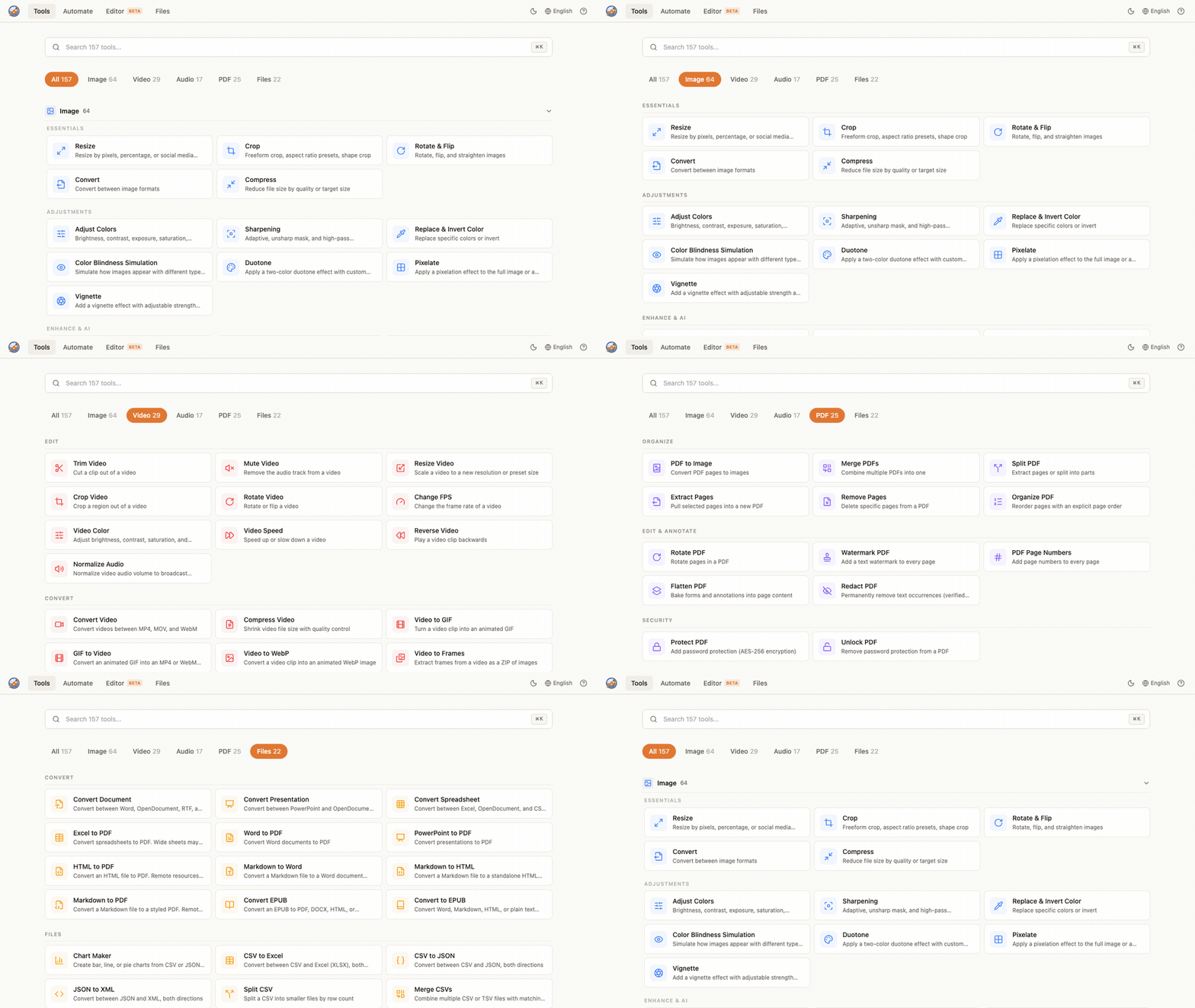
- 200+ tools across 5 modalities
- Image (105): resize, crop, compress, convert, watermark, color adjust, beautify screenshots, generate memes, vectorize, GIF tools, find duplicates, passport photos, and more. Supports 55+ input formats (including 23 camera RAW formats) and 14 output formats.
- Video (57): convert, compress, trim, resize, crop, merge, video-to-GIF, extract audio, stabilize, change FPS, burn or extract subtitles, and more.
- Audio (27): convert, trim, normalize, volume, fade, pitch shift, silence removal, noise reduction, merge or split, waveform, and more.
- Documents / PDF (28): merge, split, compress, convert (Word, Excel, PowerPoint, EPUB), protect or unlock, redact, watermark, page numbers, OCR, and more.
- Files (23): CSV, JSON, XML, and YAML conversion, CSV merge or split, chart maker, ZIP create or extract.
- Image editor: layer-based editor with brushes, shapes, adjustments, filters, curves, and keyboard shortcuts. Runs in your browser, processes on your hardware.
- Local AI: remove backgrounds, upscale images, restore and colorize old photos, erase objects, blur faces, enhance faces, extract text (OCR from images and PDFs), transcribe audio, auto-generate video subtitles, expand canvas, and fix transparency. All on your hardware, no internet required. Built-in Fast OCR adds about 25 MiB to the official image; the optional accuracy pack installs on demand.
- OIDC / SSO: log in with Google, GitHub, Okta, or any OpenID Connect provider.
- 21 languages: including Arabic (with RTL support), Chinese (Simplified and Traditional), French, German, Hindi, Japanese, Korean, Portuguese, Russian, Spanish, and more.
- Pipelines: chain tools into reusable workflows with unlimited steps. Import and export as JSON. Batch process unlimited files at once.
- REST API: every tool available via API with API key auth. Interactive docs at
/api/docs. - Privacy first: your files never leave your network. SnapOtter asks once whether you want to share anonymous product analytics (which tools are used and errors encountered, never file data). Change it anytime in Settings, or set
ANALYTICS_ENABLED=falseto disable it completely.
Configuration
Common environment variables (set on the snapotter service). Use 0 for unlimited or auto where noted.
| Variable | Default | Description |
|---|---|---|
DATABASE_URL |
(required) | PostgreSQL connection string. |
REDIS_URL |
(required) | Redis connection string. |
AUTH_ENABLED |
true |
Set false to run without login (creates a synthetic anonymous admin). |
DEFAULT_USERNAME |
admin |
Initial admin username. |
DEFAULT_PASSWORD |
admin |
Initial admin password. Change this for any non-local deployment. |
MAX_UPLOAD_SIZE_MB |
0 |
Max upload size in MB. 0 is unlimited. |
MAX_BATCH_SIZE |
0 |
Max files per batch. 0 is unlimited. |
CONCURRENT_JOBS |
0 |
Worker concurrency. 0 auto-detects from CPU. |
PROCESSING_TIMEOUT_S |
0 |
Per-job timeout in seconds. 0 is unlimited. |
RATE_LIMIT_PER_MIN |
300 |
API requests per minute per client. |
SESSION_DURATION_HOURS |
168 |
Login session length in hours. |
TRUST_PROXY |
true |
Trust X-Forwarded-* headers behind a reverse proxy. |
ANALYTICS_ENABLED |
asks on first run | Set false to disable anonymous product analytics entirely. |
EXTERNAL_URL |
Public URL of the instance, required for OIDC redirects. | |
SQLITE_MIGRATE_PATH |
Path to a 1.x SQLite database to import on first boot. |
OIDC, SSO, S3 storage, and the full variable reference are documented in Configuration and OIDC / SSO.
Volumes
| Path | Purpose |
|---|---|
/data |
AI models and persistent user files; in single-container mode also the embedded PostgreSQL and Redis data. Back this up. |
/tmp/workspace |
Temporary processing files (auto-cleaned). |
In the Compose stack, PostgreSQL and Redis keep their own volumes (SnapOtter-pgdata, SnapOtter-redisdata).
Ports
| Port | Purpose |
|---|---|
1349 |
Web UI and REST API |
NVIDIA CUDA acceleration
The amd64 image bundles CUDA. With an NVIDIA GPU and the NVIDIA Container Toolkit installed, add this to the snapotter service to accelerate background removal, upscaling, and transcription. OCR remains CPU-based and works unchanged on the same host:
    deploy:
      resources:
        reservations:
          devices:
            - driver: nvidia
              count: 1
              capabilities: [gpu]
The image auto-detects NVIDIA CUDA at runtime and falls back to CPU when CUDA is unavailable. Mapping /dev/dri for Intel or AMD GPUs does not accelerate SnapOtter AI tools today. Benchmarks are in Docker Tags.
Upgrading from SnapOtter 1.x
v1.x stored data in SQLite. To import it into the new PostgreSQL stack, set SQLITE_MIGRATE_PATH=/data/snapotter.db on the snapotter service for the first boot, then remove the variable once the migration succeeds. Your files and settings are preserved.
Documentation
- Getting Started
- Configuration
- Deployment
- Docker Tags and GPU
- OIDC / SSO
- REST API
- Source on GitHub
- Report an issue
License
Dual-licensed under AGPLv3 and a commercial license. Use, modify, and self-host freely under the AGPLv3; if you run a modified version as a network service, you must make your source available under the AGPLv3. For proprietary or SaaS use where source disclosure is not suitable, a commercial license is available. Contact contact@snapotter.com.